Download the PHP package proho/filament-tiptap-editor without Composer
On this page you can find all versions of the php package proho/filament-tiptap-editor. It is possible to download/install these versions without Composer. Possible dependencies are resolved automatically.
FAQ
Example:

In general, it is recommended to use always a project to download your libraries. In an application normally there is more than one library needed.

- Some hosting areas are not accessible by a terminal or SSH. Then it is not possible to use Composer.
- To use Composer is sometimes complicated. Especially for beginners.
- Composer needs much resources. Sometimes they are not available on a simple webspace.
- If you are using private repositories you don't need to share your credentials. You can set up everything on our site and then you provide a simple download link to your team member.
- Simplify your Composer build process. Use our own command line tool to download the vendor folder as binary. This makes your build process faster and you don't need to expose your credentials for private repositories.
Informations about the package filament-tiptap-editor
Filament Tiptap Editor
A Tiptap integration for Filament Admin/Forms.
Warning If you are using the Curator integration for media uploads you will need to update to version 2.3.0 or higher.
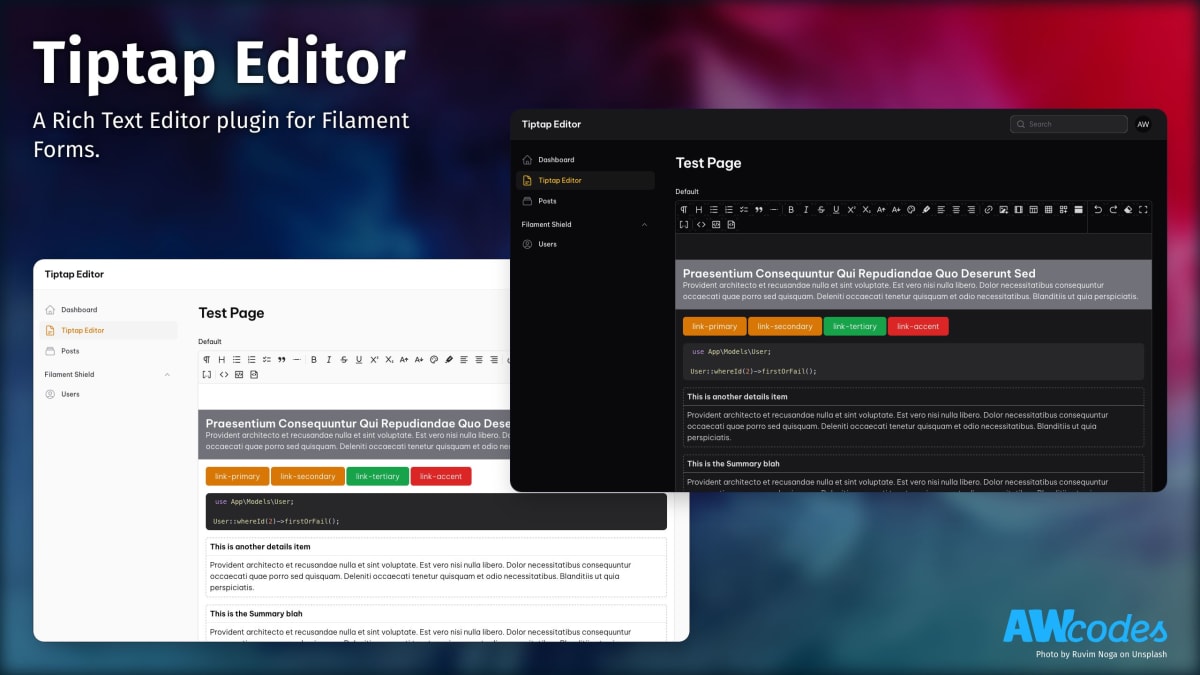
- Supports Light/Dark Mode
- Fullscreen editing
- Overrideable Media uploading
- Profile based toolbars to simplify reusing features
Installation
Install the package via composer
Usage
The editor extends the default Field class so most other methods available on that class can be used when adding it to a form.
Rendering content in Blade files
If you are storing your content as JSON then you will likely need to parse the data to HTML for output in Blade files. To help with this there is a helper function tiptap_converter that will convert the data to one of the three supported Tiptap formats.
Styling the output is entirely up to you.
Config
Publish the config file.
Profiles / Tools
The package comes with 3 profiles for buttons/tools out of the box.
- default: includes all available tools
- simple
- barebone
See filament-tiptap-editor.php config file for modifying profiles to add / remove buttons from the editor or to create your own.
Tools can also be added on a per instance basis. Using the ->tools() modifier will overwrite the profile set for the instance. A full list of tools can be found in the filament-tiptap-editor.php config file under the default profile setting.
Media / Images
- accepted_file_types: ['image/jpeg', 'image/png', 'image/webp', 'image/svg+xml', 'application/pdf']
- disk: 'public'
- directory: 'images'
- visibility: 'public'
- preserve_file_names: false
- max_file_size: 2042
- image_crop_aspect_ratio: null
- image_resize_target_width: null
- image_resize_target_height: null
Output format
Tiptap editor has 3 different output formats. See: https://tiptap.dev/guide/output
If you want to change the output format you can change the default config or specify it in each form instances. For each form field instances you can add the following option:
- HTML (Format type:
FilamentTiptapEditor\TiptapEditor::OUTPUT_HTML) - JSON (Format type:
FilamentTiptapEditor\TiptapEditor::OUTPUT_JSON) - Text (Format type:
FilamentTiptapEditor\TiptapEditor::OUTPUT_TEXT)
or as string
- HTML (
html) - JSON (
json) - Text (
text)
Note:
If you want to store the editor content as array / json you have to set the database column as longText or json type. And cast it appropriately in your model class.
For example:
RTL Support
In order for things like text align to work properly with RTL languages you
can switch the direction key in the config to 'rtl'.
Max Content Width
To adjust the max content width of the editor globally set max_content_width
key in the config to one of the tailwind max width sizes or full for full width.
This could also be set on a per instance basis with the ->maxContentWidth() method.
Overrides
The Link and Media modals are built using Filament Form Component Actions. This means it is easy enough to swap them out with your own implementations.
Link Modal
You may override the default Link modal with your own Action and assign to the link_action key in the config file. Make sure the default name for your action is filament_tiptap_link.
See vendor/awcodes/filament-tiptap-editor/src/Actions/LinkAction.php for implementation.
Media Modal
You may override the default Media modal with your own Action and assign to the media_action key in the config file. Make sure the default name for your action is filament_tiptap_media.
See vendor/awcodes/filament-tiptap-editor/src/Actions/MediaAction.php for implementation.
Initial height of editor field
You can add extra input attributes to the field with the extraInputAttributes() method. This allows you to do things like set the initial height of the editor.
Bubble and Floating Menus
By default, the editor uses Bubble and Floating menus to help with creating content inline, so you don't have to use the toolbar. If you'd prefer to not use the menus you can disable them on a per-instance basis or globally in the config file.
You can also provide you own tools to for the floating menu, should you choose. Defaults can be overwritten via the config file.
Usage in Standalone Forms Package
-
Install tippy.js and @ryangjchandler/alpine-tooltip
-
Import the plugin's JS file into your app's JS file and register Alpine Tooltip
-
Import the plugin's CSS and Tippy's CSS file into your app's CSS file
- If you are using any of the tools that require a modal (e.g. Insert media, Insert video, etc.), make sure to add
{{ $this->modal }}to your view after the custom form:
Theming
If you are using a custom theme for Filament you will need to add this plugin's views to your Tailwind CSS config.
Versioning
This projects follow the Semantic Versioning guidelines.
License
Copyright (c) 2022 Adam Weston and contributors
Licensed under the MIT license, see LICENSE.md for details.
All versions of filament-tiptap-editor with dependencies

filament/filament Version ^2.0
illuminate/contracts Version ^9.0|^10.0
intervention/image Version ^2.7
spatie/laravel-package-tools Version ^1.9.2
ueberdosis/tiptap-php Version ^1.1