Download the PHP package misaf/filament-jalali without Composer
On this page you can find all versions of the php package misaf/filament-jalali. It is possible to download/install these versions without Composer. Possible dependencies are resolved automatically.
Download misaf/filament-jalali
More information about misaf/filament-jalali
Files in misaf/filament-jalali
Package filament-jalali
Short Description Add Jalali datetime to your filament tables
License MIT
Homepage https://github.com/mokhosh/filament-jalali
FAQ
Example:

In general, it is recommended to use always a project to download your libraries. In an application normally there is more than one library needed.

- Some hosting areas are not accessible by a terminal or SSH. Then it is not possible to use Composer.
- To use Composer is sometimes complicated. Especially for beginners.
- Composer needs much resources. Sometimes they are not available on a simple webspace.
- If you are using private repositories you don't need to share your credentials. You can set up everything on our site and then you provide a simple download link to your team member.
- Simplify your Composer build process. Use our own command line tool to download the vendor folder as binary. This makes your build process faster and you don't need to expose your credentials for private repositories.
Informations about the package filament-jalali
Add "Jalali calendar" columns and pickers to Filament



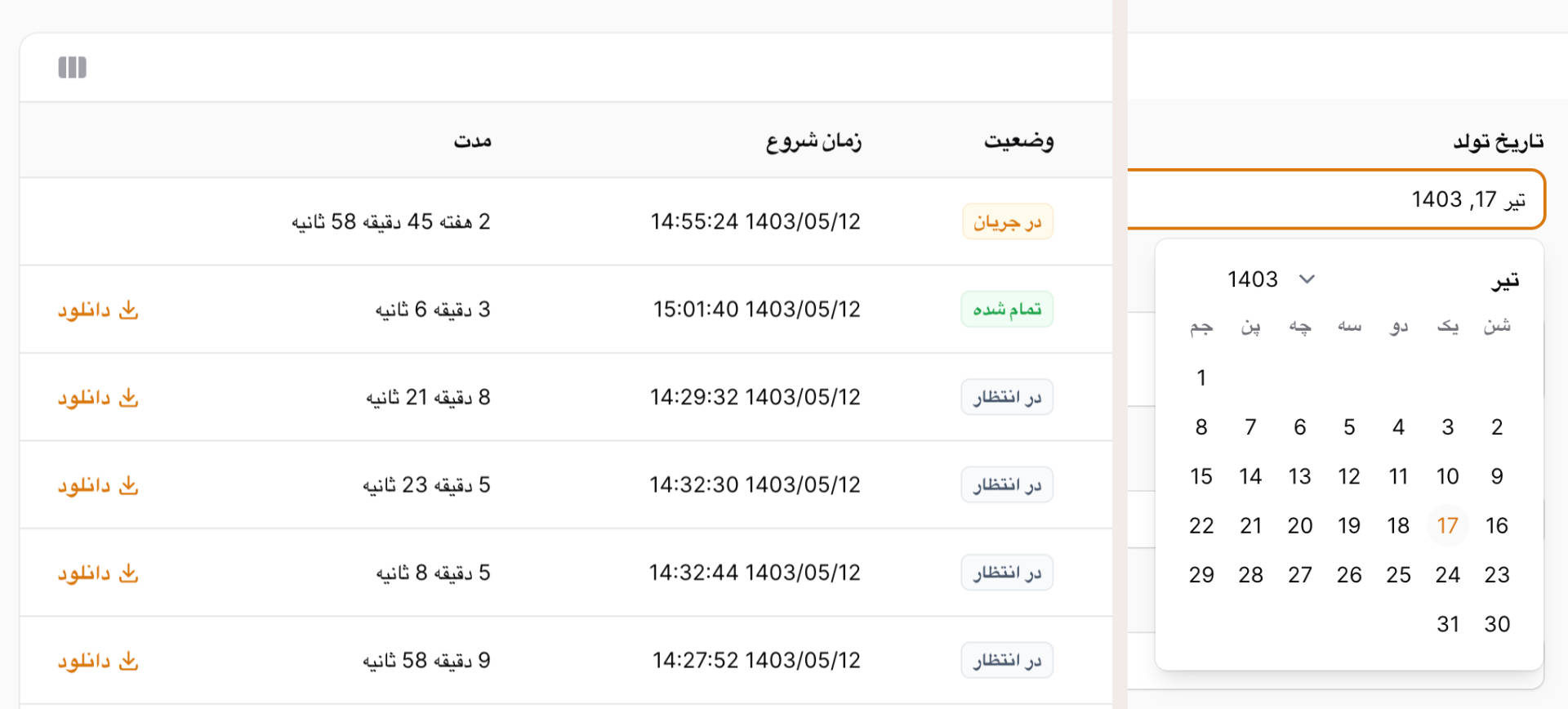
No fuss package to add Jalali Date and DateTime columns to your table, and a beautiful Jalali Date and DateTime picker to your forms.
No new column type, just keep using your good old TextColumns!
No new form components, just keep using your beautiful DatePickers and DateTimePickers!
Installation
You can install the package via composer:
PHPStan / Larastan
This package ships a PHPStan extension file (extension.neon) and macro stubs for:
Filament\Tables\Columns\TextColumnFilament\Infolists\Components\TextEntryFilament\Forms\Components\DateTimePicker
If you use phpstan/extension-installer, it is discovered automatically.
If you do not use extension-installer, add this include to your phpstan.neon:
Usage
To add Jalali date and date-time columns to your tables, just add jalaliDate and jalaliDateTime to the filament TextColumns instead of date or dateTime.
To add Jalali date and date-time columns to your infolists, just add jalaliDate and jalaliDateTime to the filament TextEntrys instead of date or dateTime.
Force Latin or Farsi Numbers
By default, numbers follow the app locale. You can override this using the third argument:
To add Jalali date and date-time pickers to your forms, just add jalalito your DatePicker and DateTimePicker.
Ignoring Jalali Conversion
If you want to ignore jalali conversion you can use the when and unless methods:
Configuring the Format Globally
You can set the default date formats for tables, infolists and date/time pickers anywhere you want, likely in a service provider:
Some common formats you might want to use:
j F Y ۱۵ مهر ۱۳۶۸
Y/m/d ۱۳۶۸/۰۷/۱۵
l j F شنبه ۱۵ مهر
Filament 4 Custom Theme Integration
Filament 4 uses a new theme system. To include filament-jalali’s styles in your Filament admin panel, do the following:
1. Create a custom Filament theme
Run the artisan command:
Follow the instructions to create your custom theme (e.g., ).
2. Import filament-jalali styles in your theme’s CSS file
Add this line to your generated theme CSS file (usually something like ):
This imports all CSS/SCSS from the filament-jalali package.
3. Add the theme CSS file to your Vite input in vite.config.js
Edit your :
4. Register the compiled theme CSS file in your Filament panel provider
In your panel service provider (e.g., ), add:
5. Compile your assets with Vite
Run:
or for development:
Credits
- Mo Khosh
- All Contributors
License
The MIT License (MIT). Please see License File for more information.
All versions of filament-jalali with dependencies

filament/filament Version ^4.0|^5.0
illuminate/contracts Version ^11.28|^12.0|^13.0
morilog/jalali Version ^v3.4.2
spatie/laravel-package-tools Version ^1.14.0