Download the PHP package leonardo-max/new-here without Composer
On this page you can find all versions of the php package leonardo-max/new-here. It is possible to download/install these versions without Composer. Possible dependencies are resolved automatically.
Download leonardo-max/new-here
More information about leonardo-max/new-here
Files in leonardo-max/new-here
Package new-here
Short Description Show each user what is new right where it lives: pulsing beacons and contextual hints on the exact buttons, columns, fields and pages you just shipped in your Filament panel. Seen once per user, stored in the database, AI-agent ready.
License MIT
Homepage https://github.com/leonardo-max/new-here
FAQ
Example:

In general, it is recommended to use always a project to download your libraries. In an application normally there is more than one library needed.

- Some hosting areas are not accessible by a terminal or SSH. Then it is not possible to use Composer.
- To use Composer is sometimes complicated. Especially for beginners.
- Composer needs much resources. Sometimes they are not available on a simple webspace.
- If you are using private repositories you don't need to share your credentials. You can set up everything on our site and then you provide a simple download link to your team member.
- Simplify your Composer build process. Use our own command line tool to download the vendor folder as binary. This makes your build process faster and you don't need to expose your credentials for private repositories.
Informations about the package new-here
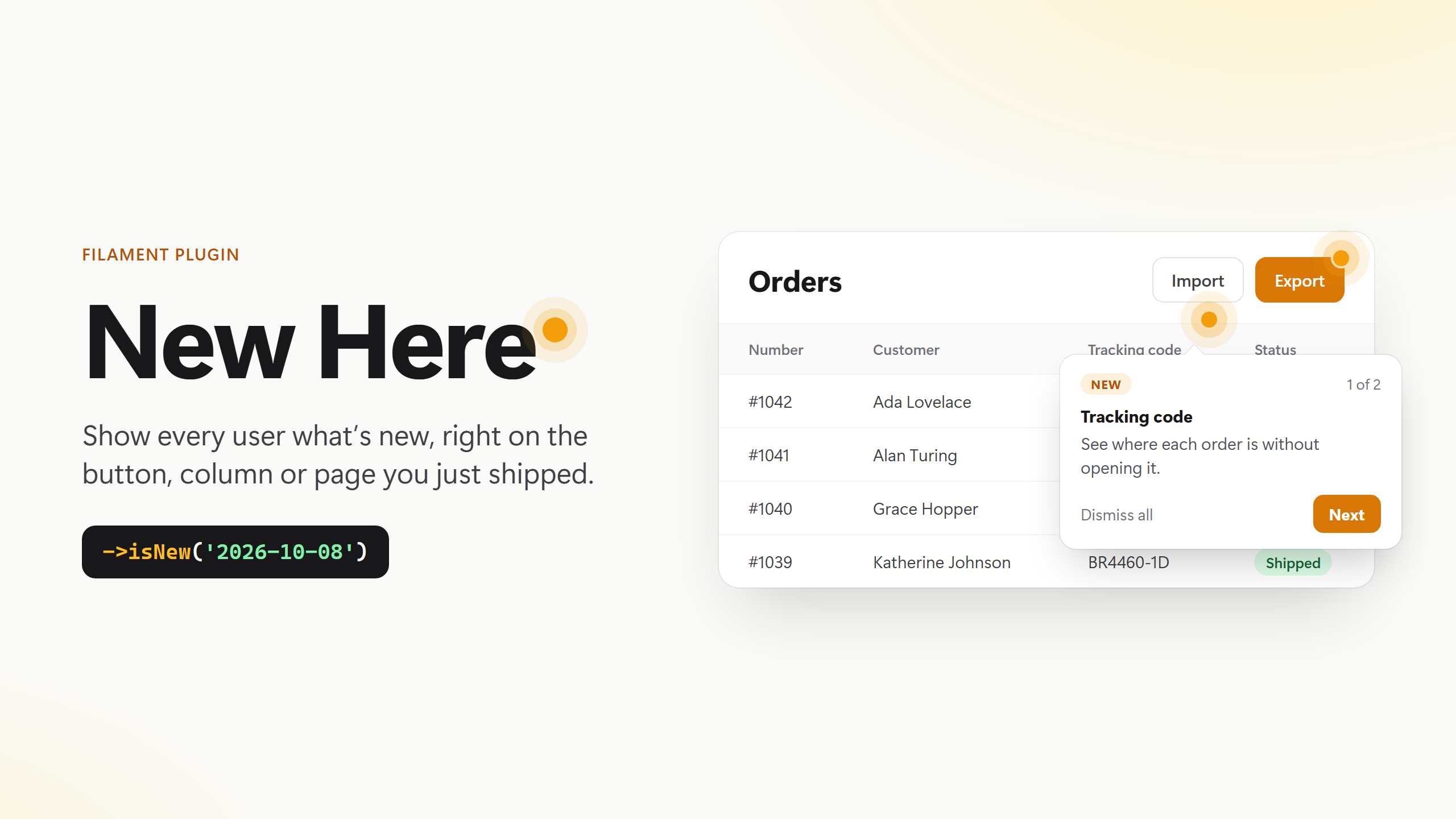




New Here
Your changelog is not where your users are. Their screen is.
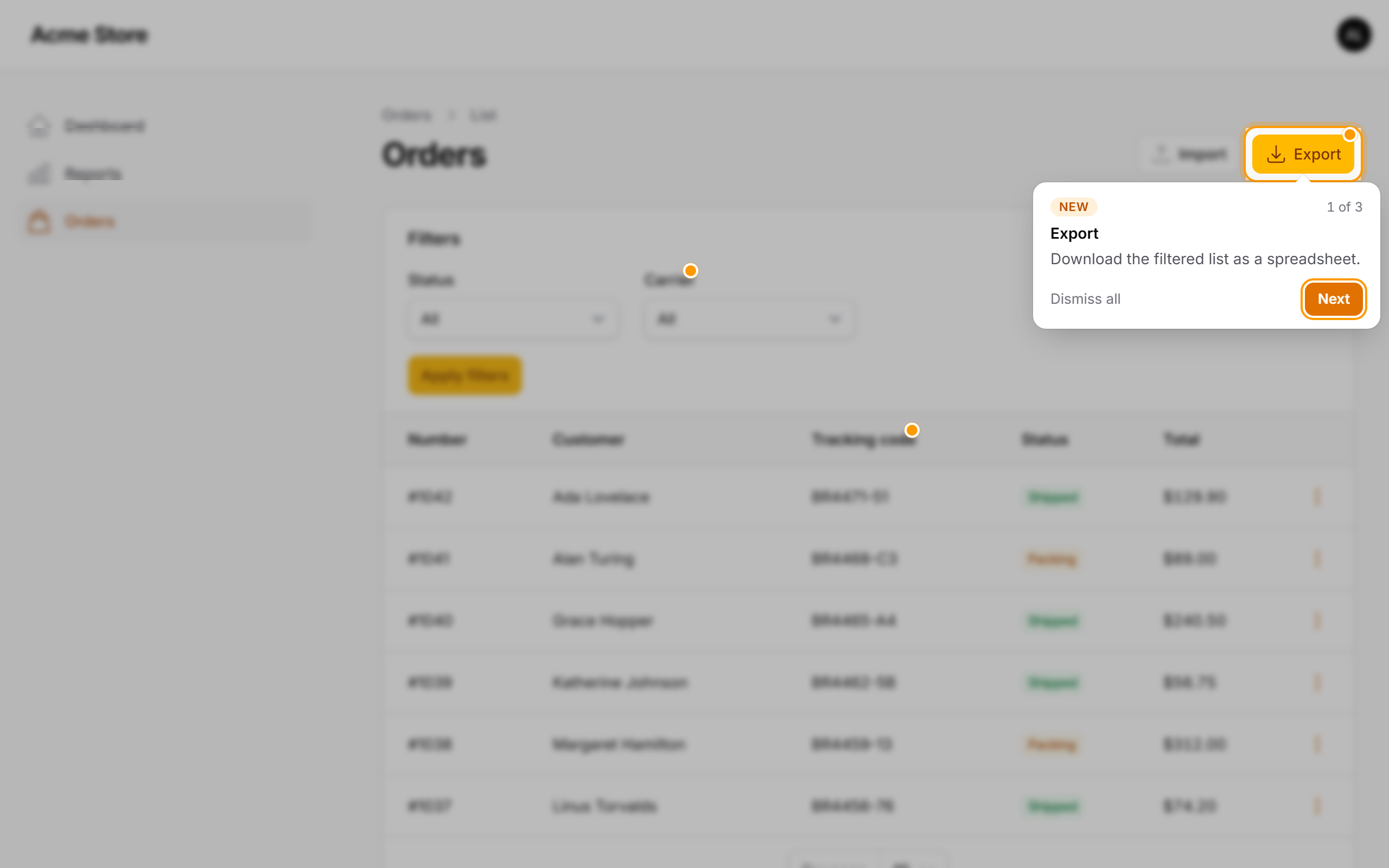
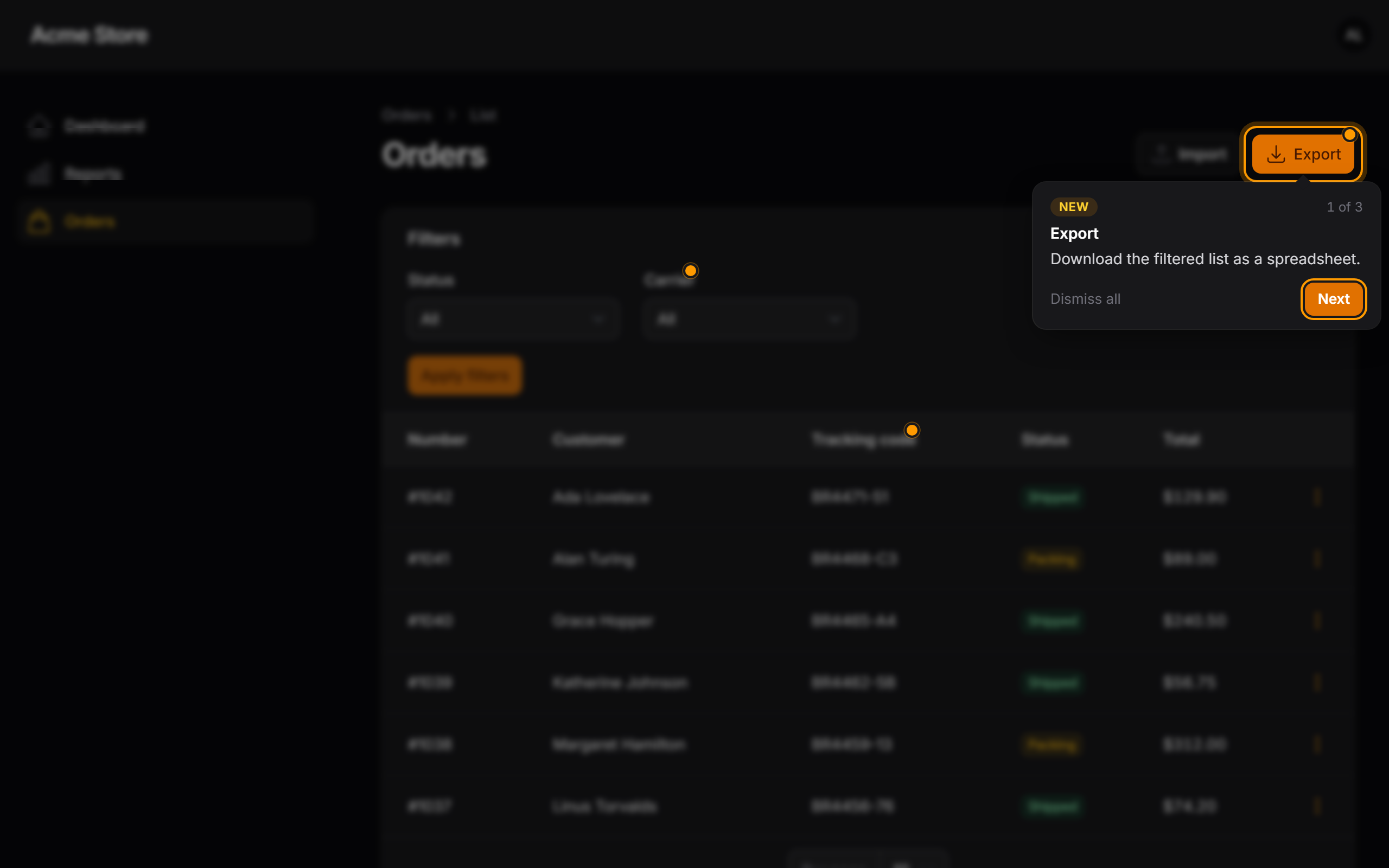
New Here puts a pulsing beacon and a short hint on the exact button, column, filter, field or page you just shipped in your Filament panel. Each user sees it once — across browsers and devices — and then it gets out of the way.
That's the whole API. No tour builder, no step definitions, no selectors.
| Light | Dark |
|---|---|
 |
 |
Why
Teams ship every week — even more now that AI agents write half the code. Users don't read release notes. They open the screen they always open and miss the new button sitting right there.
New Here announces features in context:
- Right where it lives. The hint points at the new thing itself, not at a modal listing everything.
- Once per person. Dismissals are stored in the database, so a user who saw it on the laptop won't see it again on the phone.
- Respects permissions. If a user can't see the button, they don't get the hint — and it's not marked as seen behind their back.
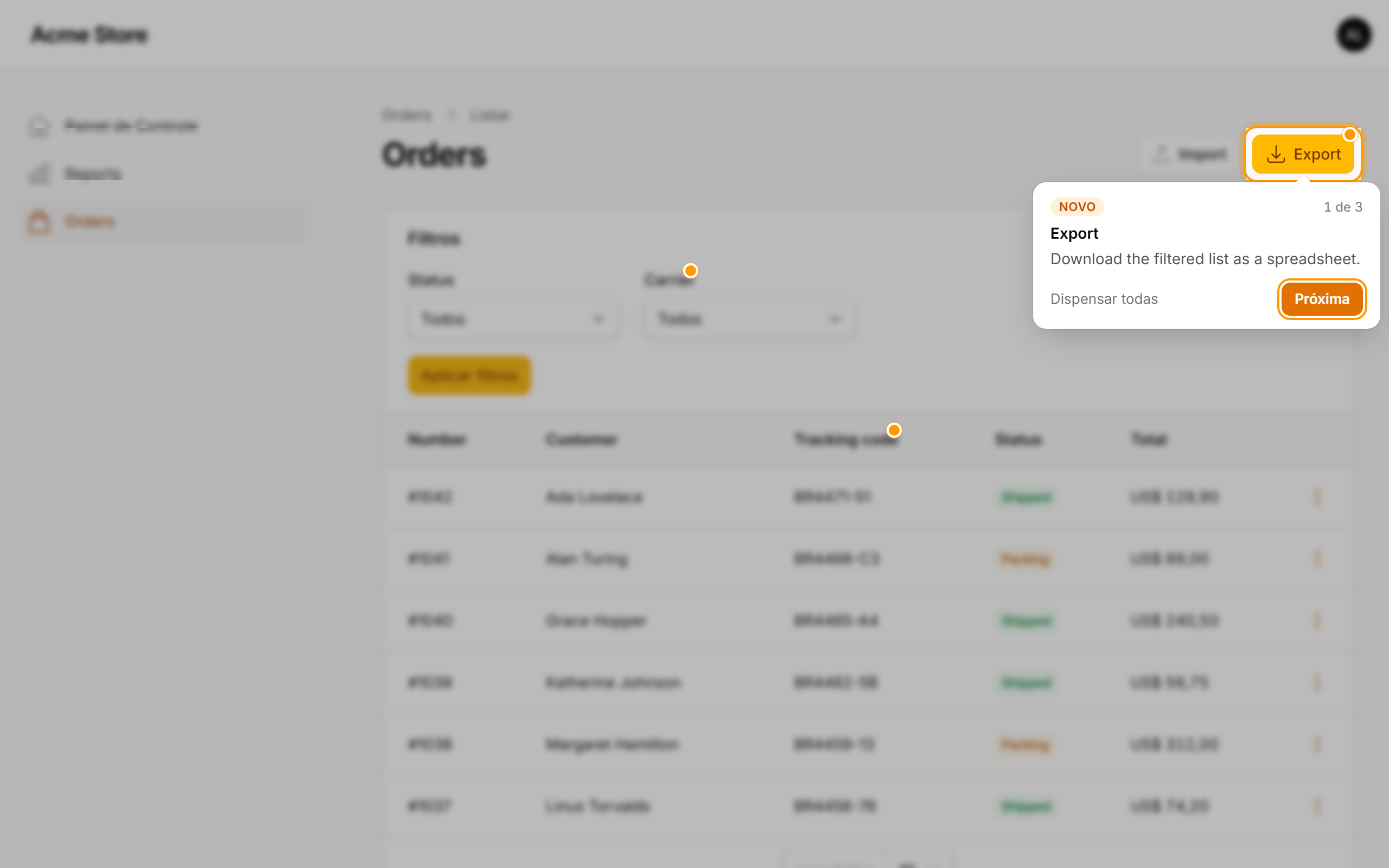
- Focus mode. While a hint is open, the rest of the page is blurred and locked — no clicks, no tabbing — until the user goes through the hints. Esc or a click on the blurred area always lets them out, and the page is never locked behind a hint that is out of view.
- No spam. Up to 3 hints per page (configurable), queued in reading order. Announcements expire on their own after 30 days.
- Speaks your users' language. Follows the app locale out of the box — English, Spanish and Brazilian Portuguese included — and can be forced per panel or per user.
- Newcomers aren't flooded. Features released before a user signed up aren't announced to them: for them, everything is new.
- Ship ahead. A future
sincedate schedules the announcement — merge today, it appears on release day. - AI-agent ready. Ships a Laravel Boost guideline and skill so Claude Code, Cursor, Codex & co. mark what they build automatically.
Requirements
- PHP 8.3+
- Laravel 11, 12 or 13
- Filament 5.9+
Installation
That's it. The plugin registers itself on every panel — there is no line to add to your panel provider. The install command:
- creates the
new_here_seentable (or just runphp artisan migrate); - teaches your AI agents to announce what they ship (see AI agents).
[!NOTE] Assets are published by
php artisan filament:assets, which Filament already runs oncomposer updatethrough thefilament:upgradescript. If you skipped that script, run it once.
Usage
Components
->isNew(since, hint) works on any Filament component:
Pages, resources and clusters
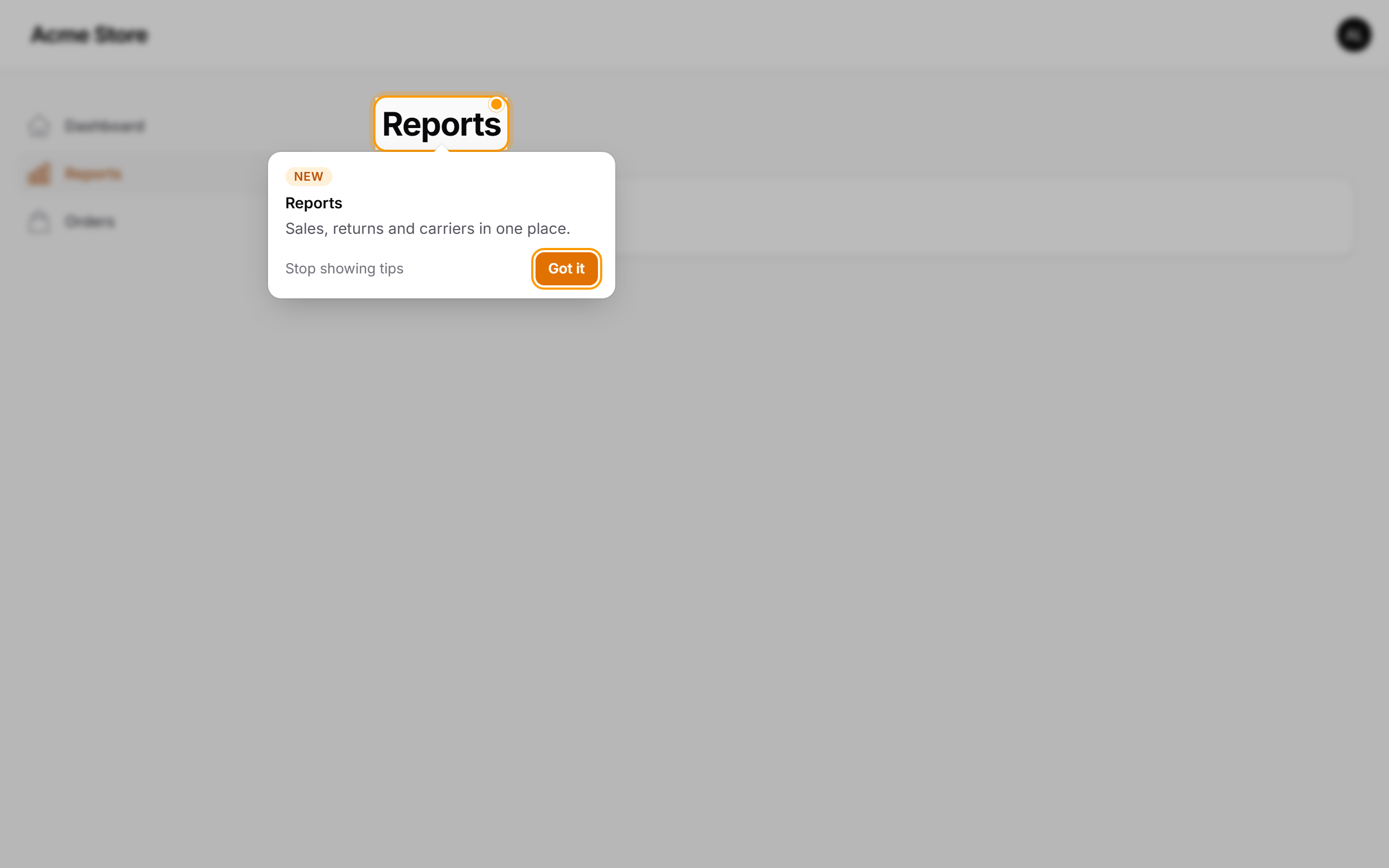
Mark the whole class with the #[IsNew] attribute. The sidebar item gets a beacon, and the page heading gets the hint on the first visit:
Options
Both ->isNew() and #[IsNew] accept named arguments:
| Argument | Default | What for |
|---|---|---|
since |
— | Release date. Nothing shows before it. |
hint |
— | One short sentence about the benefit, written for the end user. |
title |
the component label | Heading of the hint. |
key |
page class + type + name | Stable id. Change it to re-announce an element that changed (key: 'export.v2'). |
until |
since + 30 days |
Custom end of the announcement. |
Old markers are harmless: outside their window they render nothing. Clean them up whenever you touch the file:
AI agents
If your project uses AI coding agents, the best time to announce a feature is the moment it is written. New Here makes that the default.
With Laravel Boost, nothing to do: New Here ships a skill. php artisan boost:install / boost:update picks them up (the install command reminds you to run it).
Without Boost, php artisan new-here:install writes the same guideline into every agent file it finds — AGENTS.md, CLAUDE.md, GEMINI.md, .github/copilot-instructions.md, .junie/guidelines.md (creating AGENTS.md if none exists) — and copies the skill to .claude/skills/ and .agents/skills/. The block sits between <!-- new-here:start --> markers, so running the command again updates it instead of duplicating it.
From then on, when you ask your agent for "a button to duplicate orders", it writes:
Focus mode
By default, an open hint works like a small guided tour: the page behind it is blurred and made inert — nothing can be clicked, focused or read by a screen reader — and the element being presented is outlined. The user moves on with Next, finishes with Got it, skips with Dismiss all, or leaves with Esc or a click on the blurred area (the hint comes back on the next visit). If the element is off screen — a column at the end of a wide table — the hint scrolls it into view, and the page is not locked while it is out of sight.
Prefer plain tooltips that never block the page?
Language
The buttons of the hint (Next, Got it, Dismiss all...) follow the application locale (config('app.locale')). English, Spanish and Brazilian Portuguese ship with the package, and close variants are resolved for you: pt, pt-BR and pt_br use Brazilian Portuguese, es_AR or es-MX use Spanish, and anything else falls back to your fallback_locale, then English.
Force a language for the whole panel, or follow a per-user preference:
or in config/new-here.php: 'locale' => 'es'.
The hint text itself is yours: write it in the panel's language, or pass it through __():
Need another language? Publish the translations and add a folder:
Configuration
Zero configuration is required. To customise a panel, add the plugin yourself — your instance replaces the automatic one:
Or publish the config file:
Replaying hints
How it works
->isNew()addsdata-new-here-*attributes to the component's HTML — only while the announcement is active, escaped, and merged with your own attributes.- A tiny Livewire component at the end of the panel body sends the browser the keys the user already dismissed.
- A dependency-free Alpine component (~5 KB gzipped) finds the marked elements that are actually visible, draws the beacons in an overlay (no layout shift, no clipping), and follows them through modals, tabs, dropdowns and Livewire updates.
- "Got it", "Next", "Dismiss all" — or simply using the element — stores the key for that user. Closing with Esc snoozes it until the next visit.
Accessible by default: beacons are buttons with labels, hints are dialogs, focus is managed only when the user opens a hint, and prefers-reduced-motion turns the animation off.
Testing
Markers only render inside their window, so freeze time in your tests:
Run the package's own suite with:
Roadmap
- Multi-step tours for features that span several screens.
- A "What's new" page that lists every active announcement with a Show me link.
- Adoption metrics: how many users saw, dismissed or used each feature.
- Audience rules (roles, tenants) on top of permissions.
Ideas and pull requests are welcome.
Changelog
See CHANGELOG.
Contributing
See CONTRIBUTING.
Security
Please review our security policy on how to report security vulnerabilities.
Credits
- Leonardo Max
- All contributors
License
The MIT License (MIT). See LICENSE.
All versions of new-here with dependencies

filament/filament Version ^5.9
spatie/laravel-package-tools Version ^1.15.0