Download the PHP package kugarocks/bookstack-content-sync without Composer
On this page you can find all versions of the php package kugarocks/bookstack-content-sync. It is possible to download/install these versions without Composer. Possible dependencies are resolved automatically.
Download kugarocks/bookstack-content-sync
More information about kugarocks/bookstack-content-sync
Files in kugarocks/bookstack-content-sync
Package bookstack-content-sync
Short Description Pulling BookStack content into a local directory, making changes, and pushing it back.
License MIT
FAQ
Example:

In general, it is recommended to use always a project to download your libraries. In an application normally there is more than one library needed.

- Some hosting areas are not accessible by a terminal or SSH. Then it is not possible to use Composer.
- To use Composer is sometimes complicated. Especially for beginners.
- Composer needs much resources. Sometimes they are not available on a simple webspace.
- If you are using private repositories you don't need to share your credentials. You can set up everything on our site and then you provide a simple download link to your team member.
- Simplify your Composer build process. Use our own command line tool to download the vendor folder as binary. This makes your build process faster and you don't need to expose your credentials for private repositories.
Informations about the package bookstack-content-sync
bookstack-content-sync
Pulling BookStack content into a local directory, making changes, and pushing it back.
Requirements
- PHP
>=8.2 - BookStack
>=26.03
Quick Start
Initialize Directory
Create a local content directory and starter sync.json:
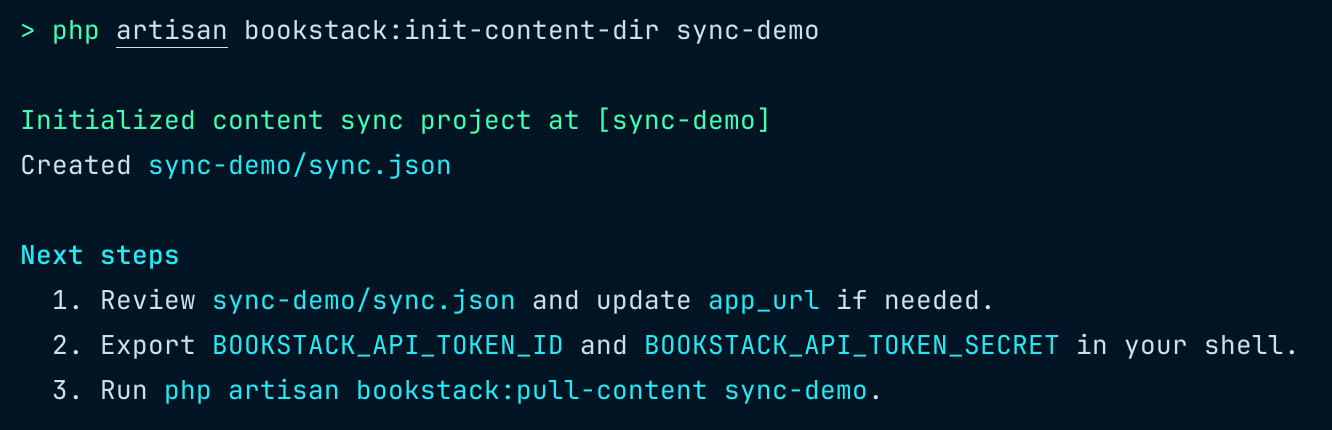
This command creates the target directory if needed, writes sync.json, and reminds you which environment variables to export before running a pull.
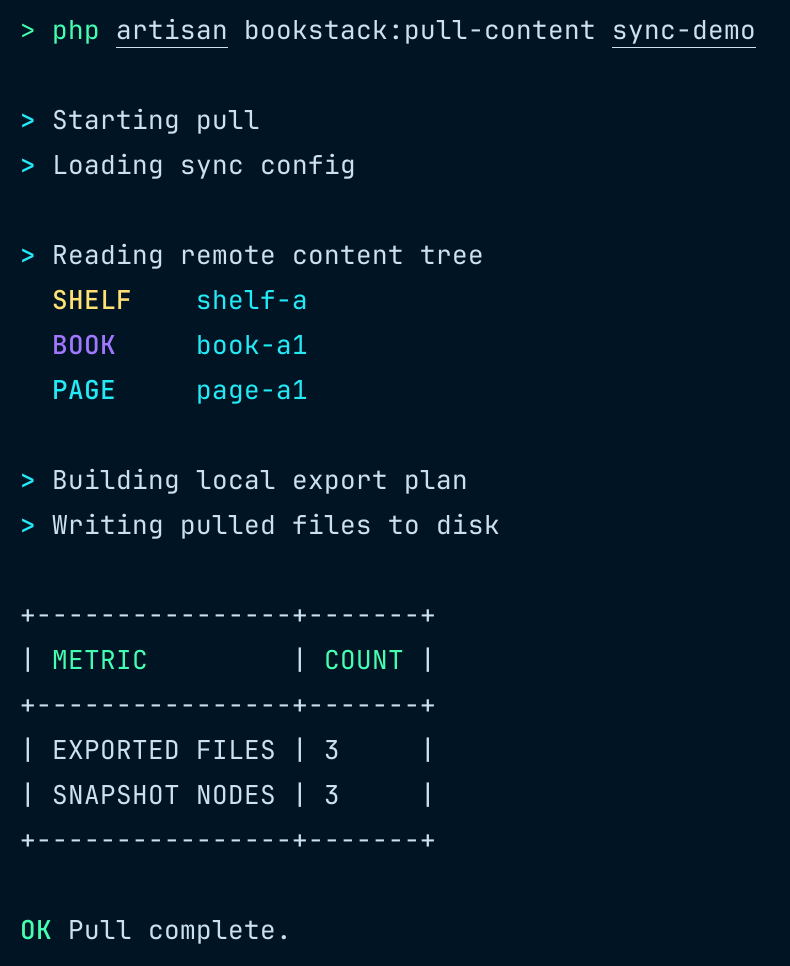
Pull Content
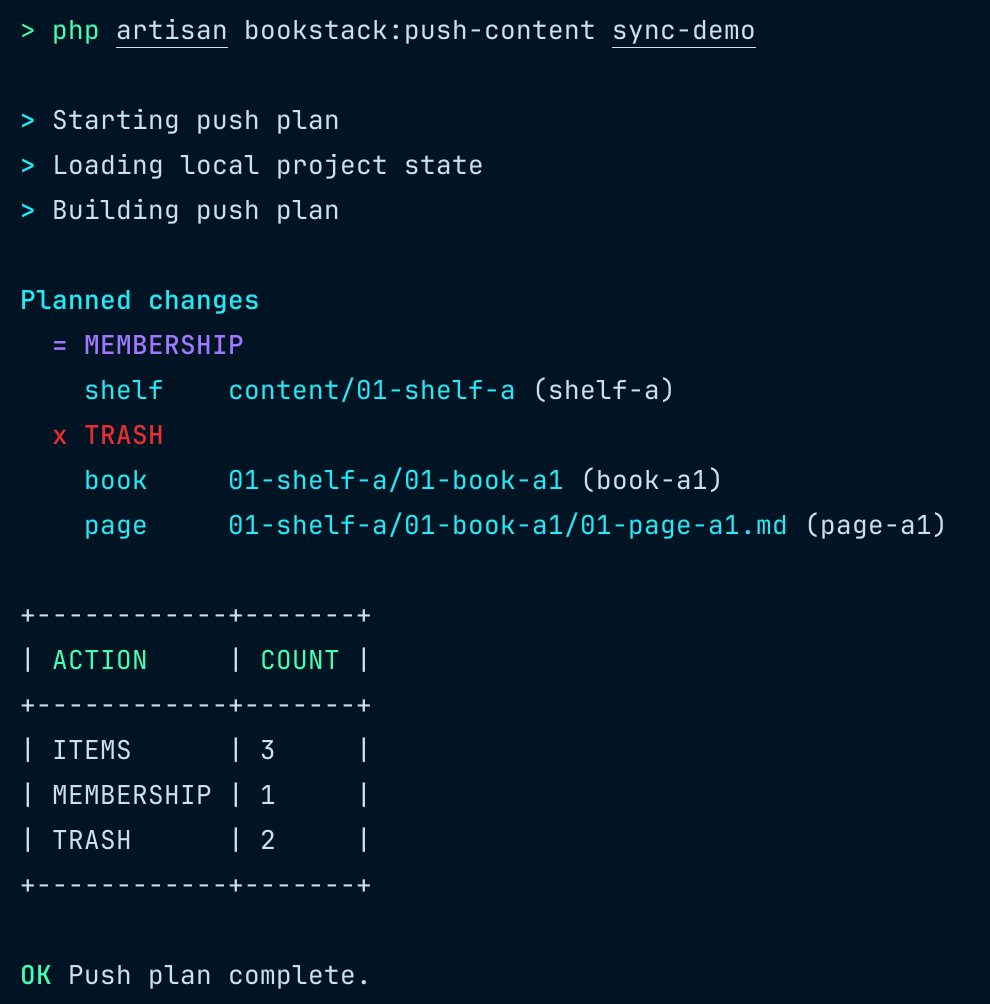
Push Plan
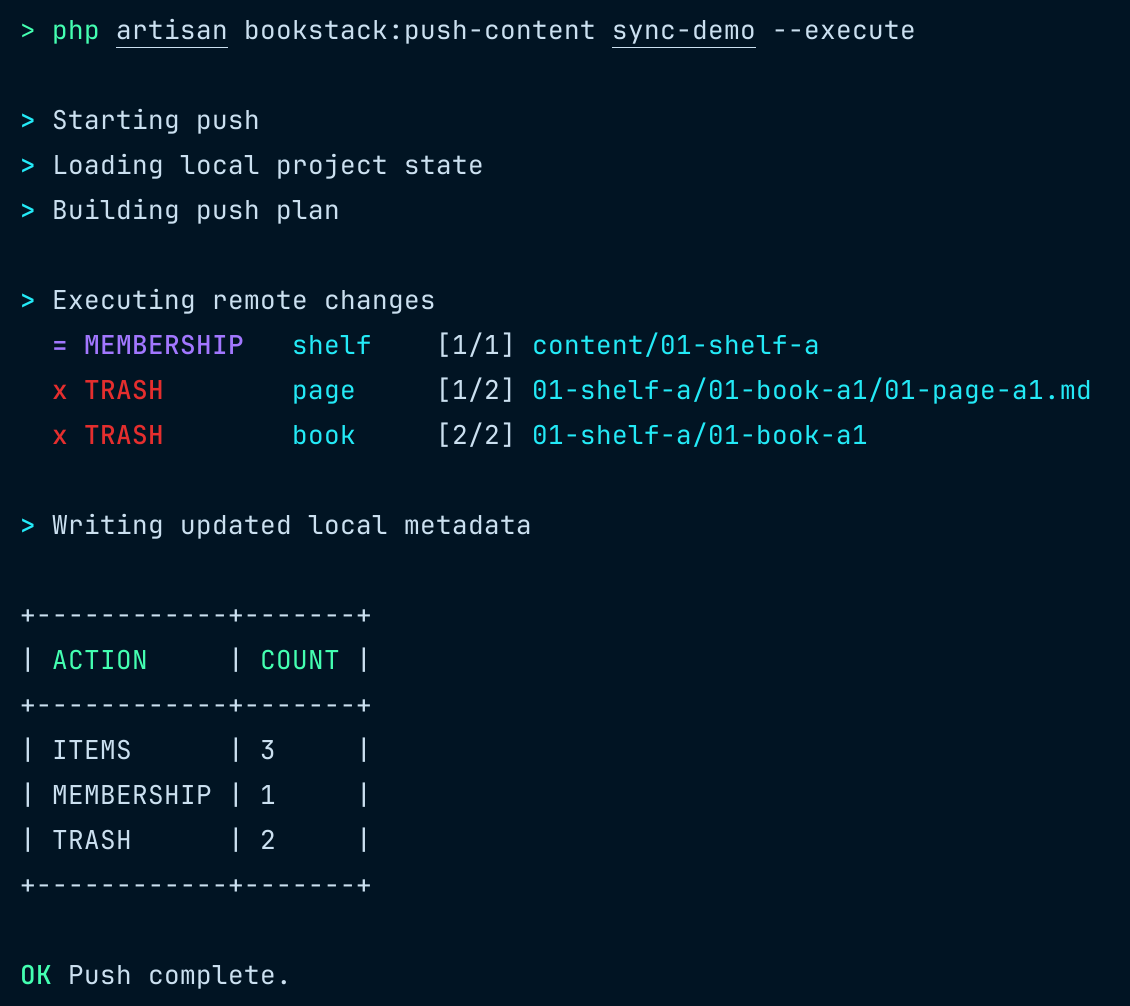
Push Execution
How it Works
This system performs a one-way sync from local content to BookStack by computing state differences and applying them to the remote.
Push Mechanism
- Sync is one-way: local content is the source of truth.
bookstack:push-contentbuilds the current local state.- It compares this state with the previous
snapshot.json. - Based on the diff, it determines and executes the required remote actions.
Behavior & Constraints
- Data constraint
- A book can belong to only one shelf at a time.
- Naming & ordering
- Prefixes such as
01-xxx,02-xxxare used to define ordering. - Items are sorted lexicographically based on these prefixes.
- Prefixes such as
- Tag ordering
- Tag order is preserved in local files and treated as part of content changes.
- Renaming behavior
- Renaming local files or directories only updates the
filefield insnapshot.json. - It does not affect the identity of the corresponding remote entity.
- Renaming local files or directories only updates the
Slug Behavior
- Official BookStack does not preserve custom slugs for content entities via the API.
- Hosts with custom slug support enable this behavior.
- If the requested slug is not preserved,
push-contenttreats the remote slug as the source of truth. - The command emits a warning and rewrites both the local file slug and the
snapshot.jsonslug to match the remote value.
Empty Page Behavior
- Because the BookStack API does not support empty page content, remote sync uses a reserved transport placeholder while local empty pages remain
"". - When pushing an empty page, the remote transport uses the reserved placeholder
<!-- bookstack-content-sync:empty-page:v1 -->. - When pulling, that placeholder is decoded back to
"", andsnapshot.jsonplus content hashing continue to use the decoded empty-string value.
Installation
Packagist
Local Development
For local development against an unpublished working tree, add the local repository to the BookStack host composer.json:
Then require the package from the BookStack host:
The @dev suffix is only needed for local path installation while the package is resolved as dev-main.
Global Wrapper
Create a global command that can be run from any content directory:
The wrapper reads sync.json in your current directory and runs the matching BookStack artisan command using bookstack_path.
Setup
Set the global BookStack path (one-time setup):
This creates ~/.config/bookstack-content-sync/config.json with your BookStack installation path.
Usage
Configuration
Path resolution priority:
bookstack_pathin current directory'ssync.json- Global config at
~/.config/bookstack-content-sync/config.json - Error if neither is found
Example sync.json with project-specific path:
When running bookstack-sync init, the bookstack_path is automatically written to sync.json using the global config value.
Testing
Install dependencies and run the full package test suite:
Test boundaries:
- Unit tests validate isolated sync logic.
- Integration tests execute real local file reads and writes in temporary directories.
- Integration tests do not call a real BookStack server; HTTP is mocked through the package test shim.
Run only unit tests:
Run only integration tests:
Run pull-focused tests:
Run push-focused tests:
All versions of bookstack-content-sync with dependencies

guzzlehttp/psr7 Version ^2.8
illuminate/console Version ^12.0
guzzlehttp/guzzle Version ^7.9