Download the PHP package kahusoftware/filament-ckeditor-field without Composer
On this page you can find all versions of the php package kahusoftware/filament-ckeditor-field. It is possible to download/install these versions without Composer. Possible dependencies are resolved automatically.
Download kahusoftware/filament-ckeditor-field
More information about kahusoftware/filament-ckeditor-field
Files in kahusoftware/filament-ckeditor-field
Package filament-ckeditor-field
Short Description A basic CKEditor 5 form field configured with non-premium features.
License MIT
Homepage https://github.com/kahu-software-llc/filament-ckeditor-field
FAQ
Example:

In general, it is recommended to use always a project to download your libraries. In an application normally there is more than one library needed.

- Some hosting areas are not accessible by a terminal or SSH. Then it is not possible to use Composer.
- To use Composer is sometimes complicated. Especially for beginners.
- Composer needs much resources. Sometimes they are not available on a simple webspace.
- If you are using private repositories you don't need to share your credentials. You can set up everything on our site and then you provide a simple download link to your team member.
- Simplify your Composer build process. Use our own command line tool to download the vendor folder as binary. This makes your build process faster and you don't need to expose your credentials for private repositories.
Informations about the package filament-ckeditor-field
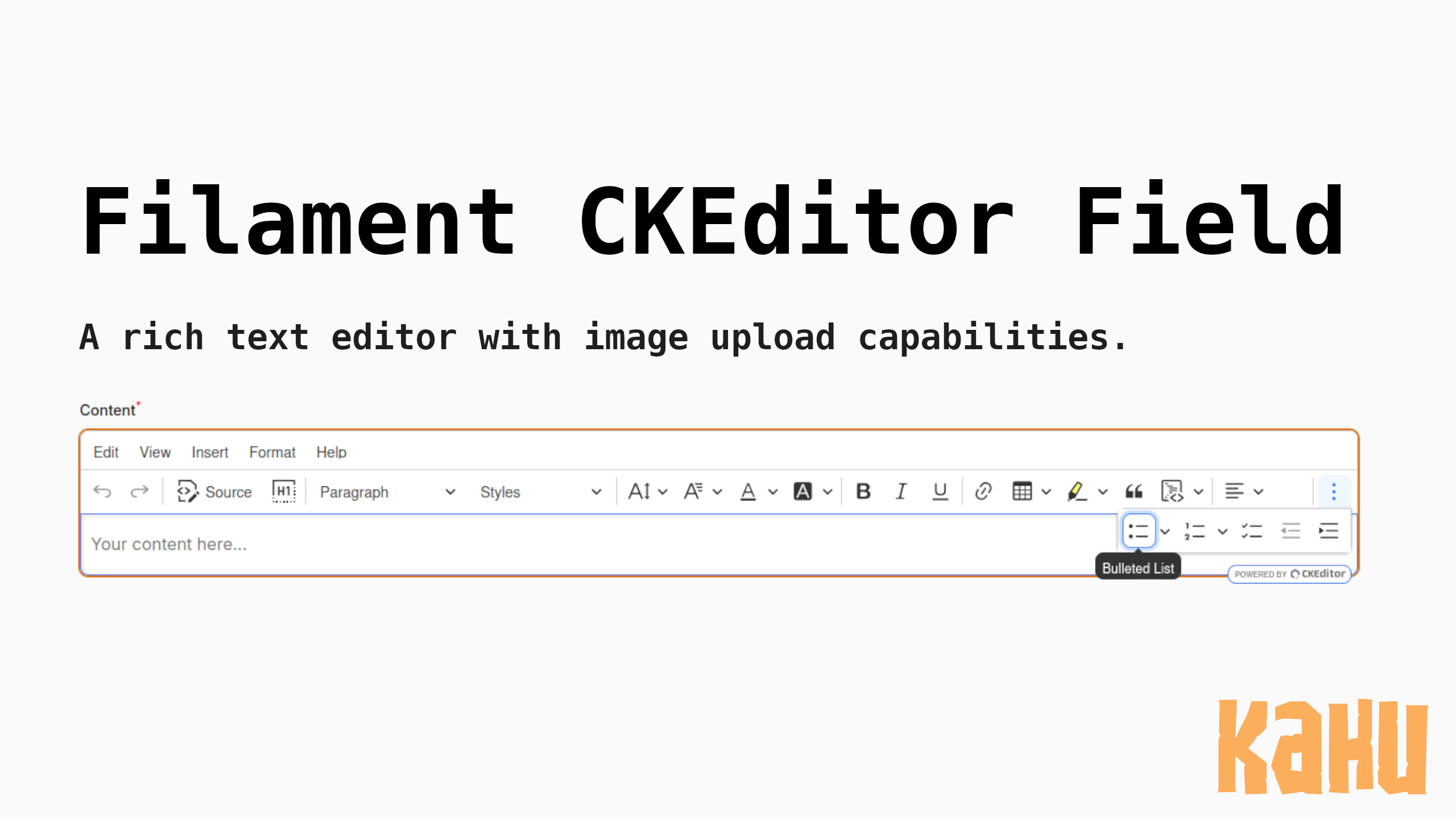
Filament CKEditor Field








Note: This branch (
1.x) is specifically for FilamentPHP 3.x. If you're using FilamentPHP 4.x, please use the2.xbranch.
Features
- CKEditor 5 integration for FilamentPHP 3 forms
- Works anywhere Livewire renders, including panels, repeaters and standalone components
- Image upload support with configurable upload URLs
- Full control over image upload handling - you implement your own upload endpoint
- Full control over the editor configuration from config, a service provider, or per field
- Fixed or minimum editing area height, and support for Filament's
autofocus() - Helper for finding images removed from a document, so storage can be reconciled on save
- Highly customizable with fluent API
- Non-premium features only (free and open-source)
- Easy to configure and use
Table of contents
- Filament CKEditor Field
- Features
- Table of contents
- Installation
- Usage
- Configuration
- Editor options
- Upgrading from 1.0.x
- Where to set them
- How options merge
- Plugins and toolbar items
- JavaScript expressions
- Available methods
- uploadUrl(
string|Closure|null$uploadUrl) - name(
string$name) - placeholder(
string$placeholder) - height(
string|Closure|null$height) - minHeight(
string|Closure|null$minHeight) - editorOptions(
array|Closure$options) - disablePlugins(
array|Closure$plugins) - enablePlugins(
array|Closure$plugins) - disableToolbarItems(
array|Closure$items) - Cleaning up removed images
- Inherited field methods
- Testing
- Changelog
- Contributing
- Security Vulnerabilities
- Credits
- License
Installation
You can install the field via composer:
You can publish the config file with:
Usage
Basic usage:
Configuration
This is the contents of the published config file:
Editor options
The full CKEditor configuration lives under the editor key of the config file.
Publish the config to see and edit the complete defaults.
Any key the published config omits falls back to the package default, so a
partial editor block is always safe: declaring only disabled_plugins, for
example, leaves the default plugin list, toolbar and option groups intact.
Useful references while editing:
Upgrading from 1.0.x
A config file published before 1.1.0 has no editor key and keeps working
unchanged: the package defaults apply, and the editor behaves exactly as it did
before the configuration was extracted. To see and edit the full defaults,
republish the config:
--force overwrites the existing file, so re-apply any upload_enabled or
upload_url customizations afterwards. Alternatively, add just the editor
keys you want to change; everything omitted falls back to the defaults.
Where to set them
Options resolve in four layers, and later layers win: the package defaults,
then the published config file, then CKEditor::configureUsing(), then the
methods on an individual field.
1. Application wide, in the published config file.
2. Application wide, in a service provider.
3. On a single field.
How options merge
String-keyed arrays merge recursively, while list-shaped arrays are replaced outright. Overriding a list therefore swaps it wholesale rather than appending to it, and passing an empty array clears it.
Plugins and toolbar items
Plugins are named as strings and resolved against the JavaScript window scope
at runtime. Names that are not bundled are skipped, so removing plugins is
always safe while adding one requires it to be present in the bundle.
Removing a toolbar item hides its button. Removing a plugin switches the
feature off entirely, which also hands whatever markup it owned back to
General HTML Support.
That distinction matters: an htmlSupport.disallow rule has no effect while the
plugin that owns the markup is still active, because the plugin's own converters
handle it first. To strip markup rather than merely hide a button, disable the
plugin and disallow the markup.
A toolbar item is also dropped when the plugin behind it is not in the resolved
plugin list, so disabling a plugin never leaves a dead button that CKEditor
would report as toolbarview-item-unavailable. The disableToolbarItems() call
above is therefore optional; it is kept to show both methods side by side. Items
this package does not recognise, such as buttons from a custom build, always
pass through.
Separators (|) left with nothing to divide are dropped automatically, so
removing items never leaves stray dividers in the toolbar.
JavaScript expressions
Some CKEditor options expect values that JSON cannot express, such as the
regular expression in htmlSupport. Prefix a string with js: and it is written
into the page as a bare JavaScript expression instead of a quoted string:
At runtime you can also pass a Filament\Support\RawJs instance. In the config
file use the js: string form, because objects do not survive
php artisan config:cache.
Note A
js:value is emitted verbatim. Only use it for values you control, never for user input.
Available methods
uploadUrl(string | Closure | null $uploadUrl)
Sets the URL endpoint for image uploads. If not specified, the default upload URL from the config file will be used.
uploadUrl (Default: null)
Note: This field gives you freedom to handle image uploads yourself. You are responsible for creating your own upload endpoint that handles file validation, storage, and returns the appropriate response format. This design allows you to implement your own business logic, security measures, and storage solutions (local filesystem, S3, cloud storage, etc.).
This field uses CKEditor's Custom Upload Adapter, which requires your upload endpoint to return a JSON response containing the uploaded image URL(s).
Expected Response Format:
Your upload endpoint must return a JSON response with one of the following formats:
Single image response:
Responsive images response:
Example Laravel Controller:
For more details, see the CKEditor Custom Upload Adapter documentation.
name(string $name)
Sets the name of the field. This will be used as the form field name.
name (Default: 'ckeditor')
placeholder(string $placeholder)
Sets the placeholder text displayed in the editor when it's empty.
placeholder (Default: 'Type or paste your content here...')
height(string | Closure | null $height)
Fixes the editing area to the given CSS height, scrolling internally once content outgrows it. Without it the editor grows with its content.
minHeight(string | Closure | null $minHeight)
Lets the editing area start at the given CSS height while still growing with its content.
editorOptions(array | Closure $options)
Merges options over the resolved editor configuration for this field. See How options merge. Can be called more than once, with later calls taking precedence.
disablePlugins(array | Closure $plugins)
Removes plugins from the resolved plugin list, switching those features off. Toolbar items belonging to a removed plugin are dropped along with it.
enablePlugins(array | Closure $plugins)
Re-enables plugins that the config file or a configureUsing callback disabled.
disableToolbarItems(array | Closure $items)
Removes items from the toolbar, leaving the underlying plugins active. Orphaned separators are dropped automatically.
Cleaning up removed images
Uploaded images stay in storage when they are later deleted from the editor. That is deliberate while editing: undo and redo need the file to still exist, so the earliest safe moment to reconcile storage is when the record is saved.
CKEditor::findRemovedImages() compares the previously saved document with the one about to be saved and returns the image URLs that disappeared:
The package never deletes files itself, mirroring how uploads work: you own the endpoint, so you own the cleanup. The optional urlPrefix restricts the result to your own uploads, so external or hotlinked images can never end up on a deletion list.
In a panel resource, capture the removed URLs before saving and delete after the save succeeds:
In a standalone Livewire component the same shape applies:
Deleting only after a successful save keeps the files available if validation or the save itself fails.
Inherited field methods
The field extends Filament's base Field, so everything a standard form field
supports works here without package code, including:
See the Filament form field documentation for the full list.
Testing
The test suite uses PestPHP and includes unit tests for field instantiation, method chaining, and configuration, as well as feature tests for rendering the field within Livewire components.
Changelog
Please see CHANGELOG for more information on what has changed recently.
Contributing
Please see CONTRIBUTING for details.
Security Vulnerabilities
Please email [email protected] any security vulnerabilities to ensure they're promptly addressed.
Credits
License
The MIT License (MIT). Please see License File for more information.
* This open-source plugin is not affiliated with, endorsed, or sponsored by CKSource, and any references to CKEditor are solely for descriptive purposes under their respective copyrights and trademarks.
We do encourage you to check out CKEditor's premium features for your own implementation of CKEditor as the developers have worked hard to bring us a wonderful rich editor.
All versions of filament-ckeditor-field with dependencies

php Version ^8.3
filament/forms Version ^4.0
spatie/laravel-package-tools Version ^1.15.0