Download the PHP package idno/known without Composer
On this page you can find all versions of the php package idno/known. It is possible to download/install these versions without Composer. Possible dependencies are resolved automatically.
Package known
Short Description A social publishing platform.
License Apache-2.0
Homepage https://idno.co/
FAQ
Example:

In general, it is recommended to use always a project to download your libraries. In an application normally there is more than one library needed.

- Some hosting areas are not accessible by a terminal or SSH. Then it is not possible to use Composer.
- To use Composer is sometimes complicated. Especially for beginners.
- Composer needs much resources. Sometimes they are not available on a simple webspace.
- If you are using private repositories you don't need to share your credentials. You can set up everything on our site and then you provide a simple download link to your team member.
- Simplify your Composer build process. Use our own command line tool to download the vendor folder as binary. This makes your build process faster and you don't need to expose your credentials for private repositories.
Informations about the package known
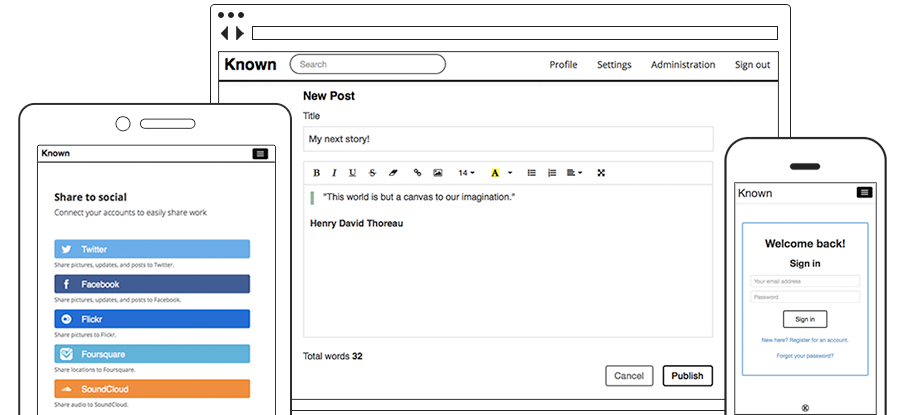
Idno: a social publishing platform
Installation
Idno is under active development and requires PHP 8.3+ with selected extensions, together with a supported database backend. You can find detailed installation instructions here: http://docs.idno.co/en/latest/install/index.html
Installing from packages
Unofficial install packages, which are periodically built from the latest code, are available: https://www.marcus-povey.co.uk/known/
Installing from Github
You can opt to check out the work-in-progress development code from the git repository: https://github.com/idno/idno
- Check out the repo:
- Fetch dependencies:
Installing with composer
You can install Idno directly from composer using:
Optionally, you can install the latest bleeding edge code the same way:
Setting up the async pipeline
By default, Idno processes events synchronously — that is, things like Webmention pings, syndication, and ActivityPub delivery all happen inside the web request that triggered them. This works, but it makes page saves slow and means a timeout or crash loses the work.
Enabling the asynchronous queue moves all of that into a background worker. The web request just drops an event into the database and returns immediately; the worker picks it up and processes it separately.
This is required for ActivityPub. Follow-accept delivery, post distribution to followers, and update/delete propagation are all dispatched through the queue. If the worker is not running, those events sit in the database unprocessed and remote servers will never receive them.
1. Enable the async queue
Add this line to your config.ini:
Without this line (or with the default SynchronousQueue), all events are
processed inline during the web request.
2. Start the event queue worker
| Option | Default | Description |
|---|---|---|
--queue |
default |
Named queue to process |
--interval |
1 |
Seconds to sleep between polling cycles |
How it works: The worker runs an infinite loop. Each cycle it:
- Queries the database for up to 50 pending events.
- Dispatches each one via an internal HTTP call to
/service/queue/dispatch/{id}, which triggers the event handler (e.g., signing and POSTing an ActivityPub activity to a remote inbox). - Runs garbage collection to remove completed events older than 5 minutes.
- Sleeps for
--intervalseconds, then repeats.
If the worker dies, queued events pile up in the database but are not lost. They will be processed once the worker is restarted.
3. Keep it alive with systemd (recommended)
The worker must stay running permanently. The simplest way is a systemd service
unit. Create /etc/systemd/system/idno-queue.service, taking care to replace the
values here with your own paths, users, and domains:
Then enable and start it:
Check status any time with:
Alternative: use cron instead of systemd
If you don't have access to systemd (e.g. shared hosting), you can use cron
instead. The --once flag makes the worker process one batch of pending events
and exit, which is ideal for cron:
This processes pending events once per minute. Events may take up to 60 seconds to be delivered (compared to ~1 second with the systemd worker above).
4. Run the periodic cron service (optional)
If you need periodic background tasks (triggered via cron/minute,
cron/hourly, and cron/daily events), start the cron service the same way:
You can create a second systemd unit (idno-cron.service) following the same
pattern as above if you want it managed automatically.
5. After updates — restart the workers
When you update Idno core or any plugins, restart both services so they pick up the new code:
Support us
- Star us on GitHub
- Like us on alternativeto.net
- Contribute
Get support
- Try the open source mailing list: https://groups.google.com/forum/#!forum/known-dev
Community links
- Learn more and sign up to get updates: https://idno.co
- Full project documentation: http://docs.idno.co/
For details on contributing to the Idno project, please read CONTRIBUTING.md.
Contributors
This project exists thanks to all the people who contribute. [Contribute].
Copyright and License
Except for included third-party projects, Idno is (c) The Open Community Company LLC.
Unless otherwise stated, Idno is licensed under the Apache Software License 2.0. See LICENSE for more information.
Idno logos are (c) Idno, Inc. Permission from Idno, Inc is required to use the Idno name or logo as part of any project, product, service, domain or company name, except as included in official themes distributed by Idno.
Logos of external services are (c) their respective owners. All rights reserved.
Third party libraries are licensed separately.
Idno also contains
- Bootstrap, which is distributed under the Apache 2.0 license. Source: https://github.com/twitter/bootstrap
- jQuery, which is distributed under the MIT License. Source: https://github.com/jquery/jquery
- Portions of Symfony, which is distributed under the MIT license.
- EventDispatcher. Source: https://github.com/symfony/EventDispatcher
- HttpFoundation. Source: https://github.com/symfony/HttpFoundation
- Console. Source: https://github.com/symfony/console
- ToroPHP, which is distributed under the MIT License. Source: https://github.com/anandkunal/ToroPHP/
- Fork Awesome, which is distributed under the Open Font License, version 1.1: https://github.com/ForkAwesome/Fork-Awesome
- Steve Clay's AutoP, which is distributed under the MIT License. Source: https://code.google.com/p/mrclay/
- Aaron Parecki's Webmention Client, which is distributed under the Apache 2.0 license. Source: https://github.com/aaronpk/mention-client
- Barnaby Walters's Microformats 2 Parser, which is distributed under the MIT License. Source: https://github.com/indieweb/php-mf2
- FitVids.js, which is distributed under the WTFPL License. Source: http://fitvidsjs.com/
- Leaflet.js, which is distributed under the BSD 2-Clause License. Source: http://leafletjs.com/
- SwiftMailer, which is distributed under the MIT License. Source: https://github.com/swiftmailer/swiftmailer
- Antwort, an email template which is distributed under the MIT License. Source: https://github.com/internations/antwort
- Mention.js, a Bootstrap user at-mention library, which is distributed under the MIT License. Source: https://github.com/jakiestfu/Mention.js
- MediaElement.js, a cross-browser media player, which is distributed under the MIT License. Source: https://github.com/johndyer/mediaelement
- Simplepie, a feed parser, which is distributed under the BSD 3-Clause License. Source: https://github.com/simplepie/simplepie/
- Bootstrap Toggle, which is distributed under the MIT License. Source: http://www.bootstraptoggle.com/
- TinyMCE, a rich text editor, which is distributed under the LGPL License. Source: https://github.com/tinymce/tinymce
- The Paypal Bootstrap Accessibility Plugin, which is distributed under the BSD 3-Clause License. Source: https://github.com/paypal/bootstrap-accessibility-plugin
- HTMLPurifier, which is distributed under the LGPL License. Source: http://htmlpurifier.org
- Wavesurfer, which is distrubuted under a Creative Commons Attribution 3.0 Unported License. Source: https://github.com/katspaugh/wavesurfer.js
- MongoDB-PHP-Library, which is distributed under the Apache 2 Licence. Source: https://github.com/mongodb/mongo-php-library
- Exif-js, which is distributed under the MIT Licence. Source: https://github.com/exif-js/exif-js
- PHP-OGP, distributed under the GPL2 Licence. Source: https://github.com/mapkyca/php-ogp
Thank you

Thanks to BrowserStack for providing the infrastructure that allows us to test in real browsers.
All versions of known with dependencies

ext-curl Version *
ext-date Version *
ext-dom Version *
ext-gd Version *
ext-json Version *
ext-libxml Version *
ext-mbstring Version *
ext-pdo Version *
ext-pdo_mysql Version *
ext-reflection Version *
ext-session Version *
ext-simplexml Version *
ext-openssl Version *
ext-gettext Version *
mapkyca/php-ogp Version ^1.0
psr/log Version ~3.0
idno/torophp Version ^3.0
mf2/mf2 Version 0.5.0
swiftmailer/swiftmailer Version 6.3.0
forkawesome/fork-awesome Version 1.2
twbs/bootstrap Version 3.4.1
ezyang/htmlpurifier Version 4.18.0
rmm5t/jquery-timeago Version 1.6.7
tinymce/tinymce Version ~7.4
symfony/event-dispatcher Version ~7.0
symfony/console Version ~7.1
symfony/http-foundation Version ~7.0
symfony/cache Version ~7.0
simplepie/simplepie Version 1.8.1
mapkyca/mrclay_autop_known Version ^1.0
npm-asset/underscore Version ~1.13
npm-asset/bootstrap-accessibility-plugin Version 1.0.7
npm-asset/bootstrap-toggle Version 2.2.2
npm-asset/exif-js Version 2.3.0
npm-asset/jquery Version 3.7.1
npm-asset/mediaelement Version 7.0.5
npm-asset/tinymce--tinymce-jquery Version 2.1.0
npm-asset/vanilla-fitvids Version 1.2.0
idno/mentionjs Version ^1.0
mapkyca/known-mongo-php-library Version 1.0.3
indieweb/mention-client Version ^1.2.1
twig/twig Version 3.18.0
masterminds/html5 Version ^2.7
ramsey/uuid Version ^4.1
npm-asset/eonasdan-bootstrap-datetimepicker Version ^6.2
composer/installers Version ^2
vlucas/phpdotenv Version ^5.3
landrok/activitypub Version ^0.7.1