Download the PHP package fahiem/filament-pinpoint without Composer
On this page you can find all versions of the php package fahiem/filament-pinpoint. It is possible to download/install these versions without Composer. Possible dependencies are resolved automatically.
Download fahiem/filament-pinpoint
More information about fahiem/filament-pinpoint
Files in fahiem/filament-pinpoint
Package filament-pinpoint
Short Description Google Maps location picker component for Filament 4 & 5 with search, draggable marker, and reverse geocoding
License MIT
Homepage https://github.com/fahiem152/filament-pinpoint
FAQ
Example:

In general, it is recommended to use always a project to download your libraries. In an application normally there is more than one library needed.

- Some hosting areas are not accessible by a terminal or SSH. Then it is not possible to use Composer.
- To use Composer is sometimes complicated. Especially for beginners.
- Composer needs much resources. Sometimes they are not available on a simple webspace.
- If you are using private repositories you don't need to share your credentials. You can set up everything on our site and then you provide a simple download link to your team member.
- Simplify your Composer build process. Use our own command line tool to download the vendor folder as binary. This makes your build process faster and you don't need to expose your credentials for private repositories.
Informations about the package filament-pinpoint
Filament Pinpoint



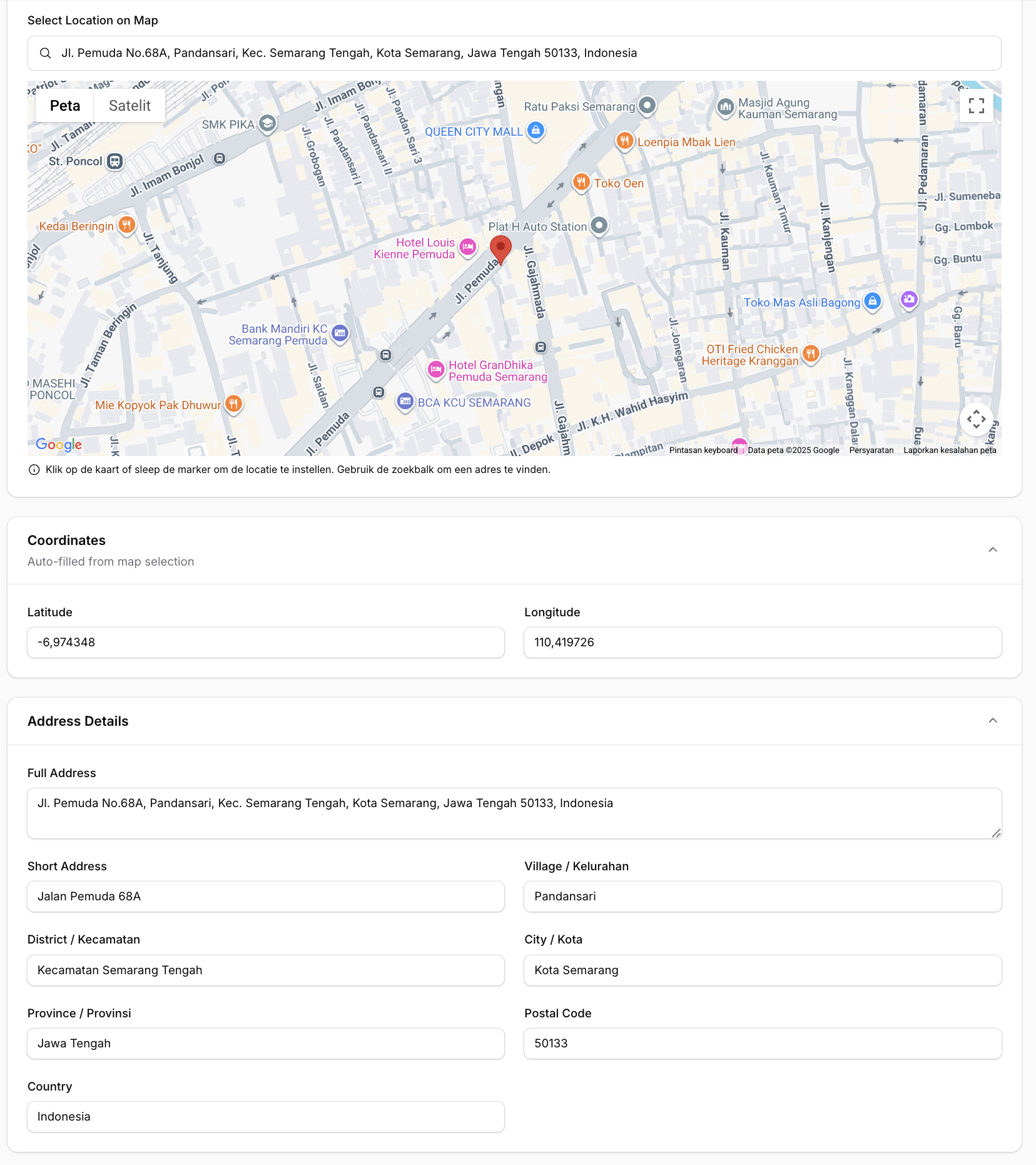
📍 A location picker component for Filament 4 & 5 supporting Google Maps and Leaflet.js (OpenStreetMap) — with search, draggable marker, and reverse geocoding support.
Features
- 🗺️ Two map providers — Google Maps (default) or Leaflet.js / OpenStreetMap (free, no API key)
- 🔍 Search location — Google Places Autocomplete (Google) or Nominatim (Leaflet)
- 📍 Click to set marker — Click anywhere on the map to place a marker
- ✋ Draggable marker — Drag the marker to fine-tune the location
- 📱 Current location — Get user's current device location
- ⭕ Radius support — Display and edit radius around the location
- 🏠 Reverse geocoding — Auto-fill address fields from coordinates
- 🌙 Dark mode support — Fully compatible with Filament's dark mode
- 🌐 Multi-language support — Translations for EN, AR, NL, ID, ES
- ⚙️ Fully configurable — Customize height, zoom, default location, and more
Requirements
- PHP 8.1+
- Laravel 10+ / 11+ / 12+
- Filament 4.0+ / 5.0+
- Google Maps provider (default): API Key with Maps JavaScript API, Places API, and Geocoding API enabled
- Leaflet provider: No API key required
Installation
Install the package via Composer:
Configuration
1. Choose a map provider
The default provider is Google Maps. To use Leaflet.js (OpenStreetMap) instead, set in your .env:
You can also override the provider per field instance:
2. Google Maps — set your API Key
Required only when using provider = google:
3. Leaflet — optional configuration
Leaflet works out of the box with OpenStreetMap tiles. Optionally customize:
4. Publish the config file (optional)
You can also set default map values via environment variables:
Usage
Basic Usage (Google Maps)
Using Leaflet (Free / No API Key)
Set the provider globally via .env:
Or per field instance:
Same API, same methods — Leaflet uses OpenStreetMap tiles and Nominatim for search and reverse geocoding. No API key needed.
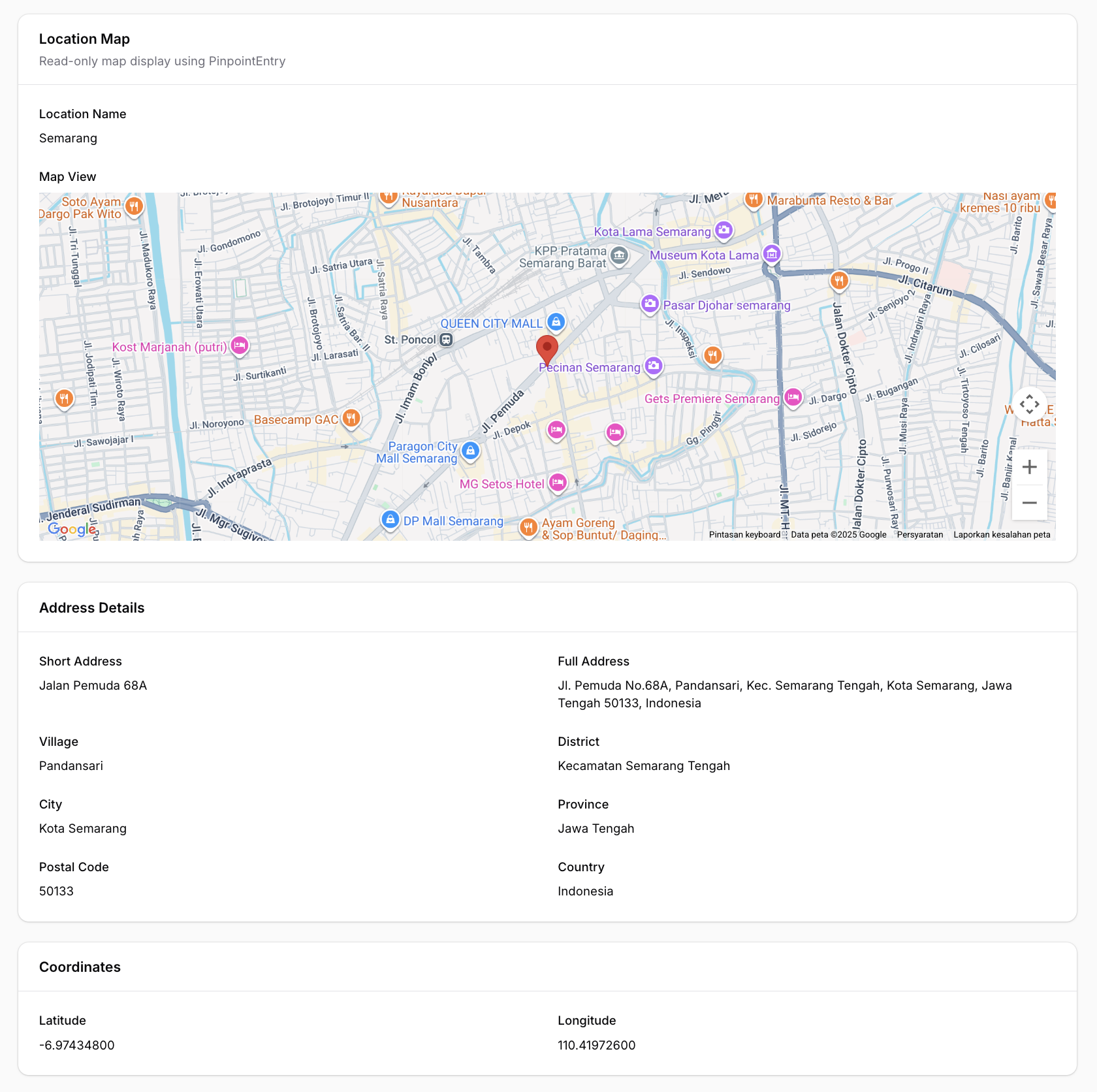
For PinpointEntry (infolist):
Full Example with All Options
Radius Support
You can enable radius support by using radiusField():
When radiusField is configured, an interactive blue circle will appear on the map. You can:
- Resize the radius by dragging the small white handle on the circle's edge
- View the radius visually on the map
- The radius value (in meters) is automatically saved to your database field in real-time
- The circle uses proper z-index layering so the marker always appears on top
Visual hierarchy:
- Marker (pin): zIndex 200 - always on top
- Circle (radius): zIndex 100 - below the marker
Disable Features
Read-Only Mode (New in v1.1.9)
Make the map display-only while keeping it visible in your form. The map remains pannable and zoomable for viewing, but all editing interactions are disabled.
When read-only is active:
- Marker cannot be dragged
- Clicking the map does not move the marker
- Search box is hidden
- "Use My Location" button is hidden
- Radius circle is displayed but cannot be resized
- Helper text is hidden
Using with Repeater
Pinpoint fully supports Filament's Repeater component. Each repeater item gets its own independent map and fields:
Note: When using with Repeater, the field paths are automatically calculated (e.g.,
data.branches.0.latitudefor the first item).
Infolist Entry (Read-Only Display)
For displaying locations in infolists (view mode), use the PinpointEntry component. It displays a clean, read-only map with a marker at the specified coordinates.
Single Marker
Multiple Markers (New in v1.1.3)
Display multiple locations on a single map:
Pin Customization Options
Each pin in the pins() array supports:
| Option | Type | Description |
|---|---|---|
lat |
float |
Required. Latitude coordinate |
lng |
float |
Required. Longitude coordinate |
label |
string |
Optional. Marker title (shows on hover and in info window) |
color |
string |
Optional. Predefined color: red, blue, green, yellow, purple, pink, orange, ltblue |
icon |
string |
Optional. Custom marker icon URL (overrides color) |
info |
string |
Optional. Custom HTML content for info window (overrides default label) |
Custom Marker Icons
Customization Options
The PinpointEntry displays:
- A read-only map (Google Maps or Leaflet) with single or multiple markers
- Optional info windows / popups with labels or custom HTML content
- Auto-fit bounds to display all markers
- Full dark mode support
Available Methods
Pinpoint (Form Field)
| Method | Description | Default |
|---|---|---|
provider(string $provider) |
Map provider: 'google' or 'leaflet' |
config value |
defaultLocation(float $lat, float $lng) |
Set default center location | -0.5050, 117.1500 |
defaultZoom(int $zoom) |
Set default zoom level | 13 |
height(int $height) |
Set map height in pixels | 400 |
latField(string $field) |
Field name for latitude | 'lat' |
lngField(string $field) |
Field name for longitude | 'lng' |
addressField(string $field) |
Field name for auto-fill address | null |
shortAddressField(string $field) |
Field name for auto-fill short address | null |
provinceField(string $field) |
Field name for auto-fill province | null |
cityField(string $field) |
Field name for auto-fill city/county | null |
districtField(string $field) |
Field name for auto-fill district | null |
villageField(string $field) |
Field name for auto-fill village/sub-district | null |
postalCodeField(string $field) |
Field name for auto-fill postal/zip code | null |
countryField(string $field) |
Field name for auto-fill country | null |
streetField(string $field) |
Field name for auto-fill street | null |
streetNumberField(string $field) |
Field name for auto-fill street number | null |
radiusField(string $field) |
Field name for auto-fill radius | null |
defaultRadius(int $radius) |
Set default radius in meters | 500 |
draggable(bool $draggable) |
Enable/disable marker dragging | true |
searchable(bool $searchable) |
Enable/disable search box | true |
readOnly(bool\|Closure $condition) |
Make the map display-only | false |
readOnlyOn(string\|array $operations) |
Read-only on specific operations | null |
PinpointEntry (Infolist Entry)
| Method | Description | Default |
|---|---|---|
provider(string $provider) |
Map provider: 'google' or 'leaflet' |
config value |
defaultLocation(float $lat, float $lng) |
Set default center location | -0.5050, 117.1500 |
defaultZoom(int $zoom) |
Set default zoom level | 13 |
height(int $height) |
Set map height in pixels | 400 |
latField(string $field) |
Field name for latitude | 'lat' |
lngField(string $field) |
Field name for longitude | 'lng' |
radiusField(string $field) |
Field name for radius | null |
pins(array $pins) |
Set array of multiple markers with lat, lng, label, color, icon, info | null |
fitBounds(bool $fit) |
Auto-zoom map to show all markers | true |
getLat() |
Get latitude from record | Returns field value or default |
getLng() |
Get longitude from record | Returns field value or default |
getPins() |
Get pins array | Returns pins or null |
hasPins() |
Check if pins are set | Returns boolean |
Getting a Google Maps API Key (Google provider only)
- Go to Google Cloud Console
- Create a new project or select an existing one
- Enable the following APIs:
- Maps JavaScript API
- Places API
- Geocoding API
- Go to Credentials and create an API key
- (Recommended) Restrict your API key to specific domains
Database Migration
Make sure your table has columns for latitude and longitude:
Translations
This package supports multiple languages out of the box:
| Language | Code |
|---|---|
| English | en |
| Arabic | ar |
| Dutch | nl |
| Indonesian | id |
| Spanish | es |
Publishing Translations
To customize the translations, publish them to your application:
This will publish the translation files to lang/vendor/filament-pinpoint/.
Adding New Languages
Create a new folder in lang/vendor/filament-pinpoint/{locale}/ with a pinpoint.php file:
Changelog
Please see CHANGELOG for more information on what has changed recently.
Contributing
Please see CONTRIBUTING for details.
Security
If you discover any security-related issues, please email [email protected] instead of using the issue tracker.
Credits
- Fahiem
- All Contributors
License
The MIT License (MIT). Please see License File for more information.
All versions of filament-pinpoint with dependencies

filament/filament Version ^4.0|^5.0
spatie/laravel-package-tools Version ^1.16