Download the PHP package eii/laravel-installer without Composer
On this page you can find all versions of the php package eii/laravel-installer. It is possible to download/install these versions without Composer. Possible dependencies are resolved automatically.
Download eii/laravel-installer
More information about eii/laravel-installer
Files in eii/laravel-installer
Package laravel-installer
Short Description A package to install Laravel applications with wizard steps.
License MIT
FAQ
Example:

In general, it is recommended to use always a project to download your libraries. In an application normally there is more than one library needed.

- Some hosting areas are not accessible by a terminal or SSH. Then it is not possible to use Composer.
- To use Composer is sometimes complicated. Especially for beginners.
- Composer needs much resources. Sometimes they are not available on a simple webspace.
- If you are using private repositories you don't need to share your credentials. You can set up everything on our site and then you provide a simple download link to your team member.
- Simplify your Composer build process. Use our own command line tool to download the vendor folder as binary. This makes your build process faster and you don't need to expose your credentials for private repositories.
Informations about the package laravel-installer
Laravel Installer






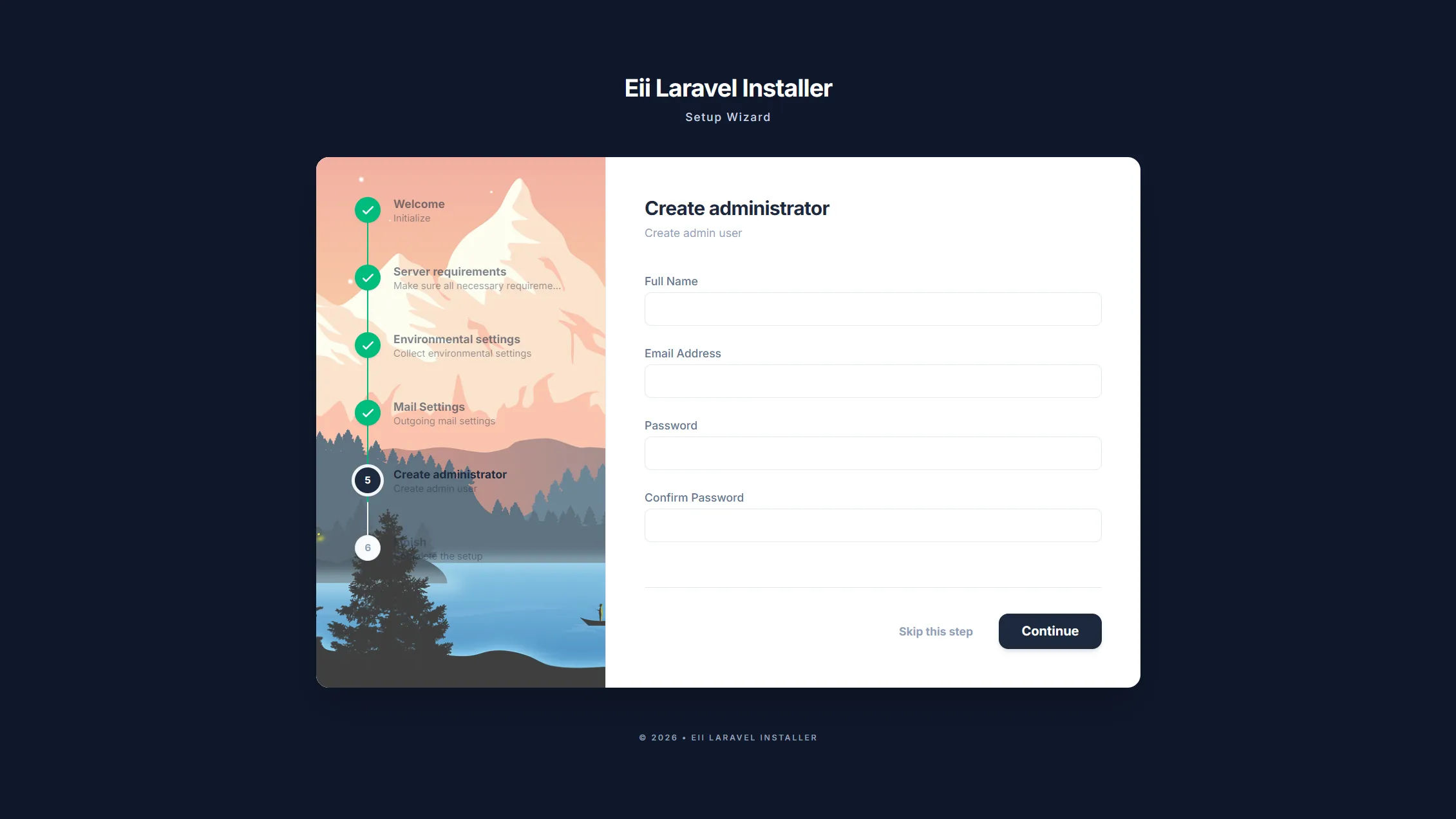
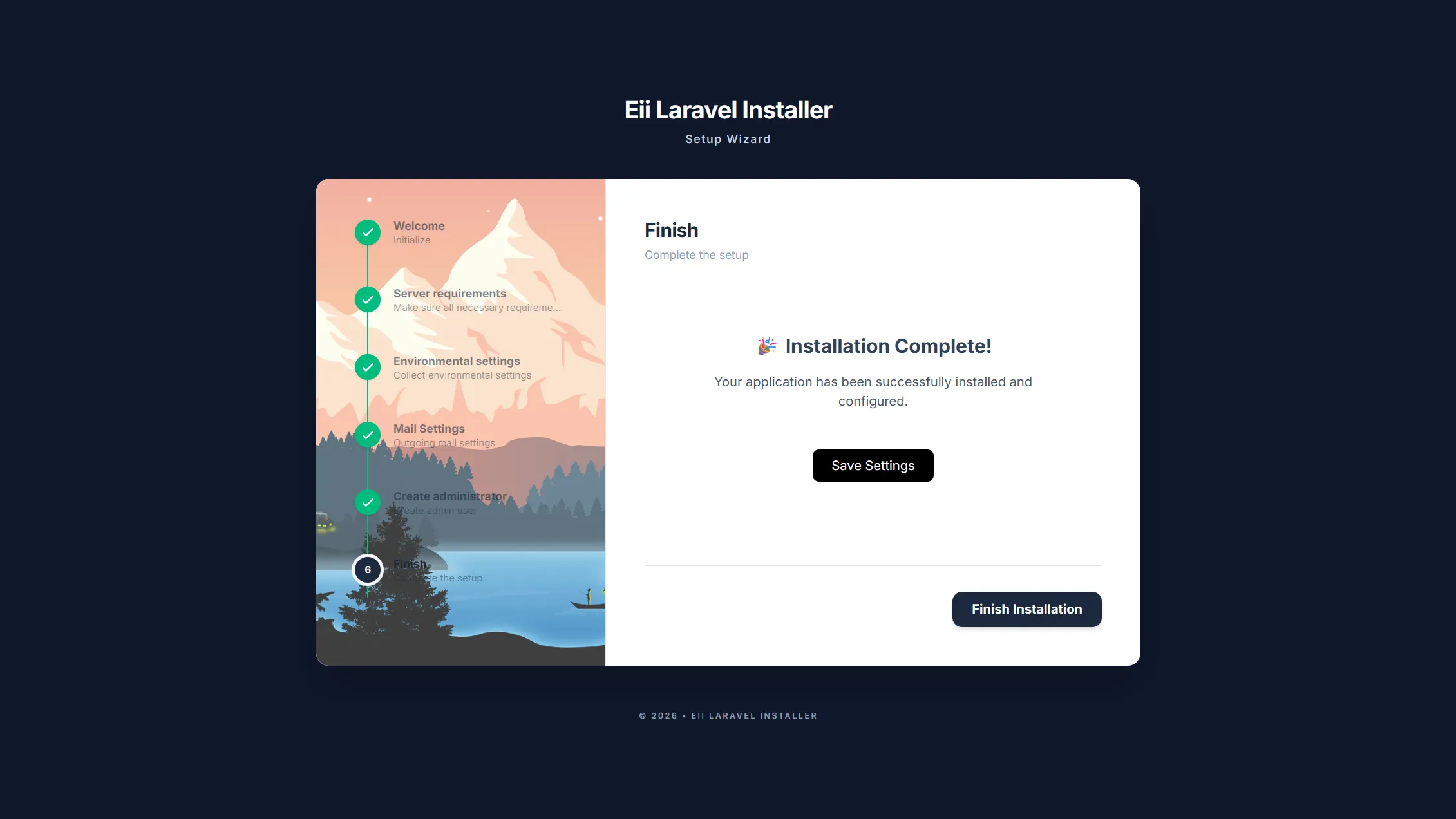
This package features a multi-step wizard designed for a seamless Laravel application installation. It offers an intuitive interface that guides users through server requirement checks, environment configuration, database setup, and the creation of an initial admin user, all using Livewire components.
By including the Laravel installer in your application, you can eliminate the need to assist your clients with server setup. Clients can independently check server requirements, update the .env file, migrate the database, and link storage, all through a step-by-step installation guide.
Screenshots
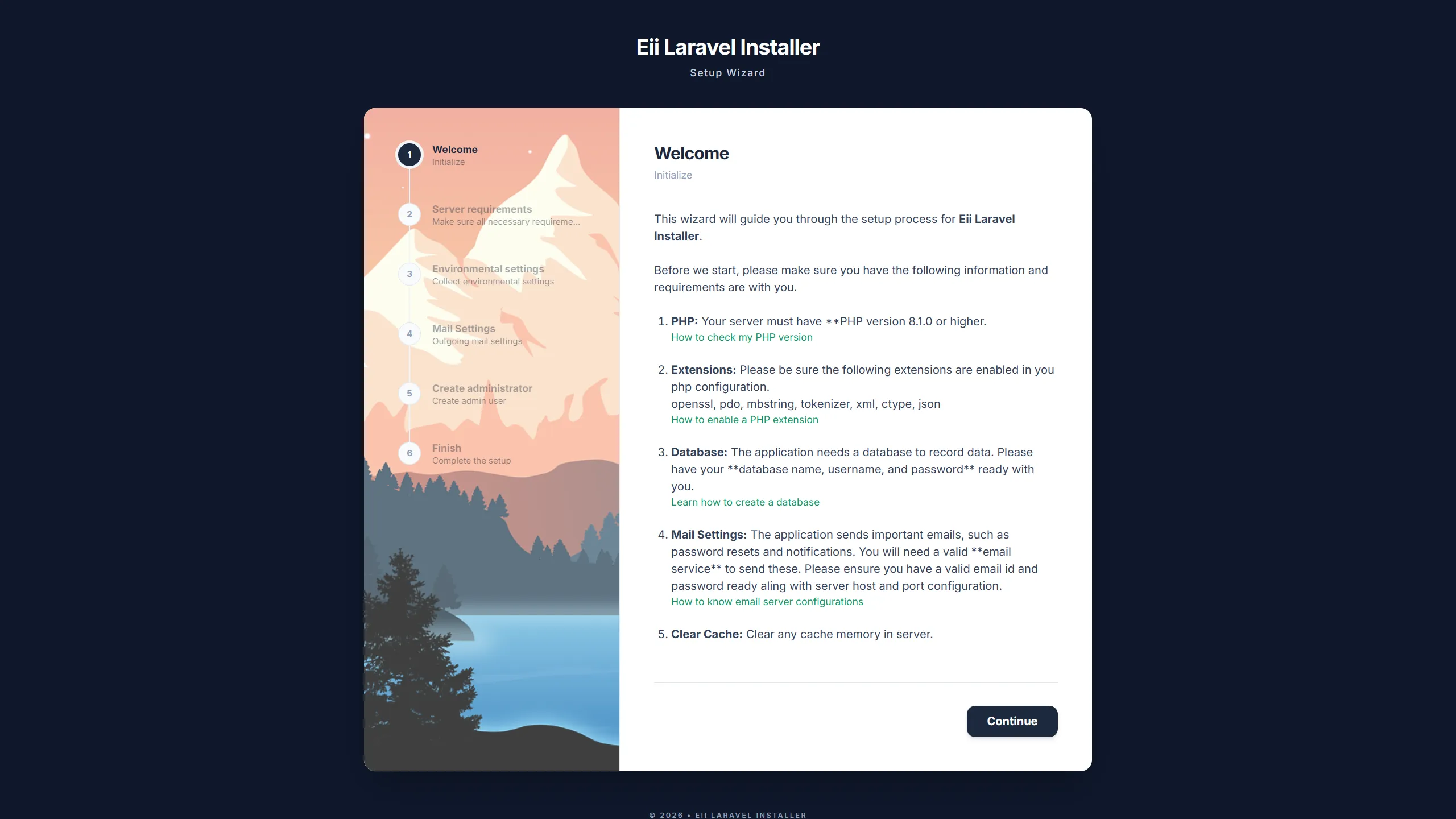 |
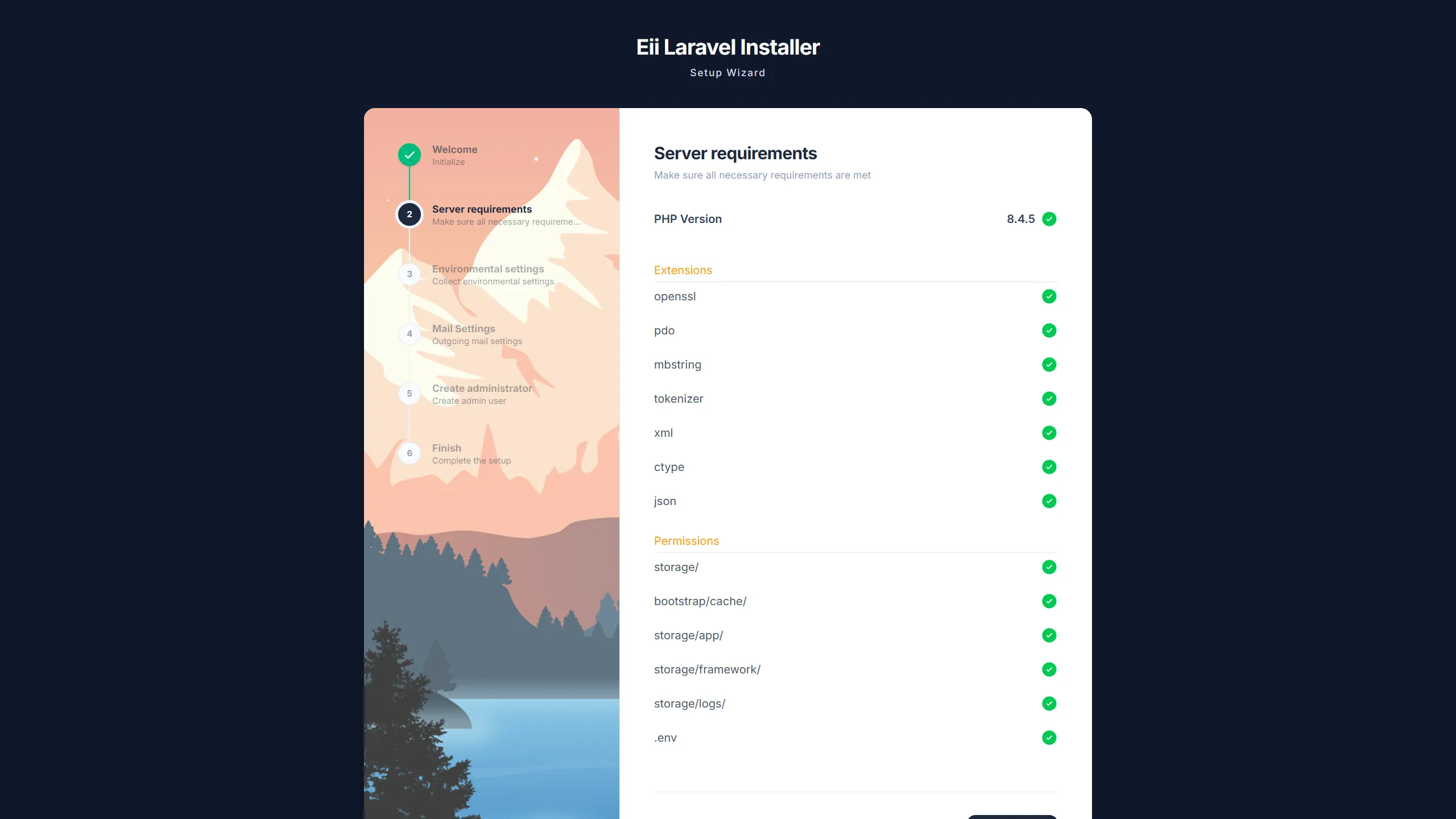 |
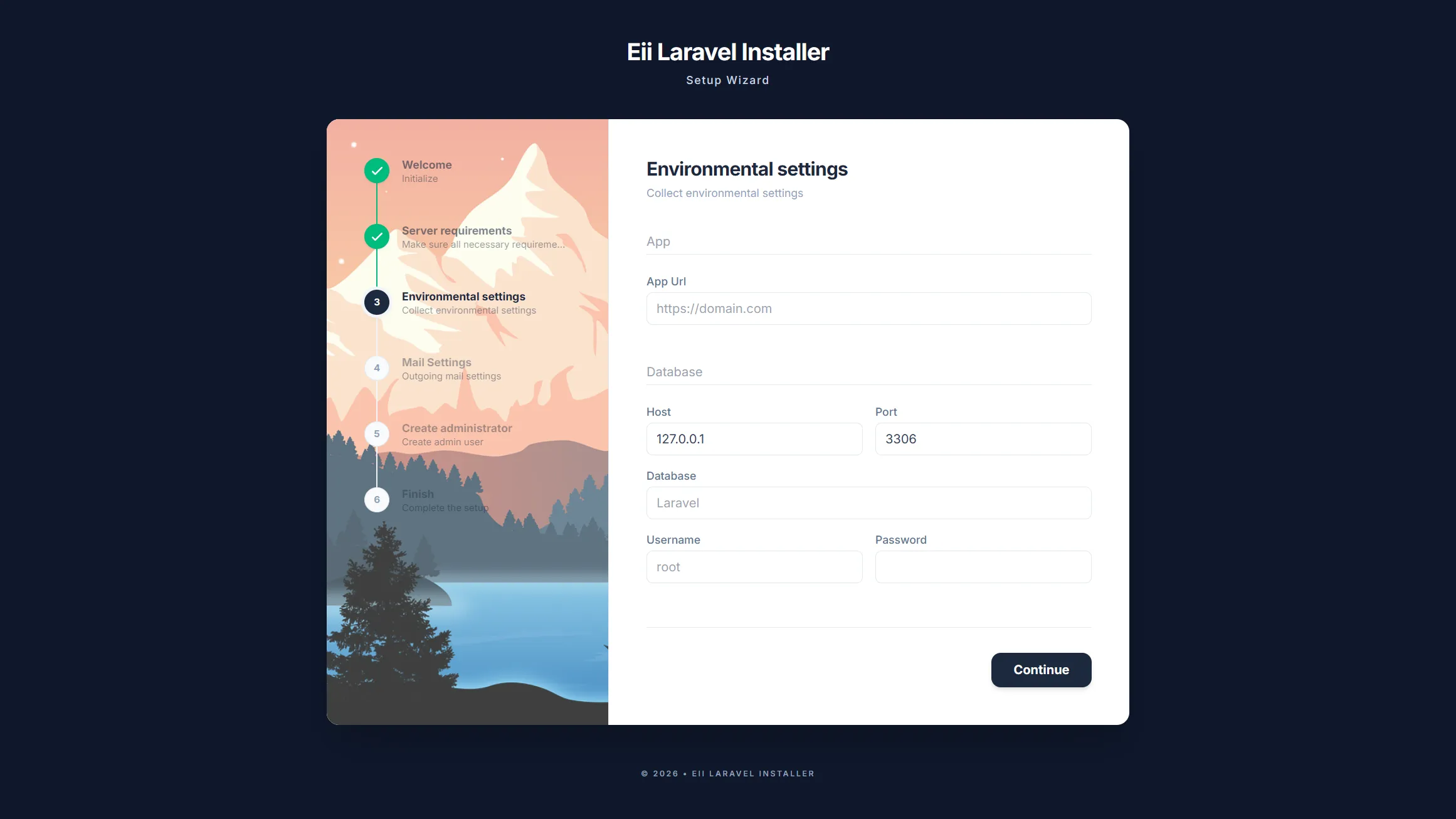 |
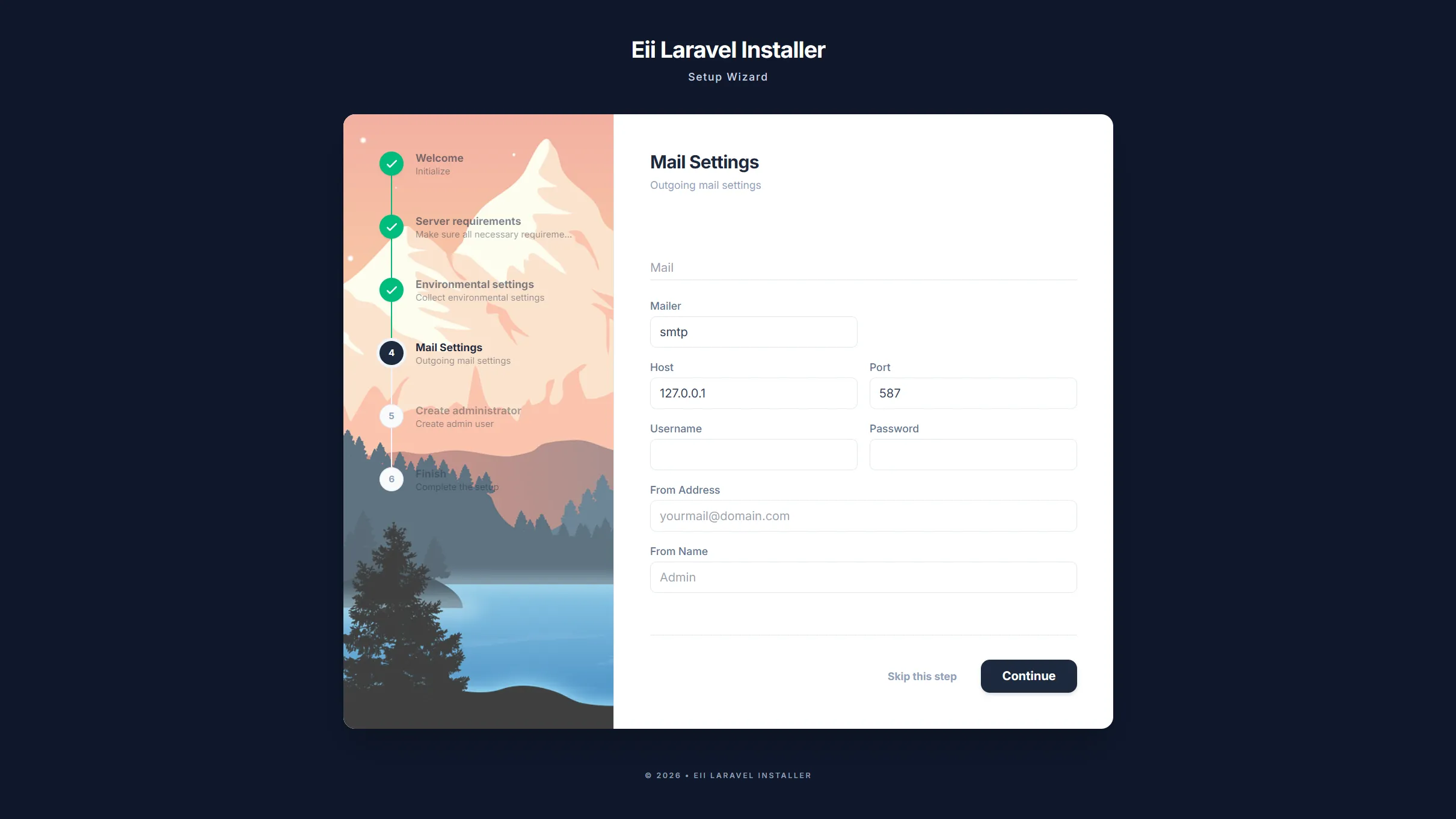 |
 |
 |
✨ What's New in v2.0.1
1️⃣ Installer Reliability
- Installer requests now use file-based session/cache storage at runtime, preventing fresh installations from failing when the host app uses database sessions before the
sessionstable exists. - Reverted environment file updates to run after migrations/seeding to keep the existing MySQL installer flow stable.
2️⃣ Security Fixes
- Masked sensitive values such as database, mail, and admin passwords before exposing final settings in Livewire public state or downloadable settings exports.
3️⃣ Environment File Improvements
- Improved
.envupdates so commented placeholder lines like# DB_HOST=127.0.0.1are replaced instead of creating duplicate keys. - Fixed redirect configuration lookup to use
installer.options.redirect_after_install.
4️⃣ Documentation and UX
- Added MySQL-only support notes. SQLite is not supported in this release.
- Added clearer database setup guidance and field hints in the environment settings step.
Thanks to @vince844 for raising and documenting these issues.
✨ What's New in v2.0.0
1️⃣ Livewire 4 Support
- Fully compatible with Livewire 4.x (now required).
- Updated component registration to use namespace-based resolution (
addNamespace). - Updated routing to use
Route::livewire()syntax. - Added
@livewireStyles/@livewireScriptsto installer layout. - Fixed
#[Layout]attribute syntax to use namespace-separated paths.
2️⃣ Bug Fixes
- Fixed
MailSettings::mount()incorrectly reading environment data instead of mail data. - Fixed undefined
$datavariable when mail step is optional. - Fixed admin password being persisted to the progress file.
3️⃣ Optional Force Overwrite
- Added
--forceoption toinstaller:installcommand for safer re-installation. - Without
--force: preserves your customizations (views, config, assets are not overwritten). - With
--force: prompts for confirmation before overwriting existing published files.
⚠️ Breaking Changes for v1.x Users
- Livewire 3 is no longer supported. Upgrade to Livewire 4 before updating this package.
- Published views/layouts from v1.x may need to be republished via
php artisan installer:install.
✨ What’s New in v1.1.2
1️⃣ Loading State for Action Buttons
- Added loading indicators to step action buttons (Next / Finish).
- Improves user experience during time-consuming operations.
- Clearly informs users that processing is in progress and prevents duplicate submissions.
2️⃣ Improved Environment Input Handling
- Automatic trimming of input values to prevent validation errors caused by trailing spaces (common when copying & pasting).
- Quoted environment values when saving to .env, ensuring:
- SMTP passwords containing spaces work correctly
- No unexpected server errors (HTTP 500) during mail configuration
3️⃣ Spatie Permission Compatibility
- Added compatibility with spatie/laravel-permission
- Ensures smooth integration for applications using role & permission management
- Merged via PR #8 (thanks @vince844 🙌)
Features
- Easy Installation: Easily Integrate in to your Laravel project.
- Step-by-Step Wizard: User-friendly interface for guided installation.
- Server Requirement Checks: Automatically verifies PHP version, extensions, and server configurations.
- Environment Setup: Configures
.envfile with database credentials, app name, and other essentials. - Database Migration and Seeding: Runs migrations and seeds the database with initial data.
- Link-Storage: Runs storage link (configurable).
- Admin User Creation: Sets up a default administrator account securely.
- Livewire Integration: Dynamic, real-time updates, data validations without page reloads.
- Customizable: Easily extend or modify steps with additional livewire components to fit your application's needs.
- Error Handling: Graceful error messages and rollback options for failed installations.
Requirements
- PHP >= 8.2
- Laravel >= 10.0
- Composer >= 2.0
- Livewire >= 4.0
- MySQL database server
Database Support: This package is currently designed and tested for MySQL databases only. SQLite is not supported in the current version and will not work correctly with the installer flow. SQLite support is planned for a future version.
Installation
-
You can install the package via Composer:
-
After installation, publish the package's assets and configuration by running the install command:
- Update the config/installer. (app_name, requirements, etc.)
Updating
If you are upgrading from a previous version or need to republish assets, run the command with the --force flag:
💡 Using
--forcewill prompt you for confirmation before overwriting existing files. Without this flag, your customizations are preserved.
Usage
- Navigate to
/installin your browser to start the wizard. - Follow the wizard steps to complete the installation.
- The wizard steps are defined in the
config/installer.phpfile. You can add, remove, or reorder steps as needed. - Modify the views published in
resources/views/vendor/installeras needed.
Configuration
The configuration file is located at config/installer.php. Key options include:
lock_file: Path to the installation lock file to prevent re-running the installer.redirect_after_install: URL to redirect to after successful installation.requirements: Array of server requirements to check (e.g., PHP version, extensions likepdo_mysql).
Troubleshooting
-
Resetting the Installer: During development, you can reset the installation state by clearing sessions, progress, and lock files:
- Installation Fails on Requirements: Ensure your server meets the listed requirements. Check the Laravel documentation for setup guides.
- Database Connection Issues: Verify your
.envcredentials, make sure your MySQL server is running, and confirm that you have created an empty MySQL database before continuing through the installer. - SQLite Databases: SQLite is not supported in the current version. Please use MySQL for now.
- Livewire Not Working: Make sure Livewire is properly installed and assets are published.
- For more help, check the issues on GitHub or open a new one.
Development
If you want to modify the styling of the installer, you can rebuild the CSS using Tailwind CSS:
-
Install dependencies:
-
Build the assets:
- For real-time development:
Contributing
Contributions are welcome! Please follow these steps:
- Contributions are welcome! Please follow these steps:
- Create a new branch (
git checkout -b feature/YourFeature). - Commit your changes (
git commit -m 'Add YourFeature'). - Push to the branch (
git push origin feature/YourFeature). - Open a Pull Request.
We appreciate bug reports, feature requests, and code improvements.
License
This package is open-sourced software licensed under the MIT license.
Credits
Amit Haldar (Eii Tech Solutions https://eiitechsolutions.com)
Built with Laravel and Livewire
If you find this package useful, consider starring the repository on GitHub!
All versions of laravel-installer with dependencies

livewire/livewire Version ^4.0
illuminate/support Version ^11.0|^12.0|^13.0
illuminate/routing Version ^11.0|^12.0|^13.0
illuminate/view Version ^11.0|^12.0|^13.0
illuminate/console Version ^11.0|^12.0|^13.0
illuminate/filesystem Version ^11.0|^12.0|^13.0
illuminate/database Version ^11.0|^12.0|^13.0