Download the PHP package businesstilto/commentable without Composer
On this page you can find all versions of the php package businesstilto/commentable. It is possible to download/install these versions without Composer. Possible dependencies are resolved automatically.
Download businesstilto/commentable
More information about businesstilto/commentable
Files in businesstilto/commentable
Package commentable
Short Description An extensive and very customizable package that adds commenting in Filament v4.5 and newer.
License MIT
Homepage https://github.com/businesstilto/commentable
FAQ
Example:

In general, it is recommended to use always a project to download your libraries. In an application normally there is more than one library needed.

- Some hosting areas are not accessible by a terminal or SSH. Then it is not possible to use Composer.
- To use Composer is sometimes complicated. Especially for beginners.
- Composer needs much resources. Sometimes they are not available on a simple webspace.
- If you are using private repositories you don't need to share your credentials. You can set up everything on our site and then you provide a simple download link to your team member.
- Simplify your Composer build process. Use our own command line tool to download the vendor folder as binary. This makes your build process faster and you don't need to expose your credentials for private repositories.
Informations about the package commentable



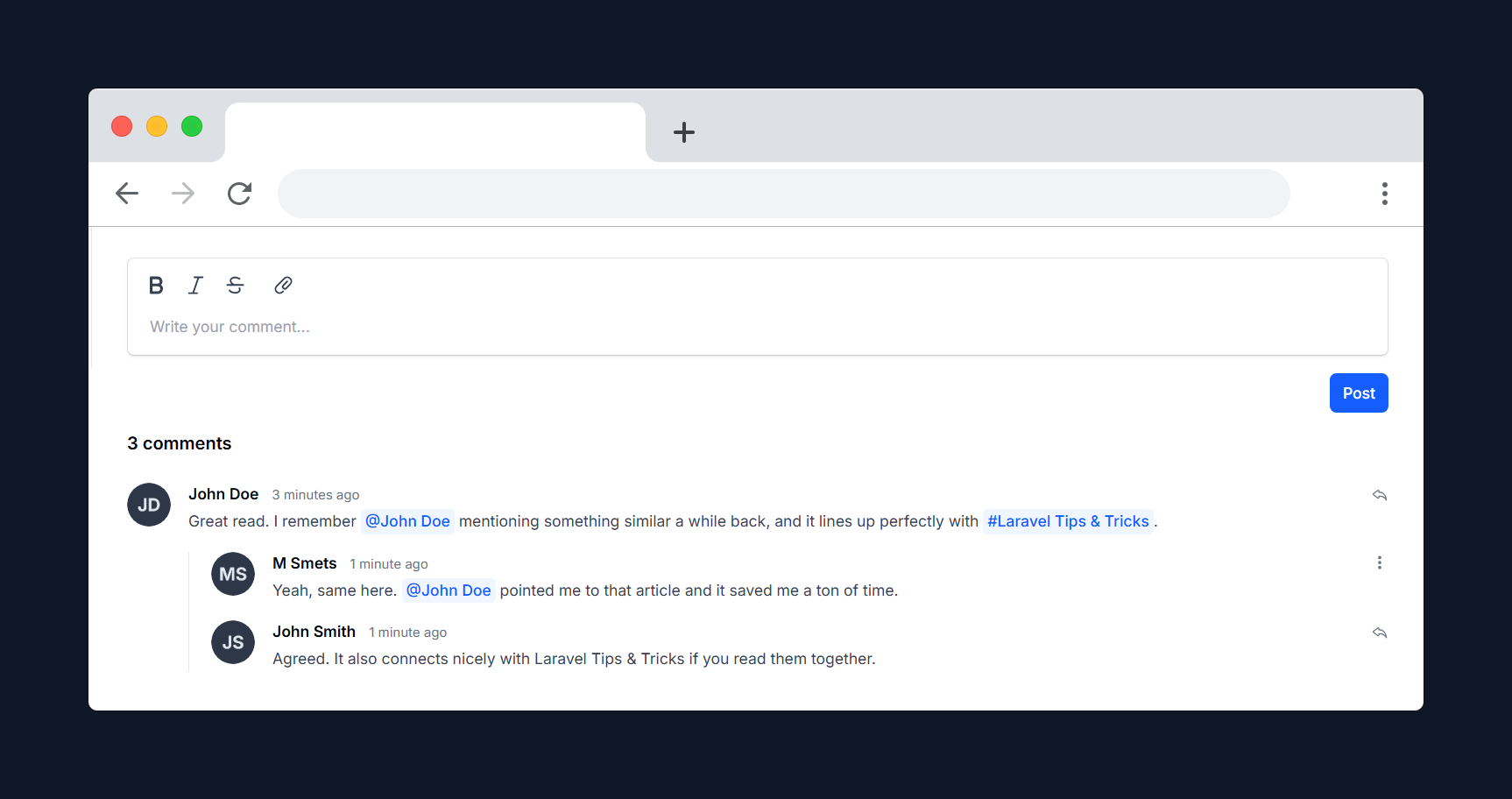
An extensive and very customizable package that adds commenting in Filament v4.5 and newer.
Inspired by and built upon code from the Kirschbaum Commentions package, but takes a different approach to commenting in Filament.
Preview
Prerequisites
- Laravel 11.x/12.x
- PHP 8.2+
- Filament 4.5+
Table of contents
- Installation
- Usage
- Setting up your models
- Implement the Commenter contract
- Implement the Commentable contract
- Custom policy
- Listening for comment creation events
- Comment Component
- Button position
- Toolbar buttons
- Markdown Editor
- Mentions
- File Attachments
- Polling
- Reactions
- Replies
- Submit shortcut
- Setting up your models
- Styling
- Behavior
- Testing
- Alternatives
- Contributing
- Credits
- License
Installation
You can install the package via composer:
You can publish and run the migrations with:
You can publish the config file with:
You can publish the translation files with:
Optionally, you can publish the views using:
This is the contents of the published config file:
[!IMPORTANT] Version 0.3.0 introduces breaking changes related to reactions. Please refer to the upgrade guide for detailed instructions on upgrading safely.
Usage
Setting up your models
To enable commenting functionality, you need to update your models as follows:
1. Implement the Commenter contract
In your User model, implement the Commenter contract and use the isCommenter trait:
2. Implement the Commentable contract
In the model you want to make commentable (for example, Post), implement the Commentable contract and use the HasComments trait:
Custom policy
You can define a custom policy for the Comment model to control who can create, update, reply, or delete comments. First, create a new policy class (for example, App\Policies\CommentPolicy) and extend the default policy:
Then, update the comment.policy value in your config/commentable.php file to point to your new policy:
This allows you to fully customize comment permissions to fit your application's requirements.
Listening for comment creation events
To perform actions when a comment is created, listen for the CommentCreatedEvent in your event listener. This allows you to trigger notifications, logging, or other custom logic whenever a new comment is added.
Here's an example of how to set up a listener for the event:
If you don't have event auto-discovery turned on in Laravel, you will need to manually register your listener within your EventServiceProvider:
Comment Component
You can add a comments section to your Filament Infolist using the CommentsEntry component:
Button position
You can set the position of the form buttons using the buttonPosition method:
Toolbar buttons
You can customize the toolbar buttons using the toolbarButtons method, which uses Filament's built-in toolbar button options:
The default toolbar buttons are bold, italic, strike, and attachFiles.
To hide the toolbar completely, simply pass an empty array:
Markdown Editor
Prefer writing comments in Markdown? Enable the Markdown editor with the markdownEditor method:
By default, comments use Filament's built-in rich text editor. Switching to the Markdown editor allows users to write and preview comments using Markdown syntax.
Mentions
From Filament 4.5+, mentions are supported. You now define mention providers directly on your commentable model by implementing a getCommentMentionProviders() method. Enable mentions for the comment entry using ->mentions():
For rendering the mentions in the rich content, you can put this in your commentable model (for example):
While not required, adding the following CSS to your theme or app.css file ensures that mentions have a consistent appearance across your application:
[!NOTE] Mentionables are only supported when using the rich text editor. They are not available in the Markdown editor.
File Attachments
You can customize the file attachment behavior by chaining the following methods:
Polling
You can enable polling to automatically refresh the comments list at a specified interval:
Or by using the default interval:
Reactions
You can enable and customize reactions for your comments. By default, reactions are enabled and use a set of allowed emojis.
You can configure allowed reactions and the reaction model in config/commentable.php:
To enable or disable reactions in your CommentsEntry component:
To customize which reactions are allowed:
If you do not set allowedReactions, the default set from your config will be used.
Reactions are displayed below each comment, and users can add or remove their reaction. Each user can react once per reaction type per comment.
Reactor tooltips
Hovering a reaction shows a tooltip naming who reacted, e.g. "You reacted with 👍", "Moshe reacted with 👍" or "You and Moshe reacted with 👍". The phrasing is localized in all available languages, and the current user is always listed first as "you".
The tooltip is enabled by default. To disable it and show only the emoji, set the following in your published config/commentable.php file:
Replies
You can enable replies to comments using the nestable method:
You can control whether the author of a comment may reply to their own comment using the package config. In the published config/commentable.php file set:
Submit shortcut
By default, comments can be submitted with Ctrl + Enter (Windows/Linux) or Cmd + Enter (macOS). This applies to creating, editing, and replying to comments.
You can customize this behavior in your published config/commentable.php file:
Supported values:
'mod+enter'— submit with Ctrl + Enter / Cmd + Enter (default)'enter'— submit with Enter; use Shift + Enter to insert a new linefalse— disable the keyboard shortcut entirely
Styling
[!IMPORTANT] If you are using Filament panels without a custom theme, make sure to first follow the official Filament documentation on creating one.
Once you have a custom theme set up, add the plugin's views and CSS to your theme's CSS file:
[!CAUTION] This package relies on Tailwind Typography for rendering rich text content.
Ensure you have the Typography plugin installed and included in your CSS:Add this to your theme CSS file:
Behavior
- This package uses the styling of your Filament panel by default.
- It automatically loads your configured avatar provider from Filament.
- If no avatar provider is found, a UI-based fallback avatar is shown instead.
- You may fully override all
fi-*classes by not including theplugin.cssfile and providing your own styles.
This allows you to either use the default styling out of the box or completely customize the appearance to match your application.
Testing
Alternatives
If this package doesn't fully meet your needs, you might find these alternatives helpful:
- Kirschbaum Commentions
- Laravel Comments by Spatie
- Beyondcode Comments
- Lakshan-Madushanka Laravel Comments
Each package provides unique features and approaches to commenting in Laravel. If this package is almost what you need but is missing some functionality, you can open a discussion or check out the alternatives listed above. One of them might have exactly what you're looking for.
Contributing
Please see CONTRIBUTING for details.
Credits
License
The MIT License (MIT). Please see License File for more information.
All versions of commentable with dependencies

blade-ui-kit/blade-heroicons Version ^2.6
davidhsianturi/blade-bootstrap-icons Version ^2.1
filament/filament Version ^4.5 || ^5.0
spatie/laravel-package-tools Version ^1.15.0