Download the PHP package asignua/filament-themes without Composer
On this page you can find all versions of the php package asignua/filament-themes. It is possible to download/install these versions without Composer. Possible dependencies are resolved automatically.
Download asignua/filament-themes
More information about asignua/filament-themes
Files in asignua/filament-themes
Package filament-themes
Short Description Theme switcher for Filament 5: pick a theme and a primary colour per user or for the whole panel. Six built-in light and dark themes, your own as plain PHP classes. Successor of hasnayeen/themes.
License MIT
Homepage https://github.com/asignua/filament-themes
FAQ
Example:

In general, it is recommended to use always a project to download your libraries. In an application normally there is more than one library needed.

- Some hosting areas are not accessible by a terminal or SSH. Then it is not possible to use Composer.
- To use Composer is sometimes complicated. Especially for beginners.
- Composer needs much resources. Sometimes they are not available on a simple webspace.
- If you are using private repositories you don't need to share your credentials. You can set up everything on our site and then you provide a simple download link to your team member.
- Simplify your Composer build process. Use our own command line tool to download the vendor folder as binary. This makes your build process faster and you don't need to expose your credentials for private repositories.
Informations about the package filament-themes
Filament Themes

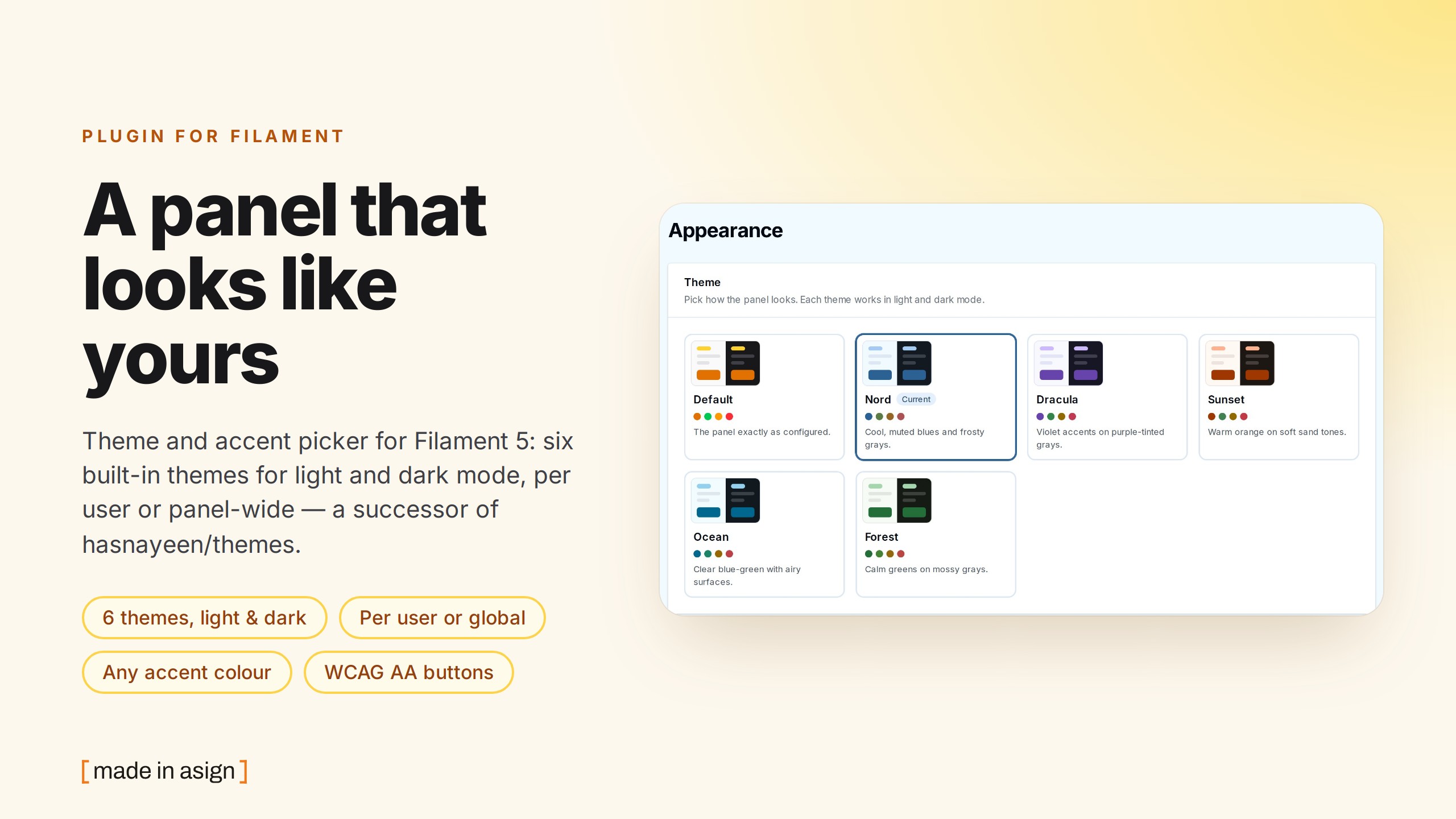

A theme switcher for Filament 5. Users open Themes in the user menu, pick a theme from cards that preview it in light and
dark mode, and optionally replace its primary colour with a Filament colour or any #rrggbb. The choice is saved per user
(or once for the whole panel) and applies on the next page. Six themes ship in the box - Default, Nord, Dracula, Sunset,
Ocean, Forest - and your own is one small PHP class. It is the successor of hasnayeen/themes, which stopped before
Filament 5, with the same plugin and contract names, so the PHP side of a panel migrates by swapping a namespace - but a theme's
stylesheet does not carry over (see Migrating).
No JavaScript to build, no Tailwind safelist: a theme is a set of colour palettes that Filament already understands
(primary, gray, danger, ...) plus an optional stylesheet, and the picker has its own namespaced CSS (.fi-themes*).
Free (MIT), there is no Pro edition.
Screenshots
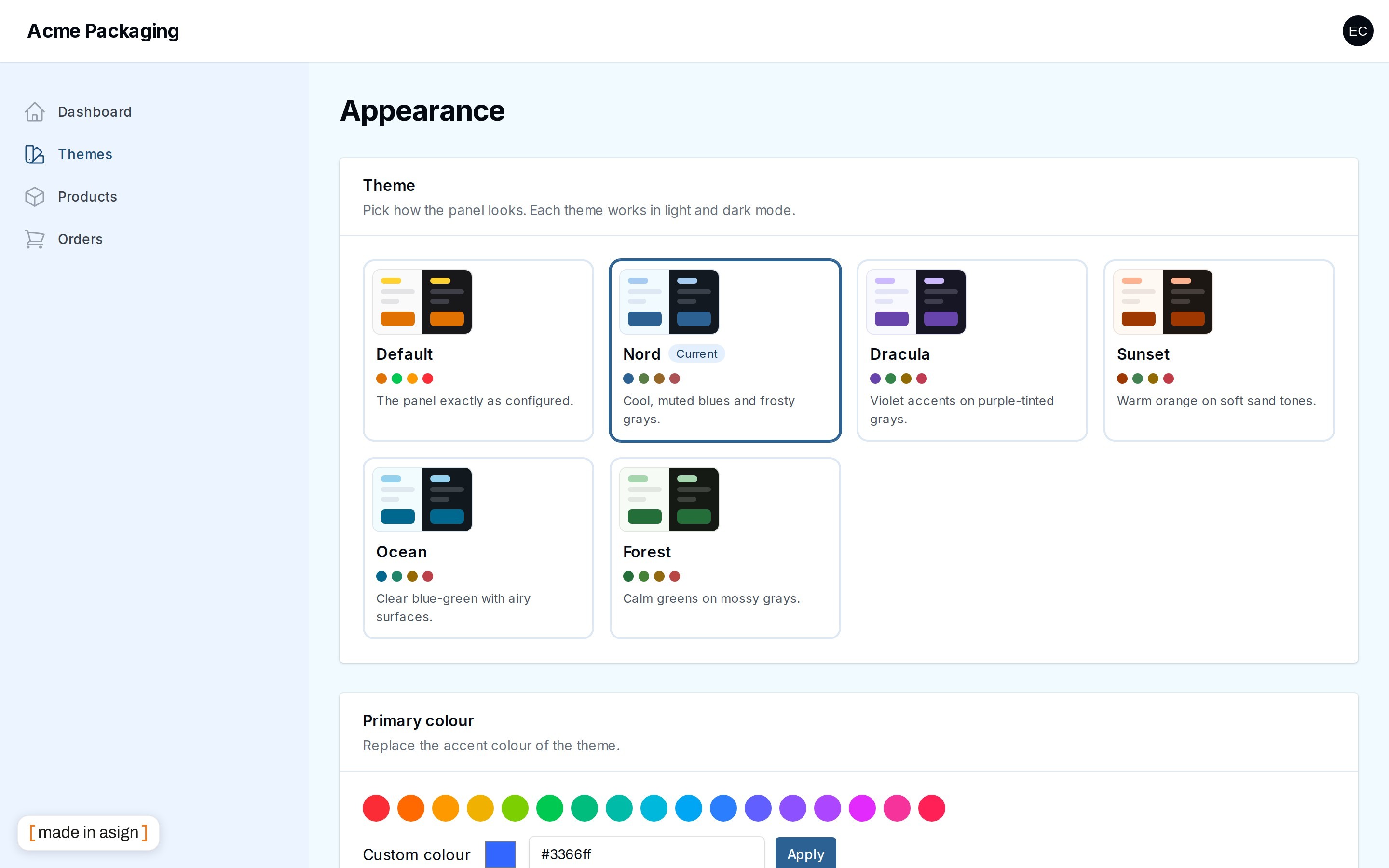
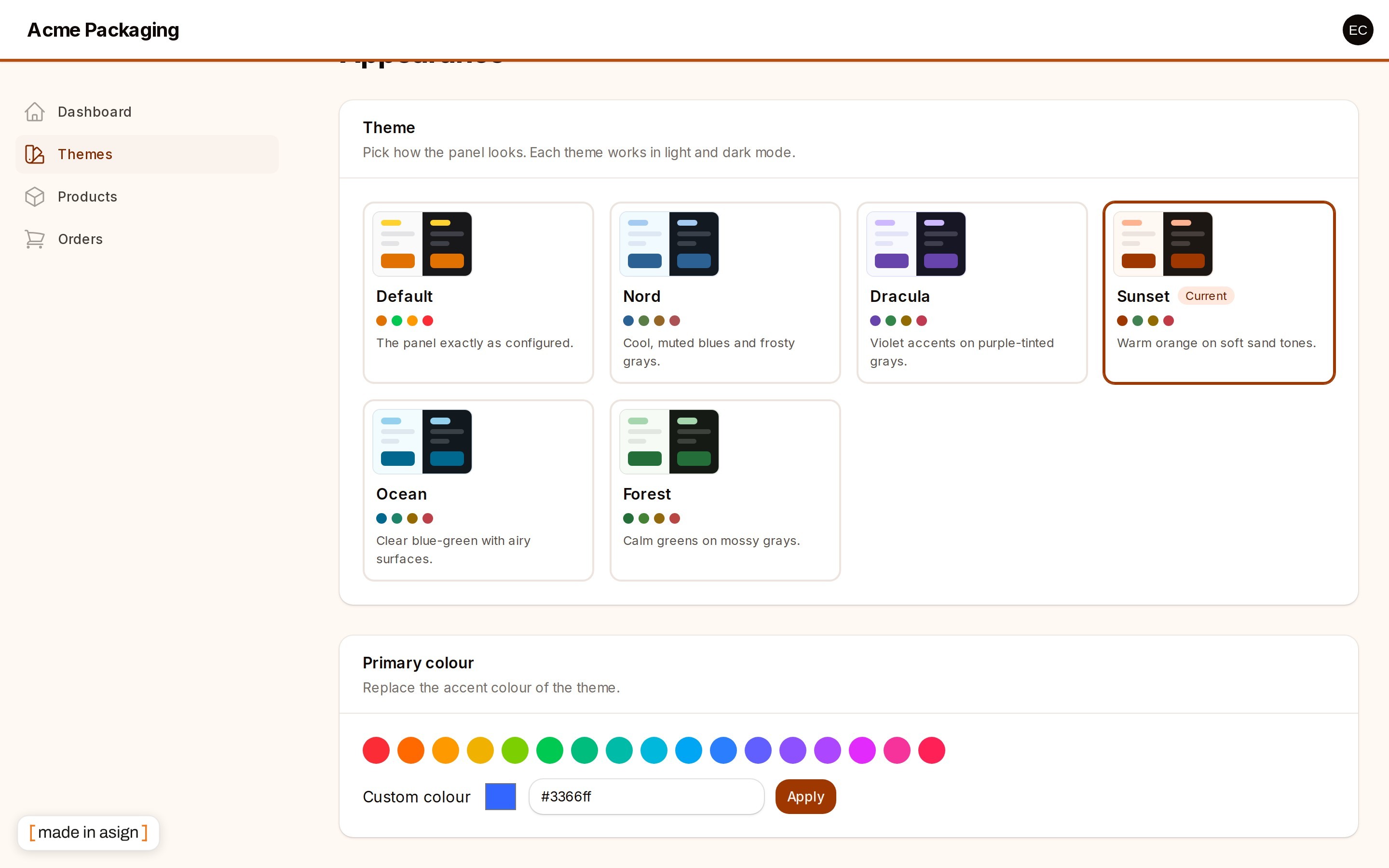
The theme picker: six built-in themes, each for light and dark mode:
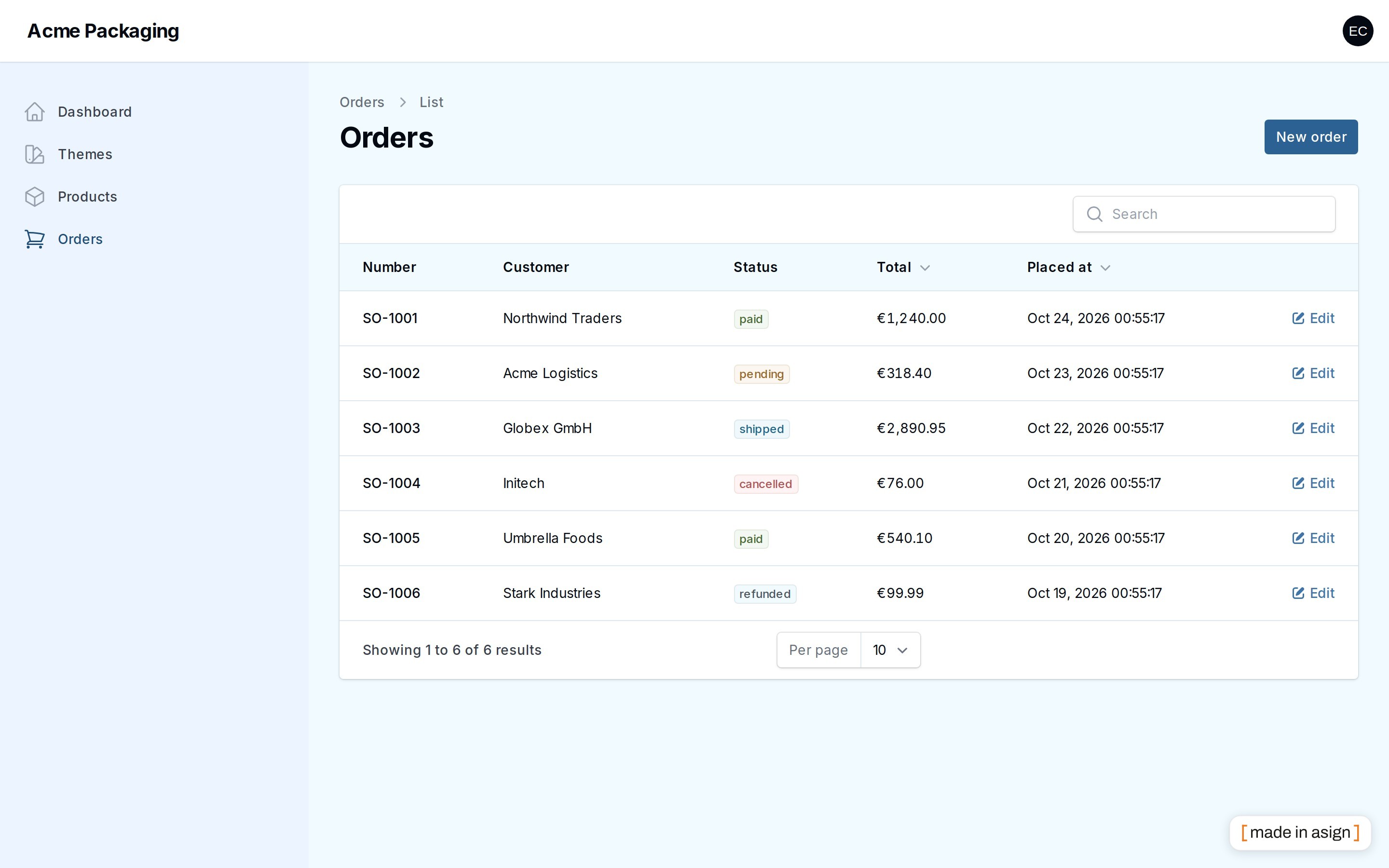
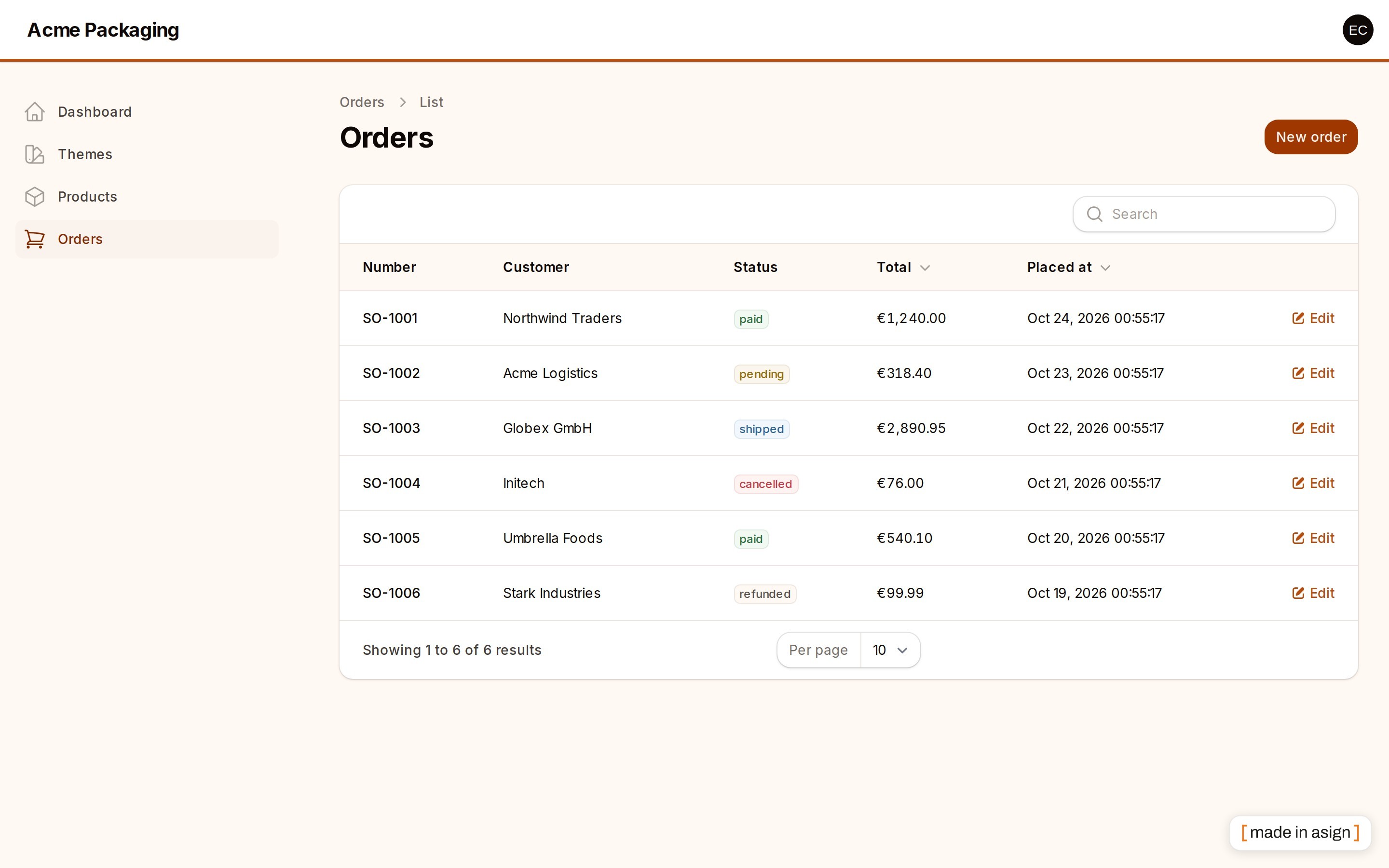
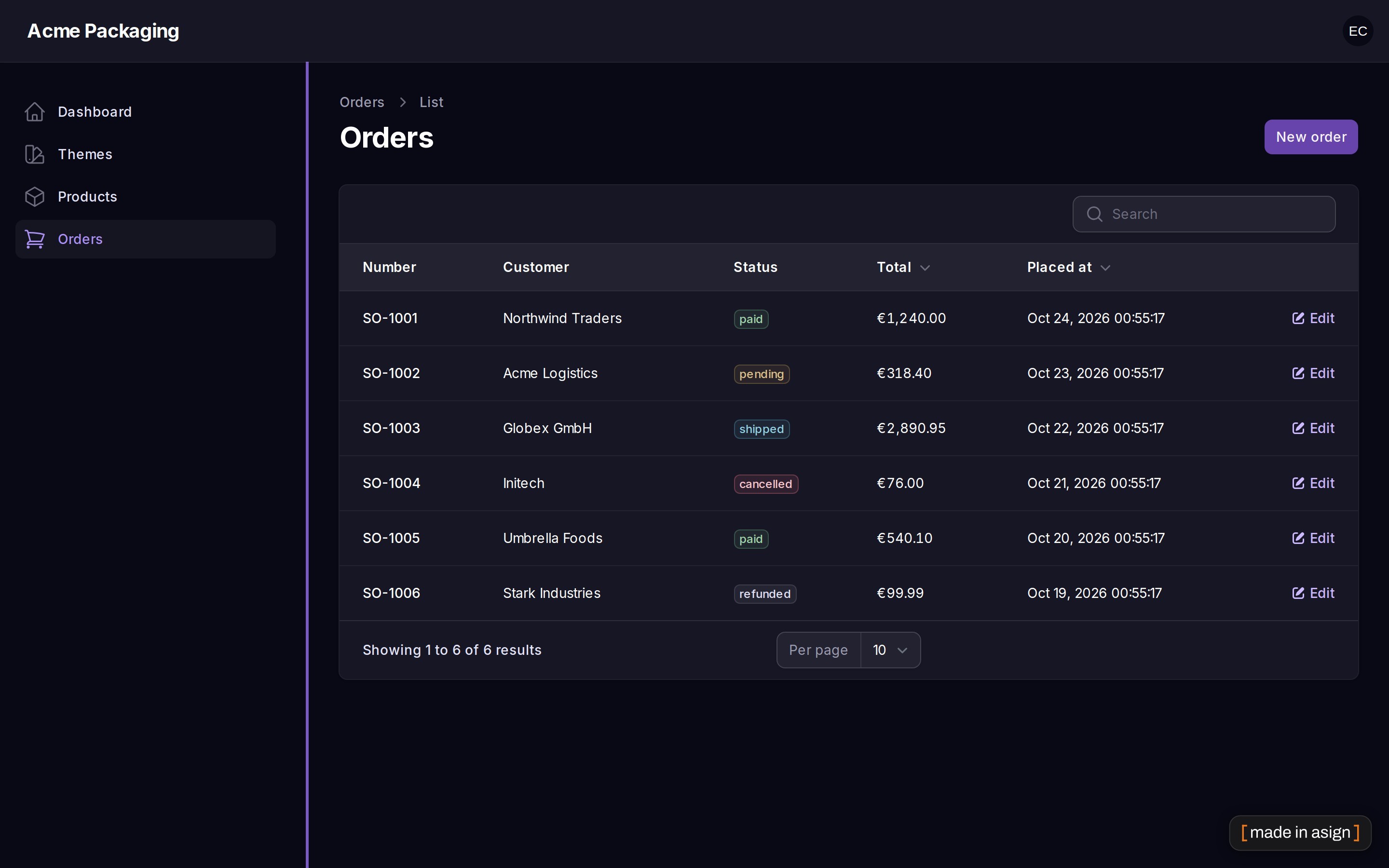
The same table in Nord, Sunset and Dracula (dark):
Any accent colour — a Filament palette or your own hex:
Requirements
- PHP 8.3+
- Laravel 12 or 13
- Filament 5
Installation
Register the plugin on your panel. Nothing else is needed: no middleware, no theme file, no build step.
A Themes item appears in the user menu. The same page is at /{panel}/themes.
Usage
Every setter works per panel, so an admin panel and a shop panel can offer different themes and keep separate choices.
Per user or for the whole panel
| Mode | Who picks | Stored for |
|---|---|---|
user (default) |
each user | that user, in that panel |
global |
whoever passes canChangeTheme |
everybody, guests and the login page included |
In user mode guests and the login page get the panel default, and everybody signed in may change their own theme. In
global mode nobody may change it until you say who (one choice restyles the panel for everybody, so it is deny by
default):
What the page shows
- A card per theme with a light and a dark preview strip, the semantic colours (primary, success, warning, danger) and a short
description. The current theme is marked and
aria-pressed. - For a theme that allows it (see
HasChangeableColor), a row of colour swatches, a native colour input with a#rrggbbfield and a "reset to the theme colour" button. - Everything is keyboard- and screen-reader-friendly: cards and swatches are real buttons with labels and focus rings.
The new look needs a full reload (colours live in the document head), so choosing something redirects to the page itself with a success toast.
Where it is stored
The default is a small table, theme_settings, created by a publishable migration - the less invasive choice: nothing is
added to your users table, it works with any authenticatable model (integer, UUID or ULID keys), it also holds the
panel-wide row of global mode, and one panel can have several users with different choices.
| Column | |
|---|---|
panel_id, subject_type, subject_id |
unique together; both subject_* are '' for the panel-wide row (not NULL, so the unique index works) |
theme, color |
nullable; a theme name and a Filament colour name or #rrggbb |
The unique index is 992 bytes with utf8mb4 (fits MySQL's 3072 and the old 767-per-column rules; a test computes it from the migration).
Coming from hasnayeen/themes, keep your users.theme / users.theme_color columns instead:
The panel-wide global choice always uses the table. Note that these two columns belong to the user, not to a panel:
with 'storage' => 'users' a user who has several panels with this plugin shares ONE choice between them (the table
storage keeps a choice per panel).
Built-in themes
| Name | Class | Character |
|---|---|---|
default |
Themes\DefaultTheme |
no overrides: the panel exactly as you configured it |
nord |
Themes\Nord |
cool, muted blues; small radius; tinted sidebar |
dracula |
Themes\Dracula |
violet accents on purple-tinted grays; accent edge on the sidebar |
sunset |
Themes\Sunset |
warm orange on sand grays; round corners; accent line under the top bar |
ocean |
Themes\Ocean |
clear blue-green, airy surfaces |
forest |
Themes\Forest |
calm greens on mossy grays; hairline top bar |
Each one is a hue/chroma for the primary, info, success, warning and danger colours and for the gray ladder (which tints the panel surfaces, borders and text), so every theme works in light and in dark mode. The palettes come from one lightness ladder, which is what makes the contrast guaranteed instead of hoped for; unit tests enforce WCAG AA (4.5:1) for:
- white text on the solid primary button (
primary-600, used in light and dark mode) and on every other accent; - body and muted text on the gray surfaces in light mode (
gray-950/gray-500ongray-50, on white) and dark mode (white /gray-400ongray-950,gray-900,gray-800); - links (
primary-600on white,primary-400ongray-900); - the button of any colour a user types in, for every hue.
A colour given as a hex string - in getThemeColor() or typed by a user - is turned into a palette from its hue and chroma (chroma is capped, lightness is the ladder's), so a neon
#00ff00 cannot produce an unreadable button. Named Filament palettes are used as Filament ships them - and Filament itself
picks a readable text shade for them.
Writing your own theme
The class is checked when registered: anything that is not a Theme throws an InvalidArgumentException.
Optional behaviour is opt-in through small interfaces (all in Asignua\FilamentThemes\Contracts):
| Interface | Effect |
|---|---|
HasChangeableColor |
the user may replace primary; getPrimaryColor() is the palette used until then ([] = keep the panel's) |
CanModifyPanelConfig |
modifyPanelConfig(Panel $panel) runs once per request, after the session started (top navigation, sidebar, ...) |
HasOnlyDarkMode / HasOnlyLightMode |
force dark mode / remove the dark mode switch while the theme is active |
Filament\Support\Contracts\HasLabel |
the card title (otherwise the name, headlined) |
Or extend Themes\PaletteTheme and return one [hue, chroma] pair per colour from hues() - you get the same contrast
guarantees as the built-in themes, HasChangeableColor and a translated label for free.
The stylesheet
A theme's CSS is registered as a Filament asset (published by php artisan filament:assets) and loaded on every page of the
panel, so scope it to your theme. The plugin prints <meta name="filament-theme" content="midnight"> into the head:
A relative getPath() (hasnayeen themes return Vite entries such as resources/css/themes/x.css) is resolved against
base_path(); a path that is not a file is skipped with a log warning. The file must be plain CSS: a Tailwind/PostCSS
source is not compiled here.
Use Filament's variables (--primary-600, --gray-50, --danger-500, ...), they carry the chosen palette and flip with dark mode.
Do not use Tailwind classes in this file: the panel's stylesheet only contains the classes it compiled. If you use
@layer (the built-in file does: everything is in @layer components, so a utility class such as rounded-full still wins), the file must begin with @layer theme, base, components, utilities;, otherwise Tailwind's preflight in the
panel loses to your layer.
Configuration
Everything is a fluent setter on the plugin; the file is only for defaults (php artisan vendor:publish --tag=filament-themes-config).
| Key | Default | |
|---|---|---|
mode |
user |
user or global (plugin: ->mode()) |
storage |
table |
table or users (the theme / theme_color columns) |
table |
theme_settings |
table name of the table storage |
icon |
heroicon-o-swatch |
user menu / navigation icon |
default.theme |
default |
the theme used until a choice is stored |
default.theme_color |
null |
the primary colour used until a choice is stored |
Migrating from hasnayeen/themes
Replace Hasnayeen\Themes\ with Asignua\FilamentThemes\ in your imports and remove SetTheme from the panel's middleware
(it is optional now, see below). Your own theme classes keep working, but their CSS does not: hasnayeen themes ship a
Tailwind/PostCSS source compiled by your Vite build and scoped to its own markup. Rewrite it as plain CSS scoped with
:root:has(meta[name='filament-theme'][content='<name>']) (see "The stylesheet"), or return null from getPath() and keep
only the colours. To keep the existing choices run with 'storage' => 'users'; to move to the table, copy
users.theme / users.theme_color into theme_settings once.
hasnayeen/themes |
asignua/filament-themes |
|---|---|
Hasnayeen\Themes\ThemesPlugin::make() |
Asignua\FilamentThemes\ThemesPlugin::make() - same |
->canViewThemesPage(Closure) |
same (alias of ->canChangeTheme(), which also accepts a bool) |
->registerTheme(array $themes, bool $override = false) |
same |
ThemesPlugin::canView() |
same |
Contracts\Theme: getName(), getPath(), getThemeColor() |
same; getPath() may return null |
HasChangeableColor::getPrimaryColor(), CanModifyPanelConfig, HasOnlyDarkMode, HasOnlyLightMode |
same |
Http\Middleware\SetTheme in authMiddleware() / tenantMiddleware() |
optional: the plugin applies the theme itself; the middleware only runs modifyPanelConfig() and is harmless twice |
built-in default, dracula, nord, sunset (same names, so stored values keep working) |
same names, plus ocean and forest; Dracula is no longer dark-only (it works in both modes), Nord does not switch to top navigation |
config mode = global (default) |
config mode = user (default) - a panel-wide look that any user can change is a worse default |
global choice kept in the cache (cache('theme')) |
global choice kept in the database (a cache flush no longer resets the look) |
per-user choice in users.theme, users.theme_color |
theme_settings table by default; 'storage' => 'users' keeps the columns |
theme_color = a Filament colour name |
a Filament colour name or #rrggbb |
config icon, default.theme, default.theme_color |
same |
theme CSS compiled by your own Tailwind/PostCSS build, vite.config.js entry |
no build: plain CSS registered as an asset, scoped by the <meta name="filament-theme"> marker |
php artisan themes:make, themes:upgrade |
not provided (no files are copied into your app, so there is nothing to upgrade) |
| Themes page in navigation hidden, user menu link | user menu link (->userMenu()), sidebar entry opt-in (->navigation()) |
| - | per-panel theme lists and defaults, free hex colour, HasLabel card titles, previews in light and dark, translations in 10 languages, contrast tests |
Octane and long-lived workers
The choice is read per request (memoised on the request, never on the plugin) and Filament's colour registry is
request-scoped, so one user's colours cannot leak into the next request. The one thing that outlives a request is the panel
object, which CanModifyPanelConfig::modifyPanelConfig() mutates: the plugin takes a snapshot of the panel's properties
before the hook and puts them back when the request terminates (a test runs two sequential requests). It is a shallow
restore - an object the hook mutates in place (a plugin instance, say) is not restored - and it has been tested with
sequential requests in one process, not under a real Octane server.
Gotchas
- A hex given as the
graycolour gets a neutral ladder (hue kept, chroma capped at 0.03), every other hex an accent ladder (chroma capped at 0.19).defaultColor()must be one ofcolors()or, withcustomColor()on, a#rrggbb; anything else throws when the plugin is registered instead of being ignored silently. - Colours are read when the page renders, not when the plugin boots - the session is not started yet at boot. That is why no
middleware is needed, and why a panel that renders colours before authentication (for example a custom login page that
resolves
FilamentColorearly) shows the panel default. - Do not put
->colors([...])of the panel and a theme in competition for the same name unless you mean it: the theme is registered last and wins.Defaultregisters nothing, so the panel's own->colors()stay. - The stylesheet is global. All themes' CSS is loaded on every request; the
:has(meta[name='filament-theme'])scope is what keeps it dormant.:has()needs a 2023+ browser (Chrome/Edge 105, Safari 15.4, Firefox 121); an older browser still gets the colours (they are CSS variables) but not the radius and sidebar details. - Run
php artisan filament:assetsafter install and after an update. Without it the picker is unstyled (the themes themselves are colour variables and do not need it). - The index lengths of a SQLite test database prove nothing about MySQL; the migration keeps the unique key under 1000 bytes and a test computes the sum from the migration source.
Translations
The interface ships in English, Ukrainian, German, Spanish, French, Italian, Dutch, Polish, Brazilian Portuguese and Turkish
under the filament-themes::filament-themes namespace (including the names and descriptions of the built-in themes:
themes.nord, descriptions.nord, ...). A test keeps every language in step with the English keys. Override a string by
publishing the translations (--tag=filament-themes-translations) and editing the copy in lang/vendor/filament-themes. A
custom theme without a HasLabel shows its name headlined, and without a descriptions.<name> key shows no description.
AI agents
The package ships Laravel Boost guidelines (resources/boost/guidelines/core.blade.php) so a
coding agent wires it up correctly.
Testing
Try it by hand with the workbench (a demo panel with products and orders in every theme):
Seed the demo user and rows with vendor/bin/testbench db:seed --class='Workbench\Database\Seeders\DemoSeeder', log in at
/admin as [email protected] / password and open Themes in the user menu.
Changelog
See CHANGELOG.md.
License
The MIT License (MIT). See LICENSE.md.
All versions of filament-themes with dependencies

filament/filament Version ^5.0
illuminate/contracts Version ^12.0|^13.0
spatie/laravel-package-tools Version ^1.16