Download the PHP package xhubio/magento2-invoice-api-xhub without Composer
On this page you can find all versions of the php package xhubio/magento2-invoice-api-xhub. It is possible to download/install these versions without Composer. Possible dependencies are resolved automatically.
Download xhubio/magento2-invoice-api-xhub
More information about xhubio/magento2-invoice-api-xhub
Files in xhubio/magento2-invoice-api-xhub
Package magento2-invoice-api-xhub
Short Description Invoice-api.xhub for Magento 2 / Adobe Commerce — generate compliant e-invoices (PDF, XRechnung 3.0, ZUGFeRD 2.3/2.4) from Magento orders via the invoice-api.xhub.io API.
License OSL-3.0
Homepage https://invoice-api.xhub.io
FAQ
Example:

In general, it is recommended to use always a project to download your libraries. In an application normally there is more than one library needed.

- Some hosting areas are not accessible by a terminal or SSH. Then it is not possible to use Composer.
- To use Composer is sometimes complicated. Especially for beginners.
- Composer needs much resources. Sometimes they are not available on a simple webspace.
- If you are using private repositories you don't need to share your credentials. You can set up everything on our site and then you provide a simple download link to your team member.
- Simplify your Composer build process. Use our own command line tool to download the vendor folder as binary. This makes your build process faster and you don't need to expose your credentials for private repositories.
Informations about the package magento2-invoice-api-xhub
Invoice-api.xhub for Magento 2 / Adobe Commerce




Generate compliant e-invoices (PDF, XRechnung 3.0, ZUGFeRD 2.3/2.4) from Magento orders via the invoice-api.xhub.io service.
- Live formats today: PDF, XRechnung 3.0 (DE B2G), ZUGFeRD 2.3/2.4 (DE/AT hybrid PDF+XML)
- Coming Q3 2026: Factur-X, FatturaPA, Facturae, ebInterface, UBL, ISDOC, NAV
- License: OSL-3.0 (Open Software License 3.0) — the Adobe Commerce Marketplace standard
- Module ID:
Xhubio_InvoiceApiXhub - Composer package:
xhubio/magento2-invoice-api-xhub
Screenshots
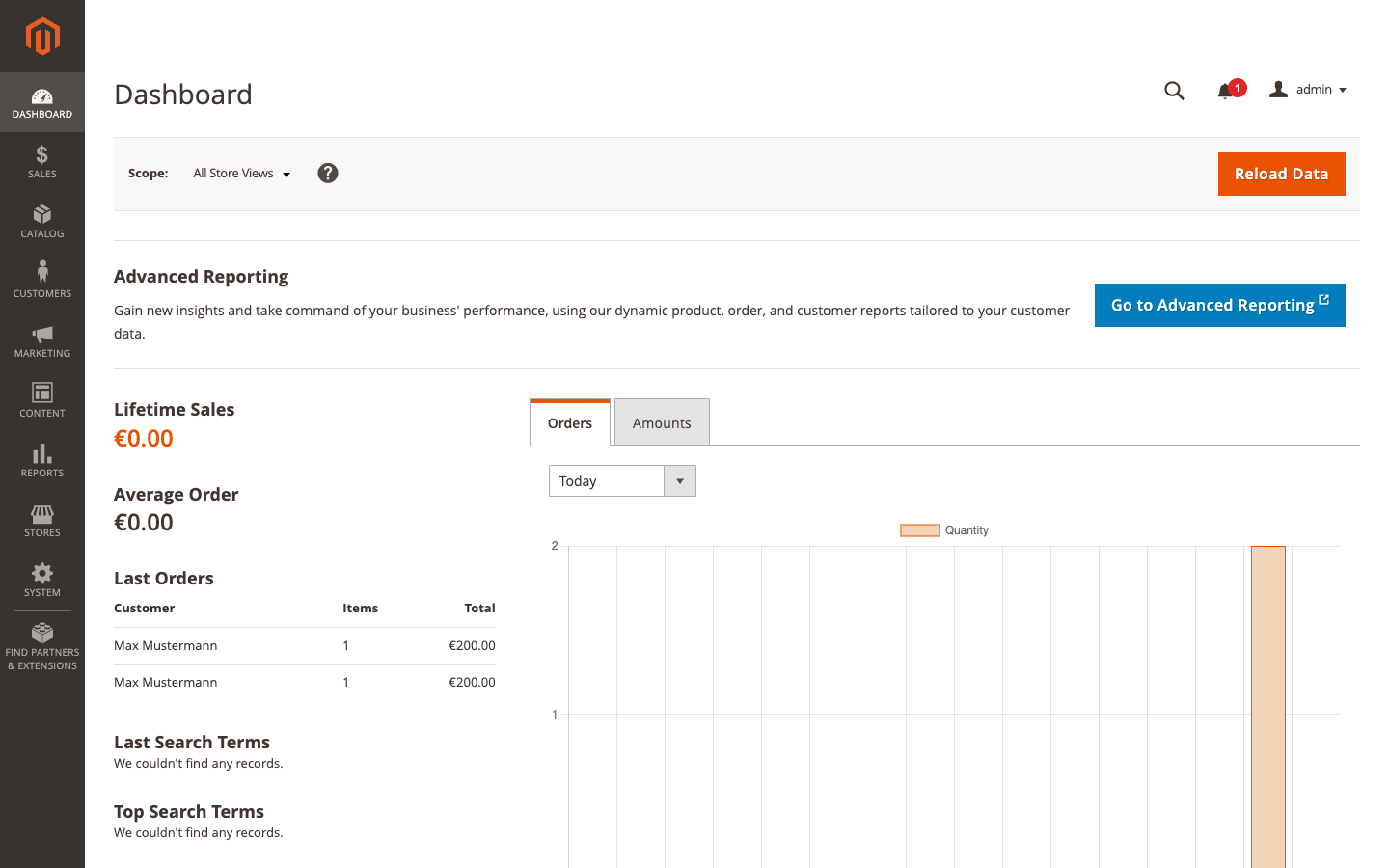 |
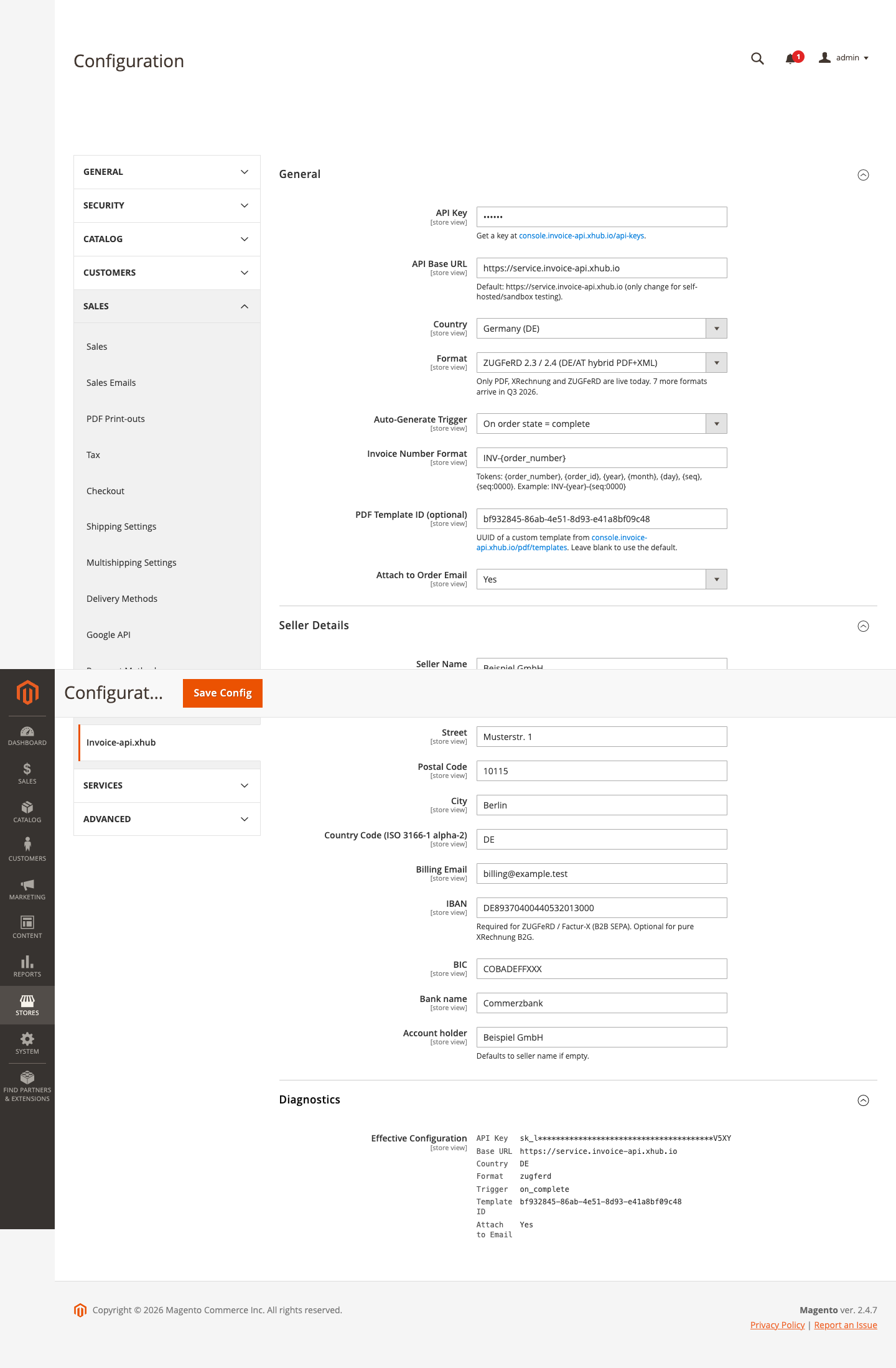 |
| Admin Dashboard after the plugin processed two test orders | Stores → Configuration → Sales → Invoice-api.xhub — all three sections expanded |
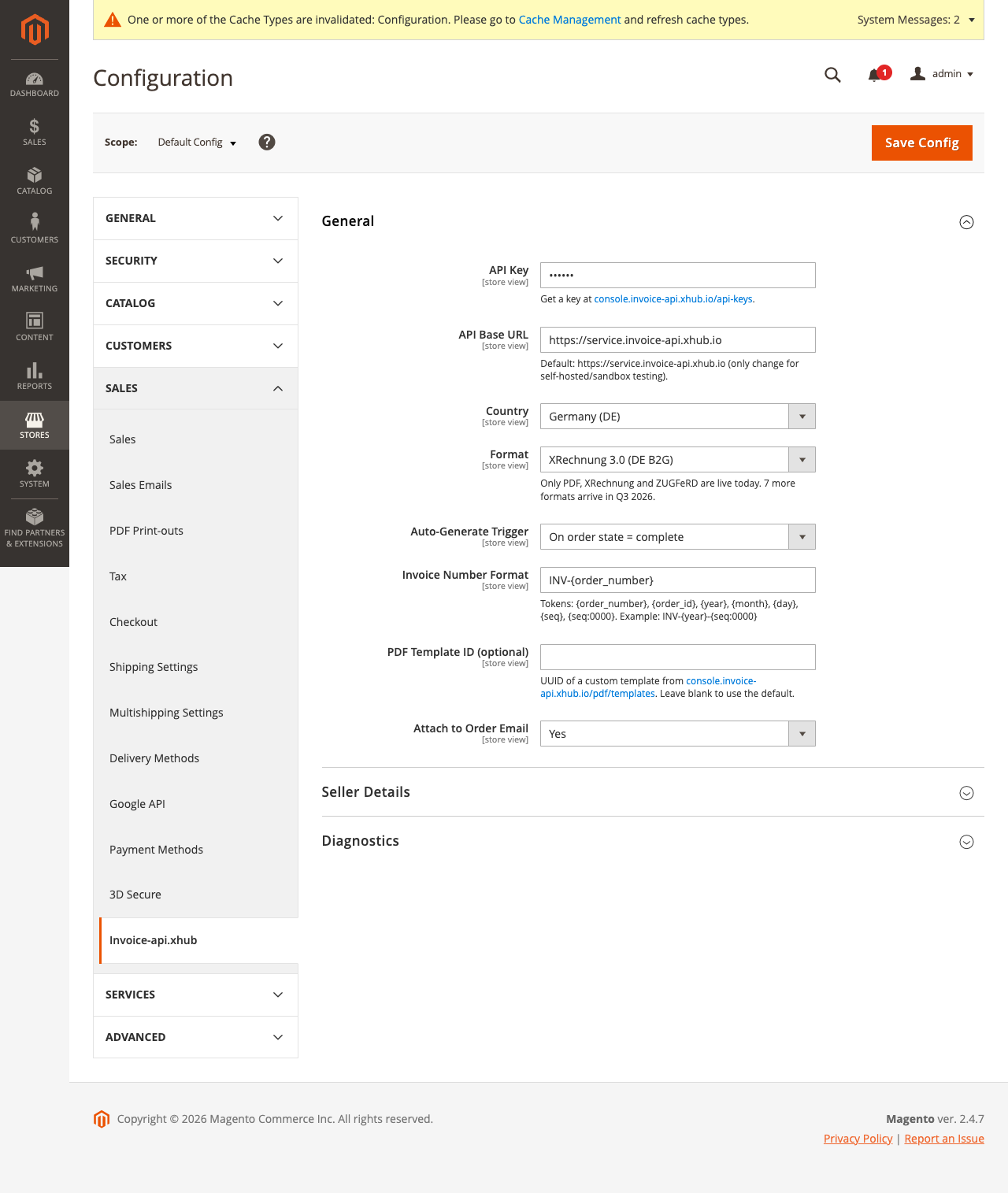 |
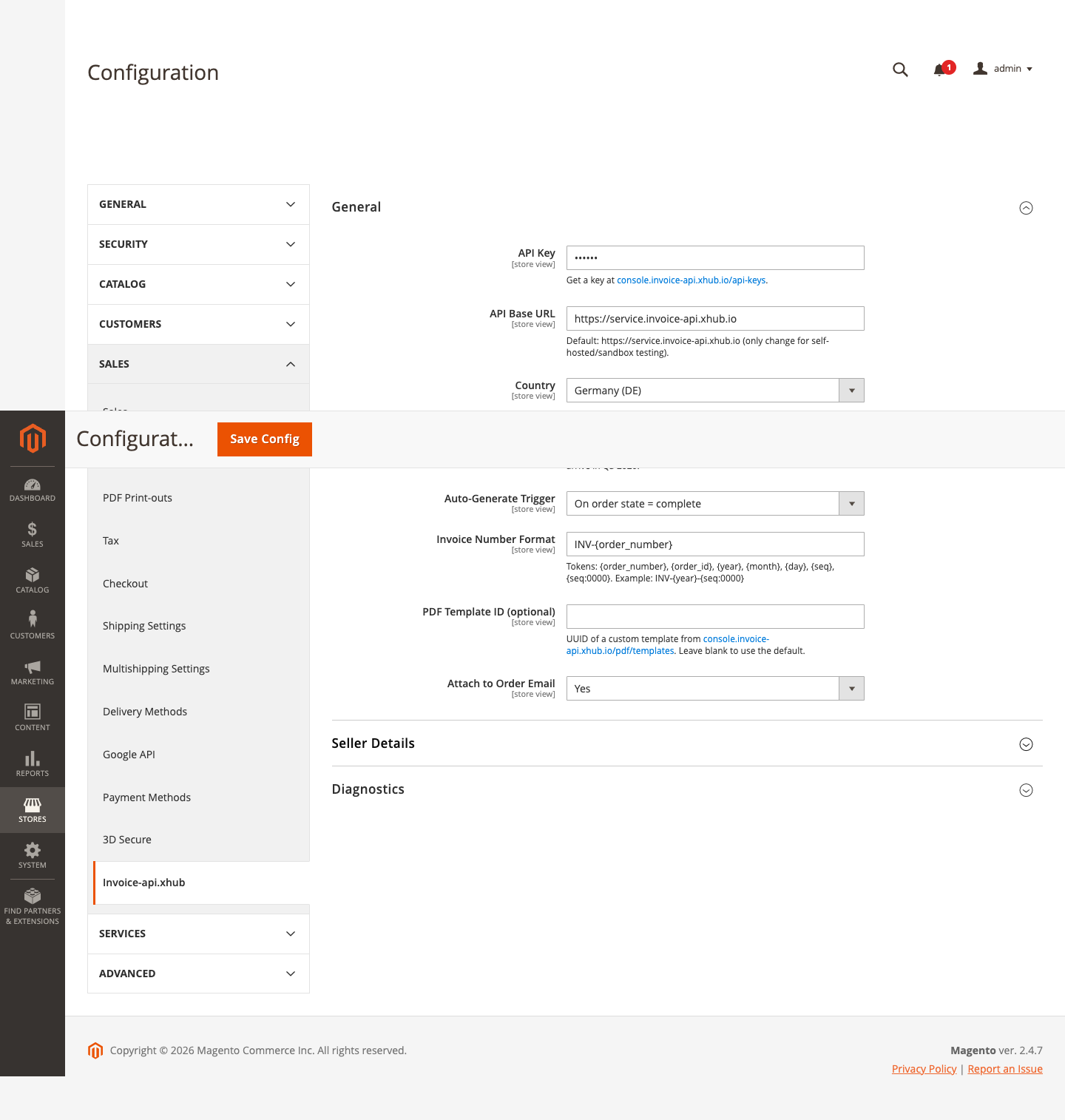 |
| General settings: API key, format, trigger, number format | Seller Details with IBAN/BIC fields (required for ZUGFeRD B2B) |
 |
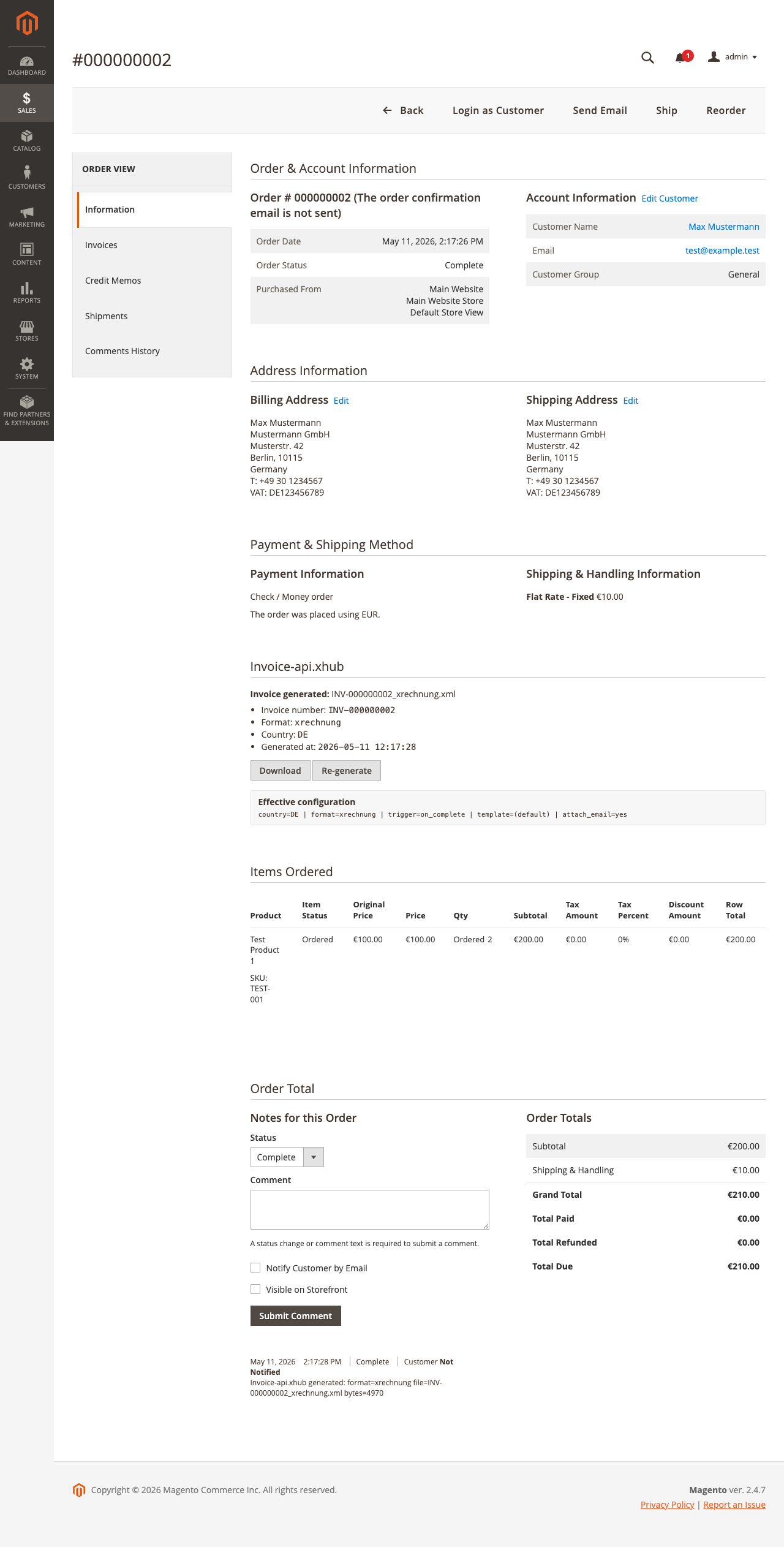 |
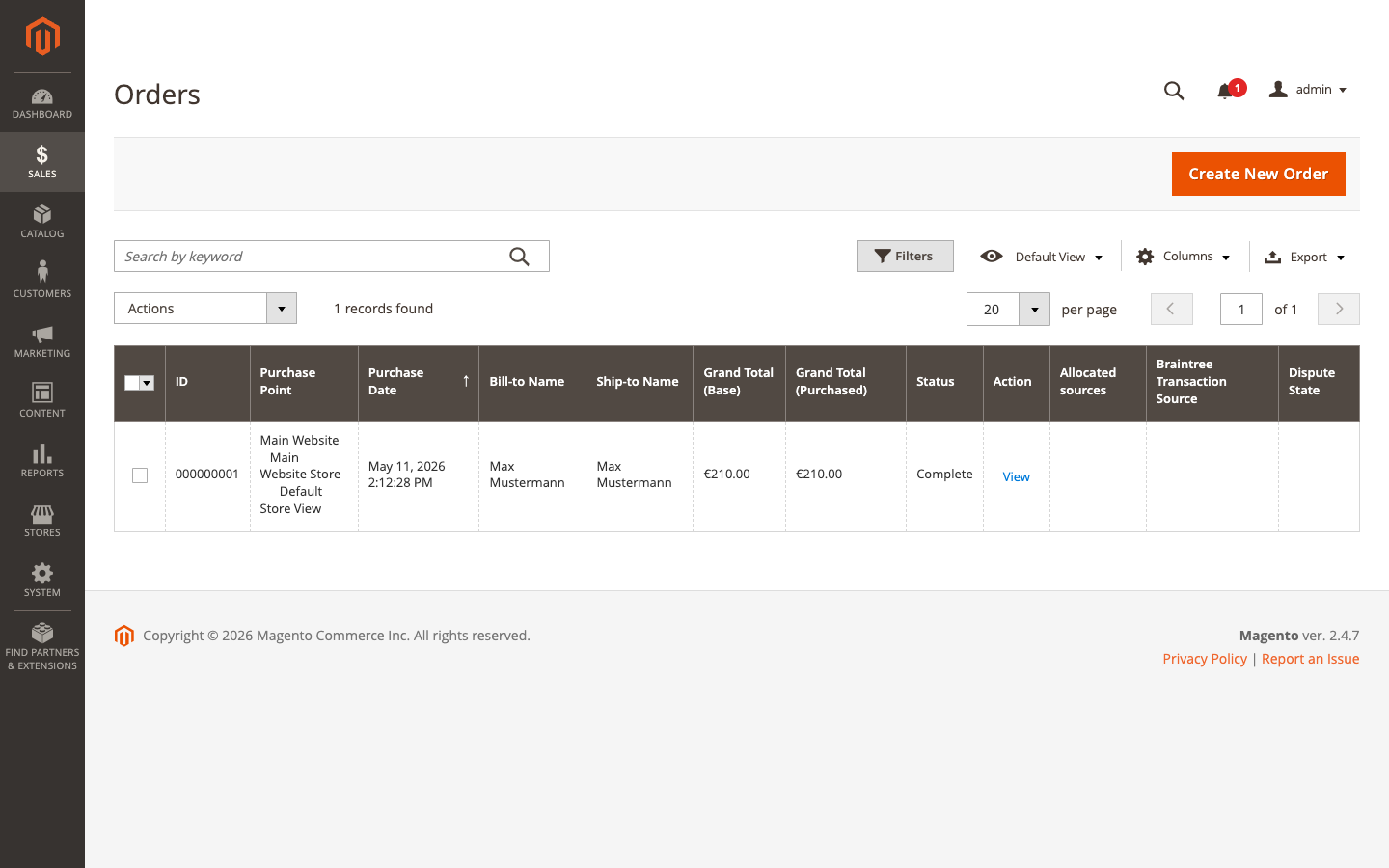
| Sales → Orders list | Order detail page with the Invoice-api.xhub metabox |
A 16-page PDF User-Guide with all installation, configuration and troubleshooting steps lives at docs/Invoice-api-xhub-User-Guide-v1.0.0.pdf.
Requirements
- Magento 2.4+ / Adobe Commerce 2.4+
- PHP 7.4+
- MySQL 8.0+ or MariaDB 10.4+
- Elasticsearch 7.17+ (Magento 2.4.x default catalog search backend)
- An invoice-api.xhub.io account — sign up at https://console.invoice-api.xhub.io
Install — Composer (recommended)
For developer-mode installs you can skip setup:di:compile; for production deploys it's required.
Install — manual (ZIP from GitHub)
- Download the latest
magento2-invoice-api-xhub.zipfrom https://github.com/xhubio/magento2-invoice-api-xhub/releases - Unzip into
<magento-root>/app/code/Xhubio/InvoiceApiXhub/ - Run the same
bin/magentocommands as in the Composer install above
Configure
- Open the Admin panel -> Stores -> Configuration -> Sales -> Invoice-api.xhub
- Set your API Key (get one at https://console.invoice-api.xhub.io/api-keys)
- Set your Seller Details (name, VAT ID, address, email — these go on every invoice)
- Pick a Format (PDF / XRechnung / ZUGFeRD) and Country (14 EU countries)
- Choose the Auto-Generate Trigger — typically
on_completeso an invoice is generated when an order reaches the "complete" state - Optional: set a PDF Template ID from https://console.invoice-api.xhub.io/pdf/templates for custom branding
- Save Config and Flush Cache
Use
Automatic generation
When an order transitions to the configured trigger state (default: complete), the module:
- Maps the order to the invoice-api.xhub.io schema
- Calls the API to generate the file
- Stores the file under
pub/media/invoice-api-xhub/<order_id>/ - Writes a row in
xhubio_invoice_meta - Adds a status-history comment on the order
If Attach to Order Email is enabled, the file is attached to the customer order confirmation.
Manual generation
On the order view page in admin, scroll to the Invoice-api.xhub section to:
- See the current invoice status (number, format, country, generated timestamp)
- Click Generate invoice (or Re-generate) to trigger a run on demand
- Click Download to fetch the file directly
Invoice number tokens
The Invoice Number Format setting accepts these tokens:
| Token | Expands to |
|---|---|
{order_number} |
Magento order increment id (e.g. 000000123) |
{order_id} |
Internal entity id |
{year} |
Year of order creation (e.g. 2026) |
{month} |
2-digit month |
{day} |
2-digit day |
{seq} |
Next sequence value (atomic, yearly reset) |
{seq:0000} |
Same, zero-padded to 4 digits |
Default: INV-{order_number}. A common production pattern: INV-{year}-{seq:0000}.
The sequence is atomic at the DB level via INSERT ... ON DUPLICATE KEY UPDATE current = LAST_INSERT_ID(current+1) — two simultaneous generates can never share a number even under load.
Schema
Two tables are created on setup:upgrade:
GDPR
The module subscribes to:
customer_delete_after— purges all invoice meta + files for that customer's orderssales_order_delete_after— purges meta + file for that one order
Hard-delete of orders is uncommon (tax retention rules — UStG: 10 years), but the hooks are there for the rare case.
Business model
Free open-source connector (OSL-3.0). The paid product is the invoice-api.xhub.io service — your API key represents your service subscription. See docs/BUSINESS-MODEL.md for details.
License
OSL-3.0 (Open Software License 3.0) — the Adobe Commerce Marketplace standard license. See LICENSE.md for the full text.
Support
- GitHub Issues: https://github.com/xhubio/magento2-invoice-api-xhub/issues
- Service support: https://invoice-api.xhub.io/support
All versions of magento2-invoice-api-xhub with dependencies

magento/framework Version ^103.0
magento/module-sales Version ^103.0
magento/module-config Version ^101.2
magento/module-backend Version ^102.0