Download the PHP package tinusg/filament-company-logo-column without Composer
On this page you can find all versions of the php package tinusg/filament-company-logo-column. It is possible to download/install these versions without Composer. Possible dependencies are resolved automatically.
FAQ
Example:

In general, it is recommended to use always a project to download your libraries. In an application normally there is more than one library needed.

- Some hosting areas are not accessible by a terminal or SSH. Then it is not possible to use Composer.
- To use Composer is sometimes complicated. Especially for beginners.
- Composer needs much resources. Sometimes they are not available on a simple webspace.
- If you are using private repositories you don't need to share your credentials. You can set up everything on our site and then you provide a simple download link to your team member.
- Simplify your Composer build process. Use our own command line tool to download the vendor folder as binary. This makes your build process faster and you don't need to expose your credentials for private repositories.
Informations about the package filament-company-logo-column
Filament Company Logo Column
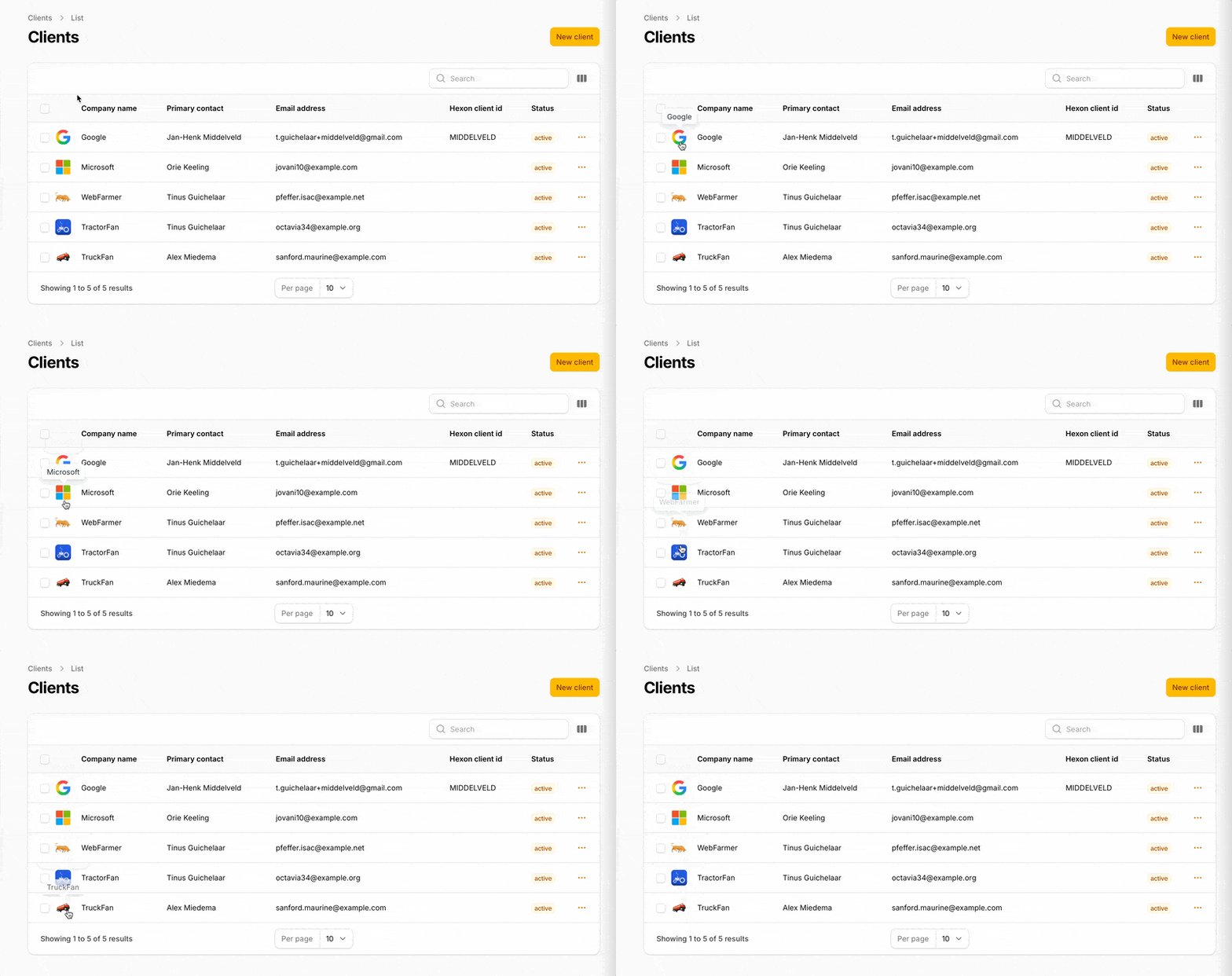
A Filament table column that renders a company logo via Logo.dev from a URL or bare domain. Supports Filament's built-in tooltip so you can show the company name on hover.
Installation
Configure the Logo.dev publishable key
Add your Logo.dev publishable key to config/services.php:
Then set the key in your .env:
If no key is configured the column renders a neutral placeholder rather than a broken image.
Optional: publish the package config or views
Usage
The column state can be either a full URL (https://example.com/about) or a bare FQDN (example.com). A leading www. is stripped automatically.
Explicit domain
When the column state is not the domain itself, pass a closure:
Sizing and style
Example Filament resource snippet
API
| Method | Description | Default |
|---|---|---|
domain(string\|Closure\|null) |
Override the source domain/URL (otherwise uses column state) | null (use state) |
size(int\|Closure) |
Rendered square size in pixels | 40 |
format(string\|Closure) |
Image format (webp, png, jpg) |
webp |
theme(string\|Closure) |
light or dark background variant |
light |
fallback(string\|Closure) |
Logo.dev fallback mode (e.g. monogram) |
monogram |
lazy(bool\|Closure) |
Adds loading="lazy" to the image tag |
true |
tooltip(...) |
Inherited Filament method, use for the company name | , |
All defaults can be changed globally in config/filament-company-logo-column.php.
How it works
- Extends
Filament\Tables\Columns\Columnand renders a custom Blade view - Normalizes the input value (URL or FQDN) via a small
HostnameNormalizerhelper, stripswww., rejects IPs and values without a TLD - Builds an
https://img.logo.dev/{domain}URL using the publishable key and the column's size/format/theme/fallback - Requests the image at 2× the render size (capped at 512px) so it stays crisp on HiDPI displays
- Falls back to a neutral placeholder
<div>if the value cannot be parsed or no key is configured - Relies on Logo.dev's built-in monogram fallback for unknown domains, no Google favicon fallback, no local proxying
Design choices
- Base
Column, custom view. A dedicated Blade view keeps the markup easy to override viavendor:publishwithout subclassing. - Domain-first API. The column accepts any string that looks like a URL or FQDN, so it works with typical
websitecolumns without extra plumbing. - Stateless rendering. No caching, no image proxy, no local storage, Logo.dev and the browser cache are sufficient for admin tables.
- Tooltip delegated to Filament. The column does not introduce its own hover UI;
->tooltip(...)is the idiomatic way to show the company name. - Graceful degradation. Missing key, missing state, invalid hostname, and IP addresses all resolve to the same neutral placeholder instead of a broken image.
Future enhancements
- Custom placeholder views (e.g. render initials from the company name)
- Initials fallback styling generated locally for domains Logo.dev cannot resolve
- Optional server-side domain resolution (e.g. HEAD request to follow redirects before querying Logo.dev)
clickable()helper that wraps the logo in a link to the original URL- First-class dark-mode auto-switching via
prefers-color-scheme - Support for passing an explicit
alt/ tooltip resolver without relying on Filament's generic tooltip
Requirements
- PHP 8.2+
- Filament 5.x
- A Logo.dev account and publishable key
License
MIT License. See LICENSE for details.
