Download the PHP package themicly/shopcrafty without Composer
On this page you can find all versions of the php package themicly/shopcrafty. It is possible to download/install these versions without Composer. Possible dependencies are resolved automatically.
Download themicly/shopcrafty
More information about themicly/shopcrafty
Files in themicly/shopcrafty
Package shopcrafty
Short Description Open-source Laravel e-commerce core for Shopcrafty.
License MIT
Homepage https://themicly.com/shopcrafty
FAQ
Example:

In general, it is recommended to use always a project to download your libraries. In an application normally there is more than one library needed.

- Some hosting areas are not accessible by a terminal or SSH. Then it is not possible to use Composer.
- To use Composer is sometimes complicated. Especially for beginners.
- Composer needs much resources. Sometimes they are not available on a simple webspace.
- If you are using private repositories you don't need to share your credentials. You can set up everything on our site and then you provide a simple download link to your team member.
- Simplify your Composer build process. Use our own command line tool to download the vendor folder as binary. This makes your build process faster and you don't need to expose your credentials for private repositories.
Informations about the package shopcrafty
 Shopcrafty



Open-source Laravel e-commerce core by Themicly.
This package is the required foundation for a Shopcrafty store. Optional features are
published as independent packages such as themicly/shopcrafty-wishlist and
themicly/shopcrafty-backup.
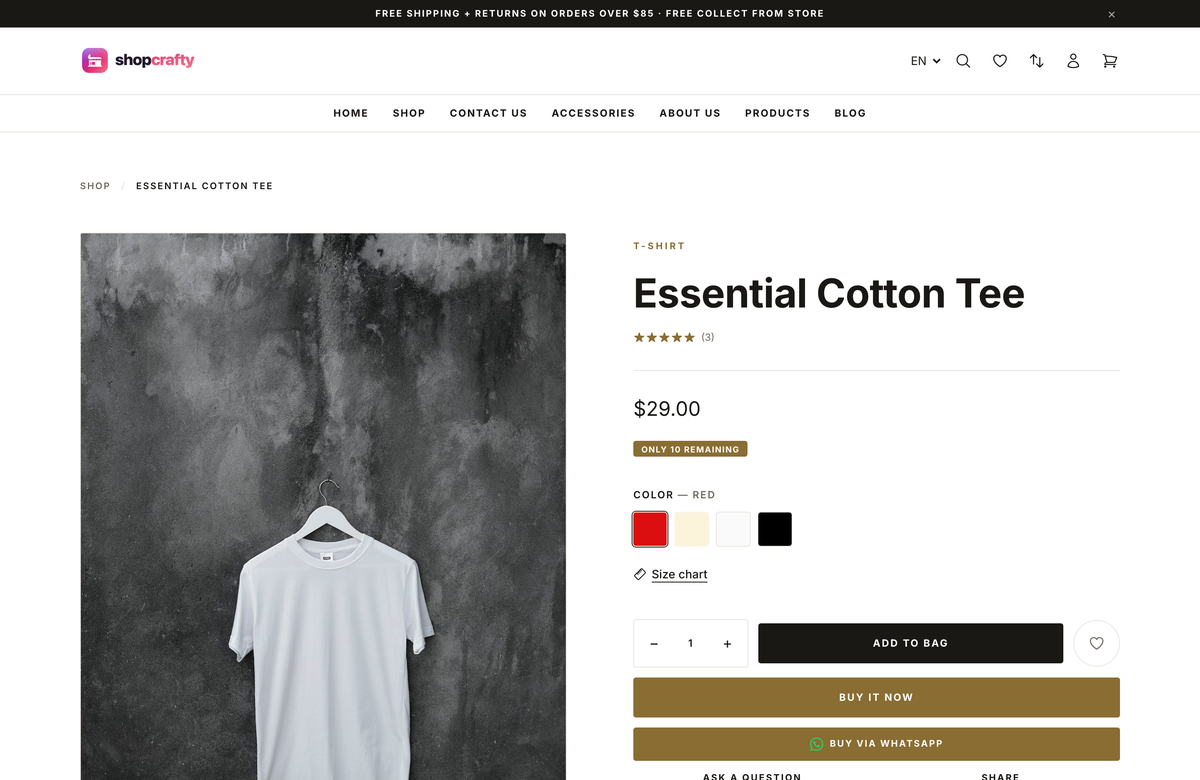
Install
From the root of a Laravel 13 application:
The installer runs the database migrations, publishes Shopcrafty configuration, creates the storage link, creates the owner account, and synchronizes the bundled themes. It does not change the host frontend files or run npm.
Add the package entries to the host Vite files:
Then install and build the host frontend:
Optional storefront add-ons are separate packages:
Import a ready-made demo storefront from the command line:
Available packs are default, boutique, and market. Demo imports are
idempotent and can be run again to update the selected storefront content.
The compare add-on is session-backed. Reviews add a moderated review form and
an authenticated admin moderation page at /admin/catalog/reviews.
Cookie consent and popular search are also optional packages:
Wishlist is optional as well:
Add-on reference
| Package | Purpose | Main routes / views |
|---|---|---|
themicly/shopcrafty-compare |
Session-backed product comparison, capped at four products | /compare, compare::, compare.compare-page |
themicly/shopcrafty-reviews |
Product reviews, verified purchases, and moderation | /admin/catalog/reviews, reviews::, reviews.product-reviews |
themicly/shopcrafty-cookie-consent |
Cookie banner and privacy controls | /admin/settings/privacy, cookieconsent:: |
themicly/shopcrafty-popular-search |
Search analytics and popular search terms | /admin/reports/search-terms, popularsearch:: |
themicly/shopcrafty-wishlist |
Guest and customer saved-product lists | /wishlist, wishlist::, wishlist.wishlist-page |
All add-ons are Laravel auto-discovered and register their capabilities through
Shopcrafty’s AddonRegistry. Core themes check registry availability before
rendering an add-on view, route, component, or service.
Themes, views, and admin resources are loaded directly from the package and are never published into the host application.
The package is MIT licensed and targets PHP 8.3+ and Laravel 13+.
Use --store-name and --currency to initialize the store. Installations start
empty; sample content is not bundled with the core package.
Requirements
- PHP 8.3 or newer
- Laravel 13 and Livewire 4
- PDO, mbstring, OpenSSL, tokenizer, JSON, ctype, fileinfo, curl, and GD
- Writable storage/ and bootstrap/cache/ directories
- Node.js and npm for the frontend asset build
- A host Vite build that imports the package entries. The relative paths may differ
when the host uses a different Composer vendor layout; resolve them to the
installed package
resources/assetsdirectory.
Host themes and overrides
Add themes to the host application's themes/{slug} directory. Each theme needs a theme.json manifest and a views/ directory. Shopcrafty merges themes in this priority order:
- host application themes/ (or shopcrafty.themes_path when configured)
- the package's open-source themes/ directory
- the package's bundled vendor themes
If two themes use the same slug, the host theme wins. Run php artisan shopcrafty:install on a new store, or open Admin → Themes, to discover newly added themes.
Upgrades and package boundaries
Theme settings, sections, media, and store data live in the host database and storage, not in published package views. Package updates replace code and bundled themes while preserving those records. Optional functionality, migrations, routes, views, and navigation belong to their own add-on packages.
Extending admin navigation
Core modules and add-ons can extend the admin UI without editing the core sidebar:
Use main, footer, and quick_create for global menus. Use index:<key> for
menus owned by a specific index page.
Reflecting installed add-ons
An add-on registers its capability metadata from its service provider. Core renders only registered storefront contributions, and Settings → Add-ons lists the installed package and its configuration fields:
This keeps optional package behavior discoverable while allowing each theme to choose how a registered storefront location is presented.
All versions of shopcrafty with dependencies

laravel/framework Version ^13.0
intervention/image Version ^4.1
livewire/livewire Version ^4.0