Download the PHP package svewap/ws-slider without Composer
On this page you can find all versions of the php package svewap/ws-slider. It is possible to download/install these versions without Composer. Possible dependencies are resolved automatically.
FAQ
Example:

In general, it is recommended to use always a project to download your libraries. In an application normally there is more than one library needed.

- Some hosting areas are not accessible by a terminal or SSH. Then it is not possible to use Composer.
- To use Composer is sometimes complicated. Especially for beginners.
- Composer needs much resources. Sometimes they are not available on a simple webspace.
- If you are using private repositories you don't need to share your credentials. You can set up everything on our site and then you provide a simple download link to your team member.
- Simplify your Composer build process. Use our own command line tool to download the vendor folder as binary. This makes your build process faster and you don't need to expose your credentials for private repositories.
Informations about the package ws-slider
ws_slider TYPO3 Extension

Universal slider / carousel extension
A TYPO3 content element that provides a configurable slider/carousel with support for multiple rendering engines. Each renderer has its own FlexForm settings and TypoScript constants, allowing global defaults that editors can override per element.
Supported renderers
| Renderer | Library | Site Set name |
|---|---|---|
| Swiper | Swiper.js | wapplersystems/ws-slider-swiper |
| FlexSlider 2 | FlexSlider | wapplersystems/ws-slider-flexslider |
| TinySlider 2 | Tiny Slider | wapplersystems/ws-slider-tinyslider |
| Slick | Slick | wapplersystems/ws-slider-slick |
| Bootstrap | Bootstrap 5 | wapplersystems/ws-slider-bootstrap |
Requirements
- TYPO3 v14
- PHP 8.2+
fluid_styled_content
Installation
Configuration
1. Include the Site Set
Add the base Site Set wapplersystems/ws-slider and the Site Set for the renderer(s) you want to use (e.g. wapplersystems/ws-slider-swiper) in your site configuration.
2. TypoScript constants
Each renderer ships global TypoScript constants (e.g. plugin.tx_wsslider.settings.renderer.swiper.*). These serve as default values for all slider elements using that renderer.
3. Per-element settings
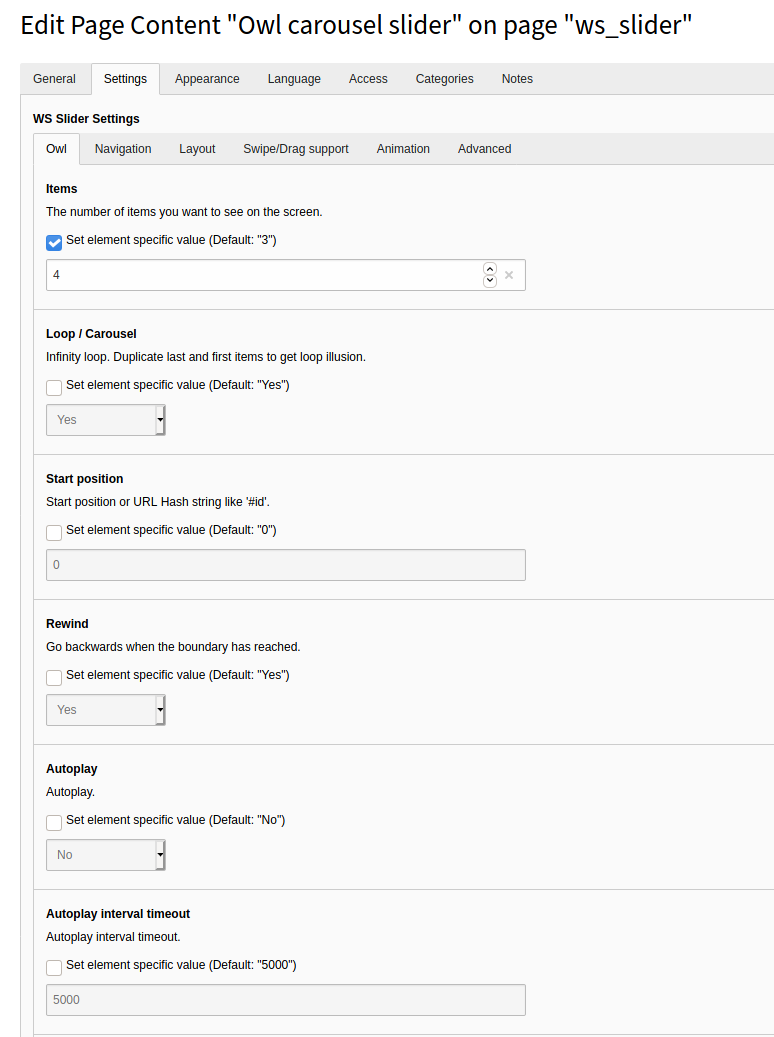
Editors can override any constant via the FlexForm settings of the content element. A checkbox controls whether the global default or a custom value is used. The current default value is always visible as a placeholder.
4. Presets
Presets allow storing a named set of slider settings in the database (tx_wsslider_domain_model_preset). Editors can select a preset instead of configuring each option individually.
Templating
Override the Fluid templates located in Resources/Private/Templates/ via TypoScript templateRootPaths as usual.
Video tutorial
A German video tutorial on installation and configuration: YouTube
Authors
- Sven Wappler
- Contributors
