Download the PHP package soufianelasmar/quicknote without Composer
On this page you can find all versions of the php package soufianelasmar/quicknote. It is possible to download/install these versions without Composer. Possible dependencies are resolved automatically.
FAQ
Example:

In general, it is recommended to use always a project to download your libraries. In an application normally there is more than one library needed.

- Some hosting areas are not accessible by a terminal or SSH. Then it is not possible to use Composer.
- To use Composer is sometimes complicated. Especially for beginners.
- Composer needs much resources. Sometimes they are not available on a simple webspace.
- If you are using private repositories you don't need to share your credentials. You can set up everything on our site and then you provide a simple download link to your team member.
- Simplify your Composer build process. Use our own command line tool to download the vendor folder as binary. This makes your build process faster and you don't need to expose your credentials for private repositories.
Informations about the package quicknote
Filament Quick Notes





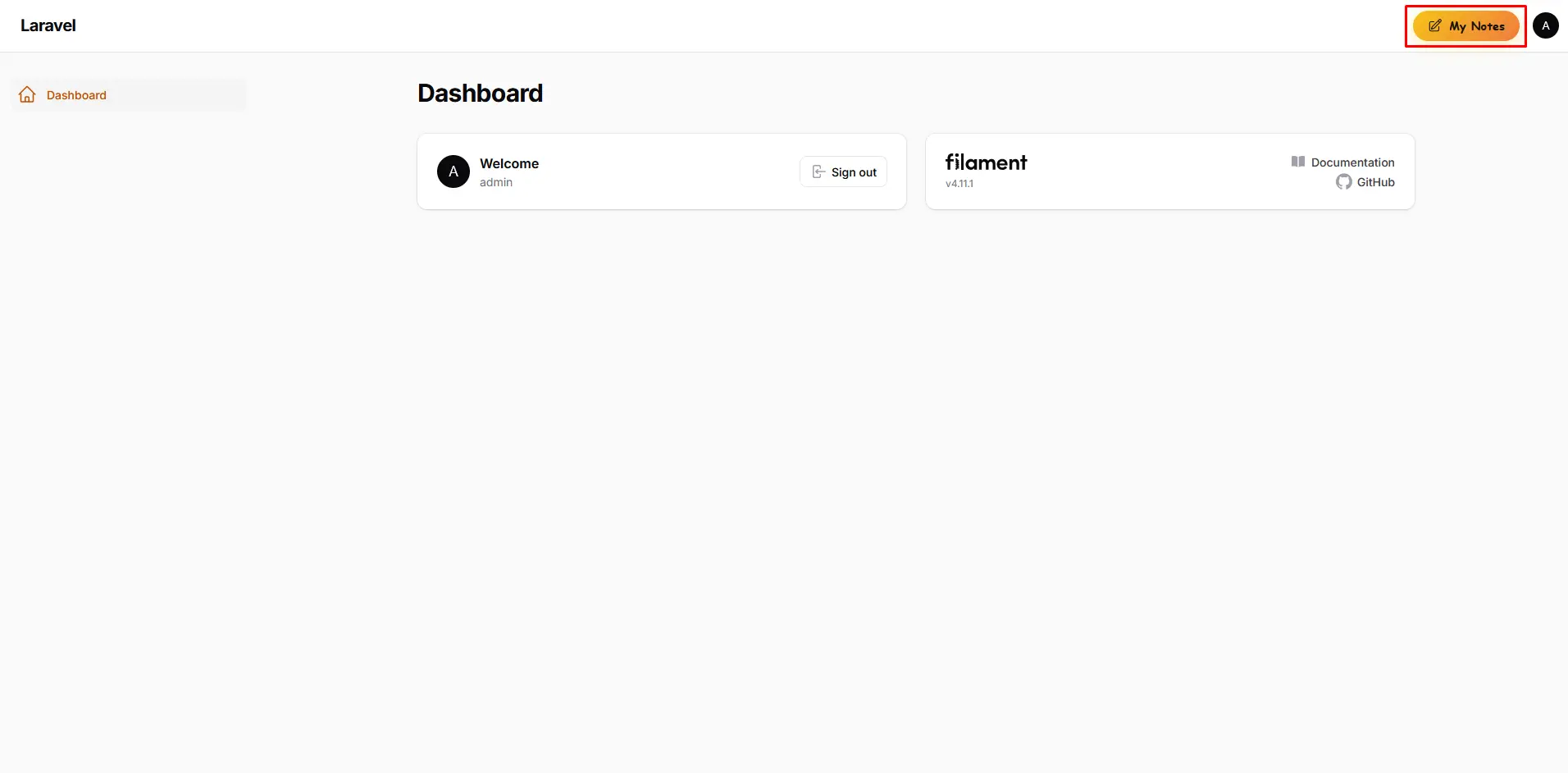
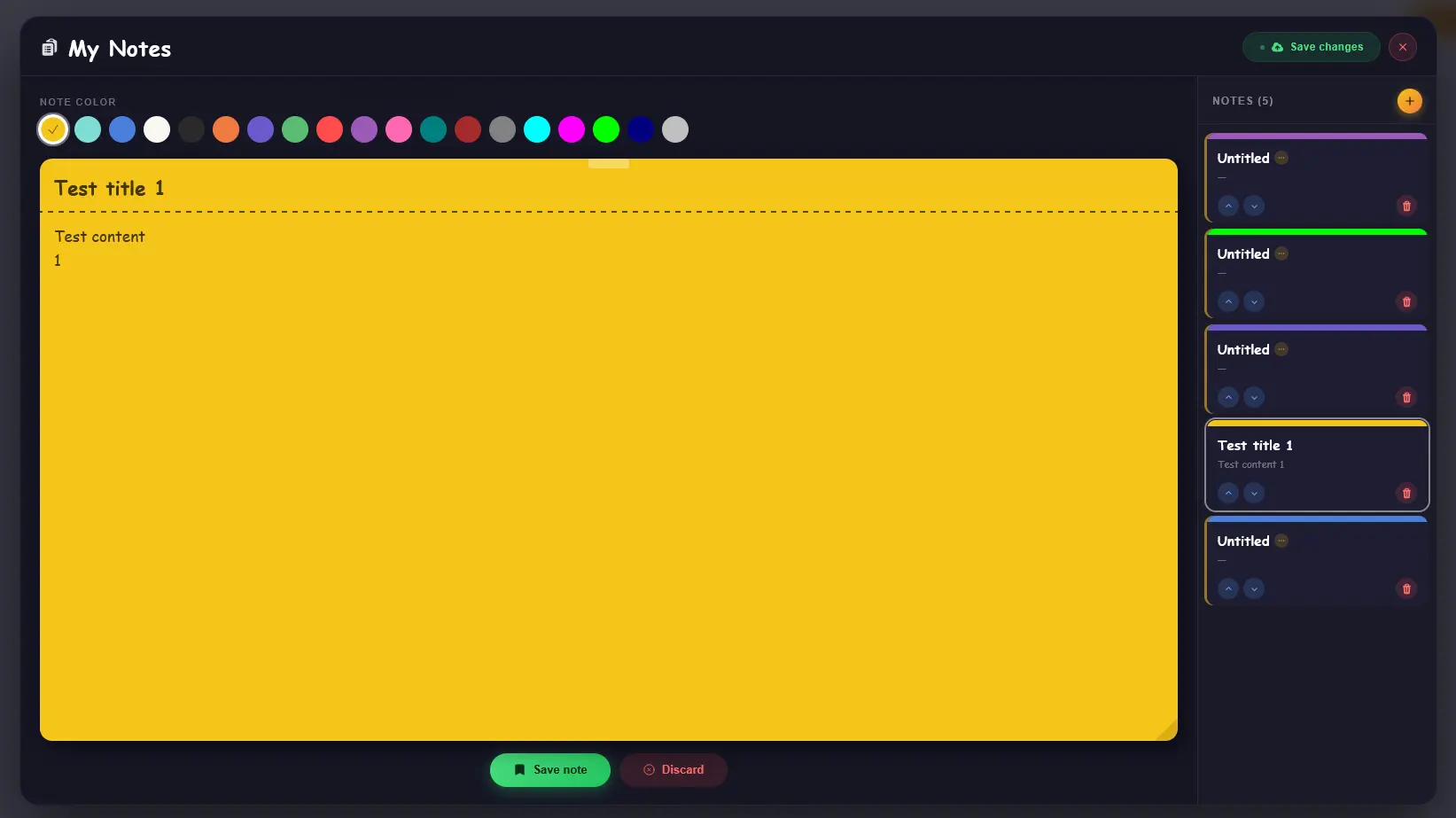
A FilamentPHP panel plugin that adds a persistent sticky-note system to your admin panel. Users can create, edit, color-code, reorder and manage personal notes directly from the panel topbar — without leaving the page they are working on.
Preview
Features
- 🗒️ Personal sticky notes per authenticated user
- 🎨 Multiple color choices for visual organization
- 🔢 Manual reordering (move up / move down)
- 💾 Staged editing — preview all changes before saving
- ⚠️ Unsaved-changes guard when closing the panel
- 🗑️ Styled confirmation sub-modals
- 🧩 Polymorphic relation — works with any user model
- 🌐 Multilingual support
Compatibility
| Filament Version | Laravel Version | PHP Version |
|---|---|---|
| v3.x | Laravel 10 | 8.1 – 8.3 |
| v4.x | Laravel 11 | 8.2 – 8.4 |
| v5.x | Laravel 11–12 | 8.2 – 8.5 |
PHP compatibility is determined by the supported Laravel version.
Installation
Install the package via Composer:
Run the install command:
This will publish the config file, publish and run the migrations.
Setup
1. Register the plugin in your Panel Provider
Open the PanelProvider where you want the Quick Notes button to appear and register the plugin:
2. Add the trait to your User model
Add the HasFilamentQuickNotes trait to the Eloquent model that represents the authenticated user of your panel:
That's all. The Quick Notes button will appear in the panel topbar immediately.
Configuration
After installation, a config file is published to config/filament-quick-notes.php:
Plugin Options
| Method | Type | Default | Description |
|---|---|---|---|
visible() |
bool\|Closure |
true |
Show or hide the Quick Notes button. Accepts a closure for conditional visibility. |
Conditional visibility example
How it works
Notes are saved per authenticated user through a polymorphic relation, so the plugin works with any user model — including multi-tenancy setups where different models represent different user types.
Editing follows a two-phase flow:
- Stage — create or modify notes in the panel. Changes are held in memory and reflected in the list immediately, but not yet written to the database.
- Save Changes — a single button persists all staged changes at once. The button is disabled (and visually dimmed) when there is nothing pending.
If a user tries to close the panel with unsaved changes, a warning dialog intercepts the action and asks whether to continue editing or discard.
Contributing
Contributions are welcome! Please open an issue before submitting a pull request.
Credits
License
The MIT License (MIT). Please see License File for more information.
