Download the PHP package reportkit/laravel without Composer
On this page you can find all versions of the php package reportkit/laravel. It is possible to download/install these versions without Composer. Possible dependencies are resolved automatically.
Download reportkit/laravel
More information about reportkit/laravel
Files in reportkit/laravel
Package laravel
Short Description Laravel 5.5–13 adapter for ReportKit (provider, Blade CAS pack, reportkit:make).
License MIT
Homepage https://github.com/Maijied/Reportkit-Laravel
FAQ
Example:

In general, it is recommended to use always a project to download your libraries. In an application normally there is more than one library needed.

- Some hosting areas are not accessible by a terminal or SSH. Then it is not possible to use Composer.
- To use Composer is sometimes complicated. Especially for beginners.
- Composer needs much resources. Sometimes they are not available on a simple webspace.
- If you are using private repositories you don't need to share your credentials. You can set up everything on our site and then you provide a simple download link to your team member.
- Simplify your Composer build process. Use our own command line tool to download the vendor folder as binary. This makes your build process faster and you don't need to expose your credentials for private repositories.
Informations about the package laravel
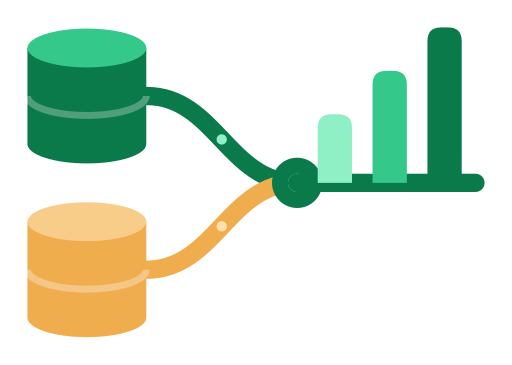
ReportKit for Laravel
Multi-database reports for Laravel 5.5 → 13 — install, scaffold, ship.





Website & Docs · Live Demo · Install guide · Laravel 4.1–5.4
Part of the Lorapok Labs ecosystem. The modern Laravel adapter for ReportKit Core — auto-discovered provider,
ReportKitfacade, CAS Blade views, and Artisan scaffolding.
What you get
- Auto-discovered service provider +
ReportKitfacade (extra.laravel). php artisan reportkit:install— one-command setup, optional--with-config --publish-assets.php artisan reportkit:make— full-stack report stubs (controller, views, tests, JS).- View namespace
reportkit::(publishable) and opt-inReportKit::routes(). - Never rewrites your existing reports.
How a report flows
Architecture
Requirements
- PHP ≥ 7.0
illuminate/support>=5.5 <14reportkit/core(beta channel allowed)- Laravel 5.5 → current (12 / 13)
Install
Beta channel:
Install from Git (VCS) before/after Packagist
Provider and facade are auto-discovered on Laravel 5.5+. Then:
Create app/Reports/ — the provider auto-requires *.php on boot. Register the printed routes ({{route}}/data for DataTables). Domain SQL stays in app/Repositories/Reports. Full checklist: docs/INSTALL.md.
Merge multiple databases
Ecosystem
| Package | Role |
|---|---|
reportkit/core |
Engine (PHP 5.6 → 8.5) |
reportkit/laravel-legacy |
Laravel 4.1 – 5.4 |
reportkit/laravel |
This repository (5.5 → 12 / 13) |
@lorapok-labs/reportkit-ui |
Browser CSS/JS |
Author
Mohammad Maizied Hasan Majumder · [email protected] Founder & Principal Engineer at Lorapok Labs · Senior Software Engineer @ Shohoz Ltd
License
MIT © Mohammad Maizied Hasan Majumder / Lorapok Labs
All versions of laravel with dependencies

illuminate/support Version >=5.5 <14
reportkit/core Version ^0.1@beta || ^0.1 || 0.1.* || dev-main