Download the PHP package plasticstudio/iconfield without Composer
On this page you can find all versions of the php package plasticstudio/iconfield. It is possible to download/install these versions without Composer. Possible dependencies are resolved automatically.
Download plasticstudio/iconfield
More information about plasticstudio/iconfield
Files in plasticstudio/iconfield
Package iconfield
Short Description Icon field for Silverstripe - forked from jaedb/iconfield
License BSD-3-Clause
Homepage http://psdigital.co.nz/
FAQ
Example:

In general, it is recommended to use always a project to download your libraries. In an application normally there is more than one library needed.

- Some hosting areas are not accessible by a terminal or SSH. Then it is not possible to use Composer.
- To use Composer is sometimes complicated. Especially for beginners.
- Composer needs much resources. Sometimes they are not available on a simple webspace.
- If you are using private repositories you don't need to share your credentials. You can set up everything on our site and then you provide a simple download link to your team member.
- Simplify your Composer build process. Use our own command line tool to download the vendor folder as binary. This makes your build process faster and you don't need to expose your credentials for private repositories.
Informations about the package iconfield
Install
composer require plasticstudio/iconfield
Description
Provides a visual icon picker for content authors. Icon files are managable via the asset library.
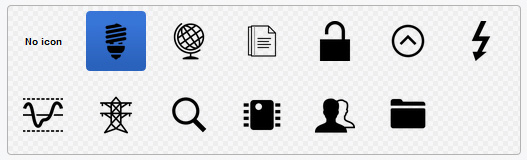
Requirements
- SilverStripe 4, 5 or 6
Version
- Use release 1 for legacy non-cms editable icon files
- Use release 2 for Silverstripe 5 with updated icon files managed in CMS Files area
- Use release 3 for Silverstripe 6
Migration
If migrating from release 1 to 2/3:
- check if svgs are allowed in mimetypes (guru: https://app.getguru.com/card/TjR6ab8c/SVG-Mime-type)
-
Add folder name to _config.yml
- upgrade to v2/3
- create new folders in CMS Files area based on IconField set up, eg
SiteIcons(or reload cms page with iconfield to create). Can have nested folders inside SiteIcons. - upload and publish icons
- update IconFields to use new source path, eg
IconField::create('SocialIcon', 'Icon', 'SiteIcons'). You should see relevant icons display in iconfield. - to update database and relink selected icon: run task
IconFieldPathMigrator_BuildTaskfor each class that has been updated - make sure to add params
?classname=Skeletor\DataObjects\SummaryPanel&field=SVGIcon - if your new folder is not 'SiteIcons', add this to the params as well, eg
&new-path=NewFolder - lastly, remove the icon folder from client/assets
Usage
-
Import the required classes:
-
Add folder name to _config.yml
- Set your
$dbfield to typeIcon(eg'PageIcon' => Icon::class) -
IconField::create($name, $title, $folderName)$nameis the database field as defined in your class$titleis the label for this field$folderNameis the name of the folder inside the Assets eg 'SiteIcons', nested folders are allowed eg 'SiteIcons/ProductIcons'
-
Use your icon in templates as you would any other property (eg
$PageIcon). If your icon is an SVG, the SVG image data will be injected into the template. To prevent this, you can call$PageIcon.IMGinstead to enforce use of<img>tags. - Add a default width and height to the config.yml file to output width/height attributes on image tags, e.g.
<img width="30" height="30" />. This is good for SEO.
All versions of iconfield with dependencies

silverstripe/framework Version ^4 || ^5 || ^6
silverstripe/vendor-plugin Version ^1 || ^2 || ^3