Download the PHP package php-collective/wp-djot without Composer
On this page you can find all versions of the php package php-collective/wp-djot. It is possible to download/install these versions without Composer. Possible dependencies are resolved automatically.
Download php-collective/wp-djot
More information about php-collective/wp-djot
Files in php-collective/wp-djot
Package wp-djot
Short Description WordPress plugin for Djot markup language support
License MIT
FAQ
Example:

In general, it is recommended to use always a project to download your libraries. In an application normally there is more than one library needed.

- Some hosting areas are not accessible by a terminal or SSH. Then it is not possible to use Composer.
- To use Composer is sometimes complicated. Especially for beginners.
- Composer needs much resources. Sometimes they are not available on a simple webspace.
- If you are using private repositories you don't need to share your credentials. You can set up everything on our site and then you provide a simple download link to your team member.
- Simplify your Composer build process. Use our own command line tool to download the vendor folder as binary. This makes your build process faster and you don't need to expose your credentials for private repositories.
Informations about the package wp-djot
Djot Markup for WordPress


A WordPress plugin for Djot markup language support. Convert Djot syntax to HTML in posts, pages, and comments.
What is Djot?
Djot is a light markup syntax created by John MacFarlane (creator of CommonMark and Pandoc). It aims to be a successor to Markdown with cleaner syntax and more consistent parsing rules.
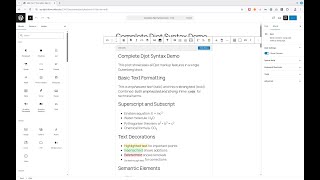
Features
- Full Djot Support: Headings, emphasis, links, images, code blocks, tables, footnotes, and more
- Block Editor Support: Native Gutenberg block for writing Djot with live preview
- Shortcode Support: Use
[djot]...[/djot]in your content - Table of Contents: Automatic TOC generation from headings with configurable levels and position
- Heading Permalinks: Clickable
#symbols on headings (show on hover, copy URL to clipboard) - Content Profiles: Configurable feature restrictions (full, article, comment, minimal)
- Safe Mode: XSS protection for untrusted content
- Syntax Highlighting: Server-side highlighting with Torchlight Engine
- Code Block Enhancements: Line numbers and line highlighting (VitePress-style syntax)
- WP-CLI Migration: Migrate existing HTML/Markdown content to Djot
Example
php <?php echo "Hello, World!"; `
Renders as:
Welcome to My Blog
This is emphasized and this is strong.
Here's a link to Djot and some
inline code.
- First item
- Second item
- Third item
A blockquote with some wisdom.
Requirements
- PHP 8.2 or higher
- WordPress 6.0 or higher
Installation
From WordPress.org
Search for "Djot Markup" in the WordPress plugin directory, or visit: wordpress.org/plugins/djot-markup
From GitHub
Documentation
- Usage & Configuration - Getting started guide
- Content Profiles - Configure feature restrictions
- Customization - Custom patterns, @mentions, render handlers
- WP-CLI Commands - Migrate existing content
- Hooks and Filters - Customize plugin behavior
- Djot Syntax - Quick reference
For complete Djot syntax documentation, visit djot.net.
See Also
- Djot - Official Djot website with syntax reference and playground
- jgm/djot - Reference implementation in JavaScript by John MacFarlane
- JetBrains IDE support - Plugin for PhpStorm, IntelliJ IDEA, WebStorm, etc.
- Djot playground - Live demo to check out how this markup language works.
Credits
- djot-php by PHP Collective
- Torchlight Engine for syntax highlighting
- djot-grammars for Djot syntax highlighting in code blocks
Changelog
See CHANGELOG.md for version history.
All versions of wp-djot with dependencies

php-collective/djot Version ^0.1.32
php-collective/djot-grammars Version dev-master
torchlight/engine Version ^1.0