Download the PHP package phattarachai/laravel-ai-docs without Composer
On this page you can find all versions of the php package phattarachai/laravel-ai-docs. It is possible to download/install these versions without Composer. Possible dependencies are resolved automatically.
Download phattarachai/laravel-ai-docs
More information about phattarachai/laravel-ai-docs
Files in phattarachai/laravel-ai-docs
Package laravel-ai-docs
Short Description Render a folder of markdown — your .ai/documents/ tree — as a searchable documentation site inside your Laravel app.
License MIT
FAQ
Example:

In general, it is recommended to use always a project to download your libraries. In an application normally there is more than one library needed.

- Some hosting areas are not accessible by a terminal or SSH. Then it is not possible to use Composer.
- To use Composer is sometimes complicated. Especially for beginners.
- Composer needs much resources. Sometimes they are not available on a simple webspace.
- If you are using private repositories you don't need to share your credentials. You can set up everything on our site and then you provide a simple download link to your team member.
- Simplify your Composer build process. Use our own command line tool to download the vendor folder as binary. This makes your build process faster and you don't need to expose your credentials for private repositories.
Informations about the package laravel-ai-docs
Laravel AI Docs






Render a folder of markdown — your .ai/documents/ tree, your handbook, your runbooks — as a searchable documentation
site inside your Laravel app, instead of pushing it to a separate wiki that immediately goes stale.
The files stay where they are, next to the code, versioned with it. The panel mounts at /docs, behind your auth
gate, and reads the directory as it is: folders become sidebar groups and nest as deeply as you nested them,
# Heading becomes the nav label, images sitting beside the markdown just work.
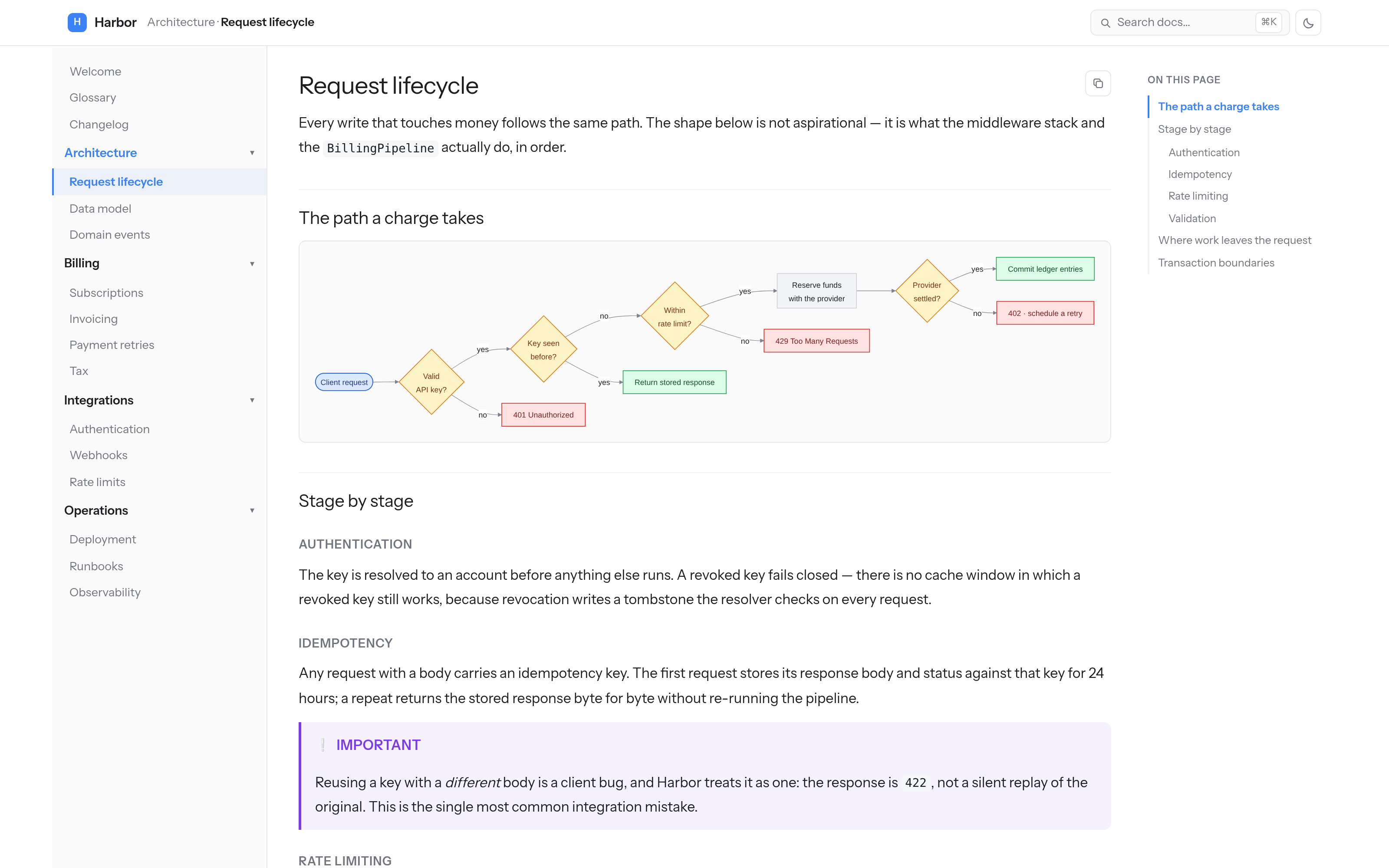
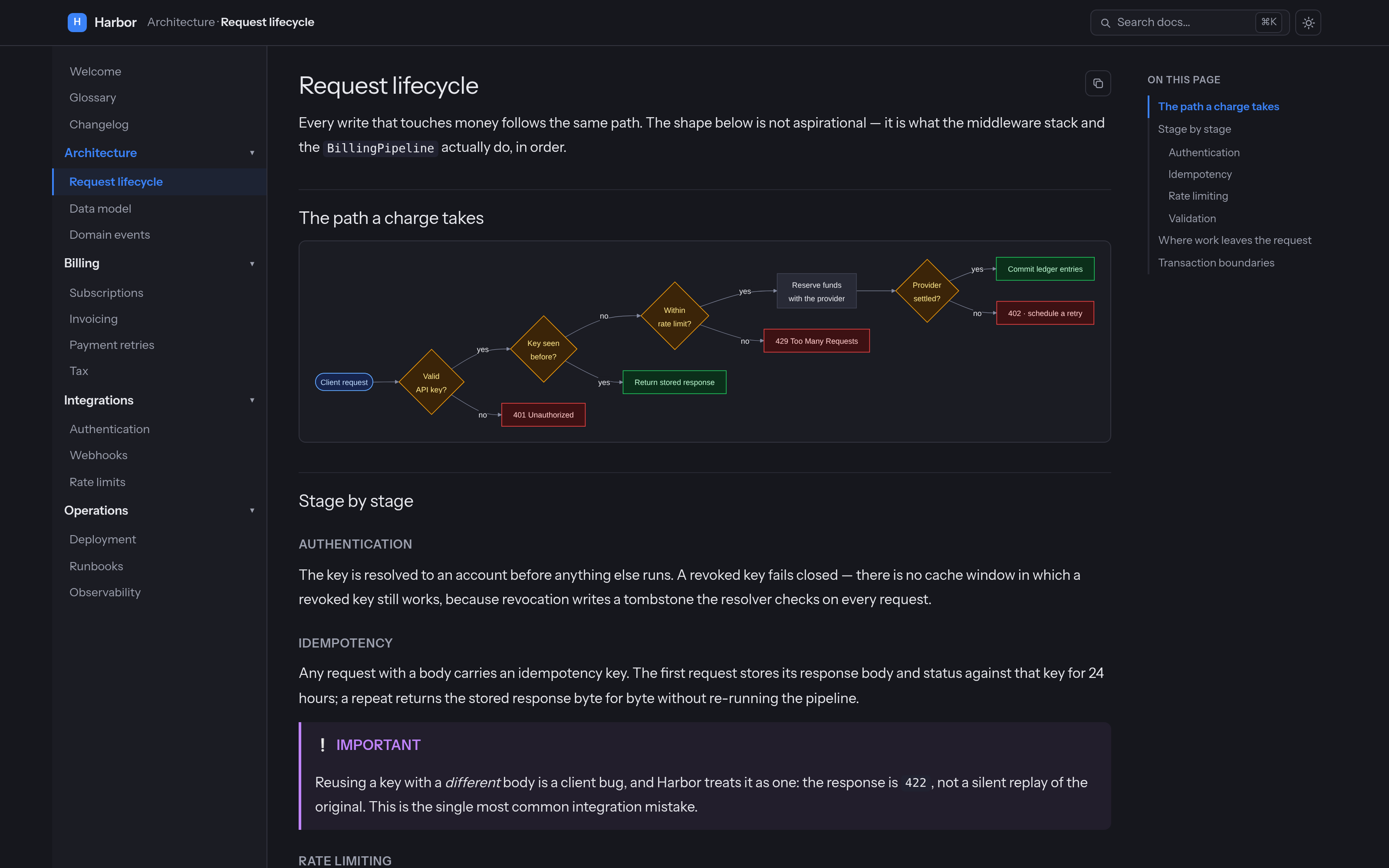
Both screenshots render the fictional documentation tree in art/demo-docs/ — no real project or
person appears in them.
Requirements — read these first
- PHP 8.4+, Laravel 11/12/13.
- Inertia v2/v3 + React 18/19 in the host app. The panel is an Inertia page, not a Blade view.
- The host app builds its own assets — nothing is precompiled or published as a bundle.
mermaidas an npm dependency. It is a peer dependency, lazy-imported; without it diagram fences degrade to plain text rather than breaking the page.- An access gate. There is no default. Until you register one, every request is refused.
No Tailwind, and no @source line. Like its sibling laravel-db-console, this panel ships plain CSS scoped
under .doc-root, imported by the module itself — so it renders correctly in a host with any CSS setup, or none.
Run php artisan ai-docs:doctor at any point: it checks the routes, the gate, the docs root, the published page, the
Vite alias and mermaid, and tells you which one is missing.
Install
The ai-docs-inertia tag is not optional: it publishes one file, resources/js/pages/AiDocs.jsx, and it has to
live there because app.jsx's import.meta.glob('./pages/**/*.jsx') never leaves that directory. The stub is a dozen
lines — a <Head> and <AiDocs {...props} />. The module itself stays in vendor/ and is reached through an alias, so
there is no second copy to drift out of sync.
Add that alias in vite.config.js:
Then register the gate, in AppServiceProvider::boot():
Finally, verify and build:
Open /docs.
Access
The gate is closed by default — with no AiDocs::auth() callback registered, the Authorize middleware refuses every
request, including yours. That is deliberate: internal docs are usually the most quotable thing in a codebase, and a
package should not guess who may read them.
The middleware is appended by the service provider after ai-docs.middleware, so it cannot be dropped by editing that
key. A guest who is refused is redirected to redirect_guests_to (default: the login route) with the intended URL
remembered, so signing in lands them on the page they asked for. A signed-in user the gate rejects gets a plain 403,
and so does any request expecting JSON.
Kill it entirely with AI_DOCS_ENABLED=false: no routes are registered at all, so the paths 404 rather than 403.
What it does
The tree is the navigation. Every .md file under root is a page; every folder is its own accordion group,
labelled from the directory name (frontend → Frontend, ui-kit → Ui kit). Root-level pages sit ungrouped at the
top. There is no sidebar config file to keep in sync — add a file, it appears.
Panels — one install can serve several trees. Docs you maintain and task folders you throw away have different half-lives, and merging them into one root buries the first under the second. Give each its own panel and you get its own URL, sidebar and search index, plus a switcher in the header:
Links resolve across panels, so a task can link to a doc and back. Leave panels empty for the single tree built from
path / root / exclude.
Collapsing a column — the header carries a toggle for each side column: the page tree on the left, the outline on the right. Collapse either to give a wide table or diagram the whole width; the choice is remembered per browser. The toggles appear only above the width where that column exists — narrower than that, it is already a drawer.
Search — ⌘K opens a palette over a section-level index built server-side and served from /docs/_search.json.
Every heading is its own hit, scored across title, heading and body text, with the matched terms highlighted in a
snippet. Arrows move, Enter jumps straight to the anchor.
Syntax highlighting is server-side, via tempest/highlight with its CSS theme: the HTML carries .hl-* classes,
the colours are CSS custom properties per scheme, and no highlighting JavaScript reaches the browser. It lands in the
render cache with the rest of the page.
Mermaid diagrams — a mermaid `markdown
`markdown
title: Payment retries — the backoff schedule nav: Payment retries order: 10
Payment retries
[!IMPORTANT] A retry never re-runs the pipeline. It resumes from the stored idempotency record.
css .doc-root { --doc-accent: #16a34a; --doc-measure: 80ch; } bash php artisan vendor:publish --tag=ai-docs-lang bash git clone [email protected]:phattarachai/laravel-ai-docs.git cd laravel-ai-docs composer install composer test
The suite runs on `orchestra/testbench` against in-memory SQLite — there is no database work in this package, so
nothing heavier is warranted. PHP is formatted with `vendor/bin/pint`, JavaScript with Prettier (`.prettierrc`:
2-space, single quote, no semicolons).

Read [`docs/internals.md`](docs/internals.md) before changing the pipeline or the React module. Every note in it is a
bug that already happened once, and the code carries no comment explaining it.

## Credits

Built on [`league/commonmark`](https://commonmark.thephpleague.com),
[`tempest/highlight`](https://github.com/tempestphp/highlight) and [Mermaid](https://mermaid.js.org).

## Licence

MIT.
All versions of laravel-ai-docs with dependencies

illuminate/contracts Version ^12.0|^13.0
illuminate/support Version ^12.0|^13.0
inertiajs/inertia-laravel Version ^2.0|^3.0
league/commonmark Version ^2.4
symfony/finder Version ^6.4|^7.0|^8.0
symfony/yaml Version ^6.4|^7.0|^8.0
tempest/highlight Version ^2.0