Download the PHP package matapatos/wp-exceptions without Composer
On this page you can find all versions of the php package matapatos/wp-exceptions. It is possible to download/install these versions without Composer. Possible dependencies are resolved automatically.
Table of contents
Download matapatos/wp-exceptions
More information about matapatos/wp-exceptions
Files in matapatos/wp-exceptions
Download matapatos/wp-exceptions
More information about matapatos/wp-exceptions
Files in matapatos/wp-exceptions
Vendor matapatos
Package wp-exceptions
Short Description Stop returning WP_Error. Throw exceptions instead
License MIT
Package wp-exceptions
Short Description Stop returning WP_Error. Throw exceptions instead
License MIT
Keywords exceptionswordpress
FAQ
After the download, you have to make one include require_once('vendor/autoload.php');. After that you have to import the classes with use statements.
Example:

Example:
If you use only one package a project is not needed. But if you use more then one package, without a project it is not possible to import the classes with use statements.
In general, it is recommended to use always a project to download your libraries. In an application normally there is more than one library needed.
In general, it is recommended to use always a project to download your libraries. In an application normally there is more than one library needed.
Some PHP packages are not free to download and because of that hosted in private repositories.
In this case some credentials are needed to access such packages.
Please use the auth.json textarea to insert credentials, if a package is coming from a private repository.
You can look here for more information.

- Some hosting areas are not accessible by a terminal or SSH. Then it is not possible to use Composer.
- To use Composer is sometimes complicated. Especially for beginners.
- Composer needs much resources. Sometimes they are not available on a simple webspace.
- If you are using private repositories you don't need to share your credentials. You can set up everything on our site and then you provide a simple download link to your team member.
- Simplify your Composer build process. Use our own command line tool to download the vendor folder as binary. This makes your build process faster and you don't need to expose your credentials for private repositories.
Please rate this library. Is it a good library?
Informations about the package wp-exceptions
WP Exceptions
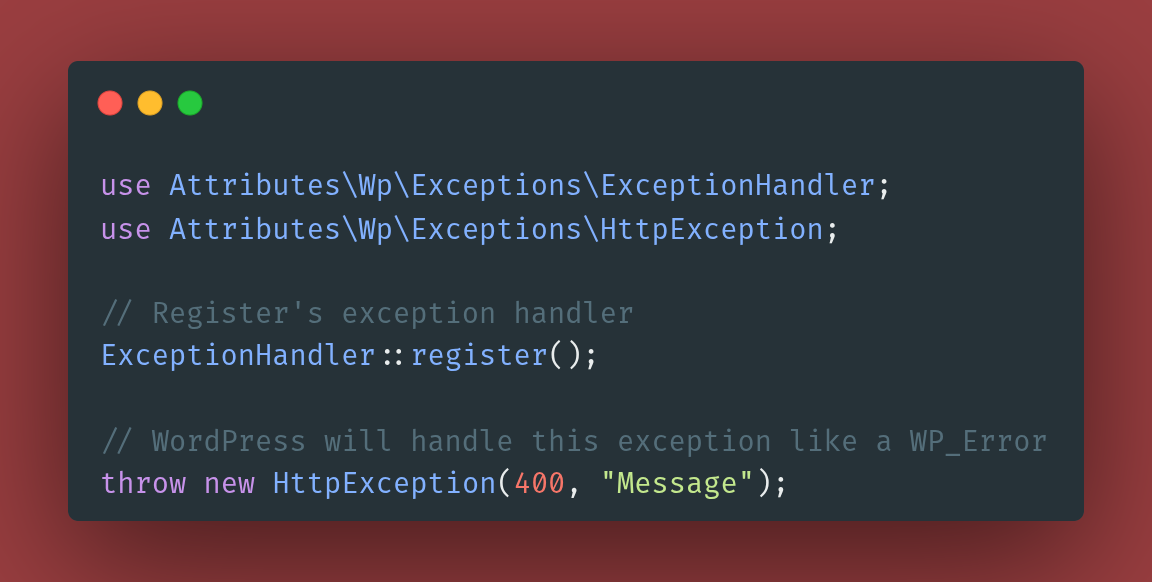





WP_Error was a cool feature in 2007 but today we should throw exceptions.
Features
- Handles HttpExceptions like WP_Error's
- Supports custom handlers for custom exceptions
- Compatible with other exception handlers (e.g. Whoops)
Requirements
- PHP 8.1+
- WordPress 6.x
We aim to support versions that haven't reached their end-of-life.
Installation
How it works?
Once the ExceptionHandler is registered, you can start throwing exceptions
How HttpExceptions are displayed?
WordPress itself handles how an HttpException
is displayed to the user. In a nutshell, those exceptions are converted into a WP_Error
which is then handled by WordPress via wp_die function.
This means, that the following types of requests are supported:
- ✅ Ajax
- ✅ JSON
- ✅ JSONP
- ✅ XMLRPC
- ✅ XML
- ✅ All other types e.g. HTML
How to send custom HTTP headers?
How to add custom handlers?
Ensure to add handlers which supports all types of possible requests e.g. JSON, XML, etc
Sage theme support
If you are using Sage theme, you would need to register or re-register
this exception handler after the application is configured. Otherwise, this exception handler might be overrided.
WP Exceptions was created by André Gil and is open-sourced software licensed under the MIT license.
All versions of wp-exceptions with dependencies
PHP Build Version
Package Version

Requires
php Version
^8.1
The package matapatos/wp-exceptions contains the following files
Loading the files please wait ...