Download the PHP package martinsmith/craft-entry-level without Composer
On this page you can find all versions of the php package martinsmith/craft-entry-level. It is possible to download/install these versions without Composer. Possible dependencies are resolved automatically.
Download martinsmith/craft-entry-level
More information about martinsmith/craft-entry-level
Files in martinsmith/craft-entry-level
Package craft-entry-level
Short Description Auto-parent entries in Structure sections based on Entry Type
License MIT
FAQ
Example:

In general, it is recommended to use always a project to download your libraries. In an application normally there is more than one library needed.

- Some hosting areas are not accessible by a terminal or SSH. Then it is not possible to use Composer.
- To use Composer is sometimes complicated. Especially for beginners.
- Composer needs much resources. Sometimes they are not available on a simple webspace.
- If you are using private repositories you don't need to share your credentials. You can set up everything on our site and then you provide a simple download link to your team member.
- Simplify your Composer build process. Use our own command line tool to download the vendor folder as binary. This makes your build process faster and you don't need to expose your credentials for private repositories.
Informations about the package craft-entry-level

Entry Level for Craft CMS 5
Allows for the automatic placing of new entries to a desired Structure level.
This plugin will nest a new entry based on the Entry Type. No more manually repositioning entries after save!
Mostly for those using the Entry Type Templates pattern to create landing pages with children (e.g., blogs with articles).
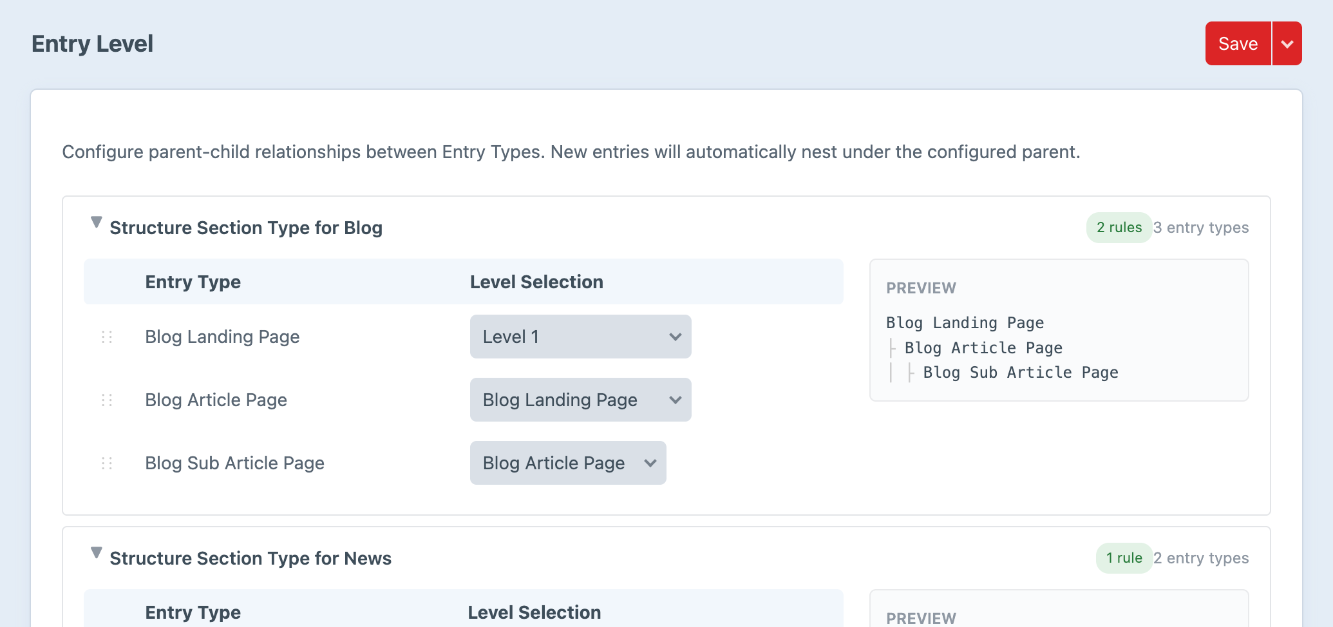
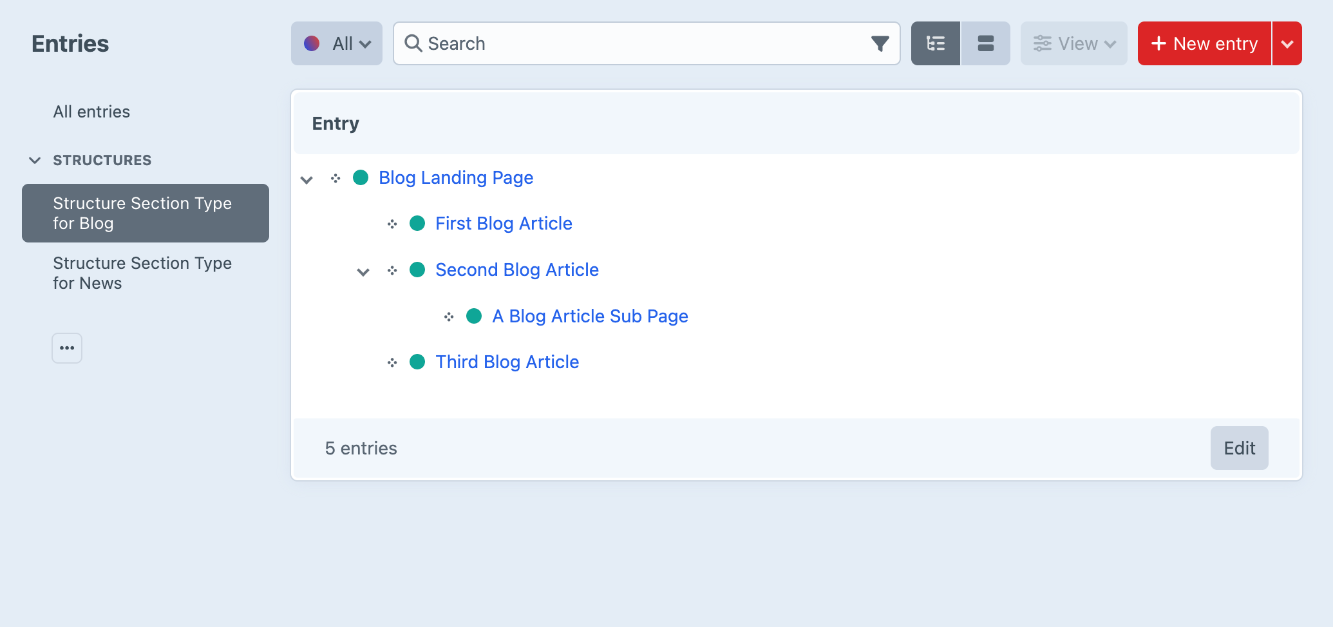
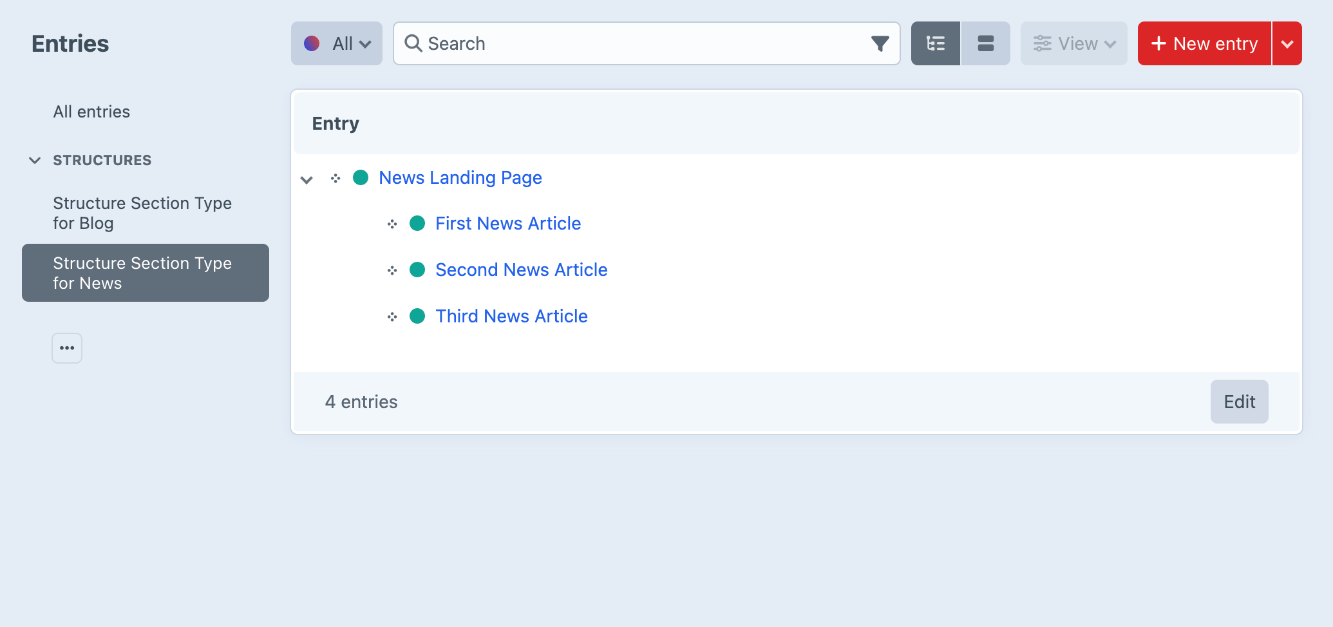
Requirements
- Craft CMS 5.3.0+
- PHP 8.2+
Installation
Install via Composer:
Configuration
- Go to Settings → Plugins → Entry Level → Settings
- For each Structure section, configure parent-child relationships between Entry Types
How It Works
When you create a new entry of a configured "child" Entry Type, the plugin automatically moves that entry under a parent entry of the configured "parent" Entry Type.
Example: News Section
With this configuration:
- Creating a News Landing → stays at root level (no parent configured)
- Creating a News Article → automatically placed under News Landing (Level 2)
Multi-Level Hierarchies
The plugin supports unlimited nesting depth. Chain Entry Types to create deep structures:
| Entry Type | Parent Type | Result |
|---|---|---|
| Landing Page | (none) | Root level |
| Article | (Landing Page) | Level 2 |
Troubleshooting
Entry not being auto-parented
- Check that the parent Entry Type has at least one entry created
- Verify the configuration in Settings → Plugins → Entry Level
- Ensure you're creating a new entry (editing existing entries won't trigger auto-parenting)
Support
License
This plugin is licensed under the MIT License.
Credits
Developed by Martin Smith.
Made with ❤️ for the Craft CMS community
