Download the PHP package magefan/module-shopify-blog-migration without Composer
On this page you can find all versions of the php package magefan/module-shopify-blog-migration. It is possible to download/install these versions without Composer. Possible dependencies are resolved automatically.
Download magefan/module-shopify-blog-migration
More information about magefan/module-shopify-blog-migration
Files in magefan/module-shopify-blog-migration
Package module-shopify-blog-migration
Short Description Magefan_ShopifyBlogExport
License
FAQ
Example:

In general, it is recommended to use always a project to download your libraries. In an application normally there is more than one library needed.

- Some hosting areas are not accessible by a terminal or SSH. Then it is not possible to use Composer.
- To use Composer is sometimes complicated. Especially for beginners.
- Composer needs much resources. Sometimes they are not available on a simple webspace.
- If you are using private repositories you don't need to share your credentials. You can set up everything on our site and then you provide a simple download link to your team member.
- Simplify your Composer build process. Use our own command line tool to download the vendor folder as binary. This makes your build process faster and you don't need to expose your credentials for private repositories.
Informations about the package module-shopify-blog-migration
Magento 2 Blog Export to Shopify by Magefan


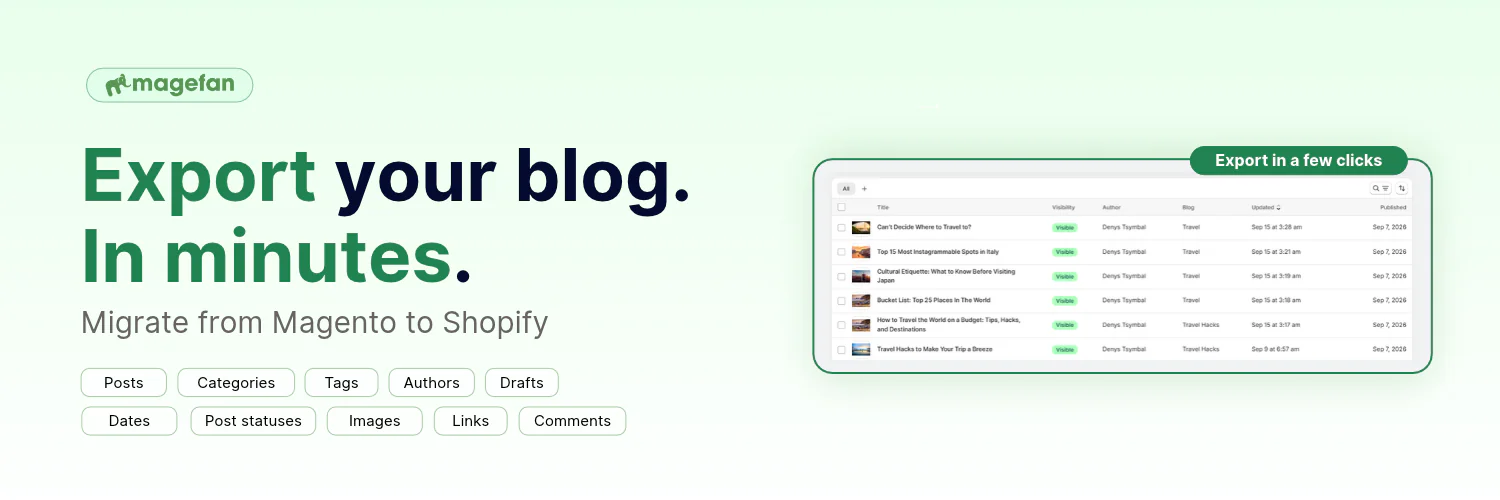
Magento 2 Blog Export to Shopify by Magefan is an extension that helps you migrate Magento blog to Shopify blog without manually recreating your blog posts there. The extension exports blog content from Magefan Magento Blog, Mageplaza Blog, or Mirasvit Blog and sends it to the Magefan Blog on Shopify or to native Shopify blog through the Magefan Shopify Blog Import app.
It is designed for Magento store owners, developers, and agencies migrating an ecommerce store from Magento 2 to Shopify while keeping their existing blog content.
Supported Magento Blog Extensions
The extension supports three blog extensions for Magento for blog migration:
- Magefan Blog
- Mageplaza Blog
- Mirasvit Blog
You can select the blog extension you are using when starting the export. On multi-store Magento installations, you can also select the relevant store view.
What Gets Exported from Magento Blog to Shopify?
Magento 2 Blog Export to Shopify transfers the main elements of your existing Magento blog to Shopify, including:
- Blog posts
- Blog categories
- Post tags
- Featured images
- Post images
- SEO data
- Post content
- Post status
Categories are converted into separate blogs in Shopify (if you migrate to default Shopify Blog or regular categories if you migrate to Magefan Blog on Shopify, allowing the exported content to be organized according to the original Magento blog structure.
Note: Disabled posts are imported as hidden content in default Shopify blog.
Move Your Magento Blog to Shopify
Migrating a Magento store to Shopify often means moving more than products, customers, and orders. Your blog can contain years of content, images, and SEO information that you may want to keep after changing platforms.
Magento 2 Blog Export to Shopify by Magefan handles the blog portion of the migration by exporting your existing Magento blog and transferring it to Shopify.
Instead of manually recreating every article in the Shopify admin, you can export the content from your existing Magento blog and import it into Shopify through Magefan's Shopify Blog Import app or the Magefan Blog app for Shopify directly.
How Does the Blog Export to Shopify Work?
The extension connects your Magento 2 store with the Magefan Blog Import app for Shopify and Magefan's Shopify Blog.
The process is:
- Install Magefan Blog Export for Shopify (this plugin).
- Install the Magefan Blog Import app or Magefan's Shopify Blog in your Shopify admin.
- Copy the connection key from the Shopify app.
- Enter the key in your Magento admin.
- Select the Magento blog extension you want to export.
- Select the store view if your Magento installation has multiple store views.
- Start the export.
The Magento extension sends the blog data to the Shopify app, which creates the corresponding content in the default Shopify blog.
Images Are Uploaded Directly to Shopify
Blog migration should not require your Magento website to remain publicly accessible just to retrieve its images.
Magento 2 Blog Export to Shopify uploads images stored in pub/media directly to Shopify during the export. This allows the migration to work even when the Magento store is not publicly reachable.
Installation of the Magento Blog Export to Shopify plugin
Install the Magento 2 Blog Export for Shopify with Composer from the Magento 2 root directory:
Then run the Magento setup commands:
To install thie plugin via FTP using archive, first install the Magefan Community Extension module.
Then download Export plugin ZIP archive and extract the files.
Finally, inn your Magento 2 root directory, create folder app/code/Magefan/ShopifyBlogExport and copy files and folders from archive to that folder.
The run the commands:
After installation, log in to Magento admin and complete the Shopify connection before starting the export.
Configuration and Blog Export
Step 1: Install the Shopify Blog Import app
Install Magefan Blog Import app or Magefan's Blog App for Shopify. The copy the connection key provided by the app.
2. Open the Magento export tool
In Magento Admin, go to Content > Shopify Blog Import > Export Blog to Shopify and paste the connection key into the corresponding field.
3. Select your Magento blog
Choose the Magento blog extension you want to migrate:
- Magefan Blog
- Mageplaza Blog
- Mirasvit Blog
If your Magento installation contains multiple store views, select the store view from which you want to export the blog.
4. Start the migration
Click Start Export to begin transferring your Magento blog to Shopify.
The exported content is processed by the Magefan Blog Import app for Shopify and added to the native Shopify blog or by Magefan Blog app and added to Magefan's Blog app.
Open Source
Magefan Blog Import for Shopify is open-source software. Contributions, bug reports, and improvements are welcome.
Support
If you have any issues, please contact us then if you still need help, open a bug report in GitHub's issue tracker.
License
The code is licensed under EULA.
Magento Extensions by Magefan
Magento 2 SEO Extensions
- Magento SEO
- Magento 2 Rich Snippets
- Magento 2 HTML Sitemap
- Magento 2 XML Sitemap
- Magento 2 Twitter Cards
- Magento Open Graph Tags
Magento 2 Google Extensions
- Magento Google Tag Manager
- Magento 2 Google Analytics 4
- Magento Google Shopping Feed
- Magento Google Customer Reviews
- Magento 2 Google Indexing
Magento Speed Optimisation Extensions
- Magento 2 Google Page Speed Optimizer
- Magento 2 WebP Images
- Magento Full Page Cache Extension
- Magento 2 Lazy Load Images
- Magento 2 Defer JavaScript
Magento Admin Extensions
- Magento 2 Dynamic Category
- Magento 2 Size Chart
- Magento 2 Security Extension
- Magento 2 Admin Action Log
- Magento Extended Product Grid
- Magento 2 Product Tabs
- Magento 2 Product Widget
- Magento 2 Email Attachments
- Magento 2 Admin View
- Magento 2 Email Notifications
- Magento 2 Login As Customer
Magento Order Management Extensions
Magento 2 Blog Extensions
Magento Marketing Extensions
- Magento 2 Facebook Pixel
- Magento TikTok Pixel
- Magento 2 Dynamic Blocks and Pages
- Magento 2 Cookie Consent
- Magento 2 Base Price
- Magento 2 Price History
- Magento 2 Mautic Extension
- Magento 2 YouTube Video
Magento Promotions Extensions
Magento 2 Multi-Language Extensions
- Magento 2 Hreflang Tags
- Magento 2 Currency Switcher
- Magento 2 Language Switcher
- Magento 2 Store Switcher
- Magento 2 Translation Extension
Developers Tools
- Magento Zero Downtime Deployment
- Magento 2 Cron Schedule
- Magento 2 CLI Extension
- Magento 2 Conflict Detector
Shopify Apps by Magefan
- Shopify Login As Customer
- Shopify Blog
- Shopify Size Chart
- Shopify Google Indexer
- Shopify Product Feeds
- Shopify Server GTM & GA4
