Download the PHP package kholil/filament-analitik without Composer
On this page you can find all versions of the php package kholil/filament-analitik. It is possible to download/install these versions without Composer. Possible dependencies are resolved automatically.
Download kholil/filament-analitik
More information about kholil/filament-analitik
Files in kholil/filament-analitik
Package filament-analitik
Short Description Simple page analytics for Filament v4/v5
License MIT
FAQ
Example:

In general, it is recommended to use always a project to download your libraries. In an application normally there is more than one library needed.

- Some hosting areas are not accessible by a terminal or SSH. Then it is not possible to use Composer.
- To use Composer is sometimes complicated. Especially for beginners.
- Composer needs much resources. Sometimes they are not available on a simple webspace.
- If you are using private repositories you don't need to share your credentials. You can set up everything on our site and then you provide a simple download link to your team member.
- Simplify your Composer build process. Use our own command line tool to download the vendor folder as binary. This makes your build process faster and you don't need to expose your credentials for private repositories.
Informations about the package filament-analitik
Filament Analitik


Simple and lightweight page analytics plugin for Filament v4/v5. Track your website visitors, their location, and page views directly from your Filament dashboard.
A simple, free, and privacy-friendly alternative to Google Analytics. No complex setup, no external scripts, and no tracking cookies required. Just install and start tracking your website traffic instantly.
Features
- 🚀 Asynchronous Tracking: Uses Laravel Jobs to ensure zero performance impact on your application when using a queue worker (e.g. redis/database;
syncqueue connection runs inline). - 📍 Location Tracking: Automatically detects city, state, and country using stevebauman/location.
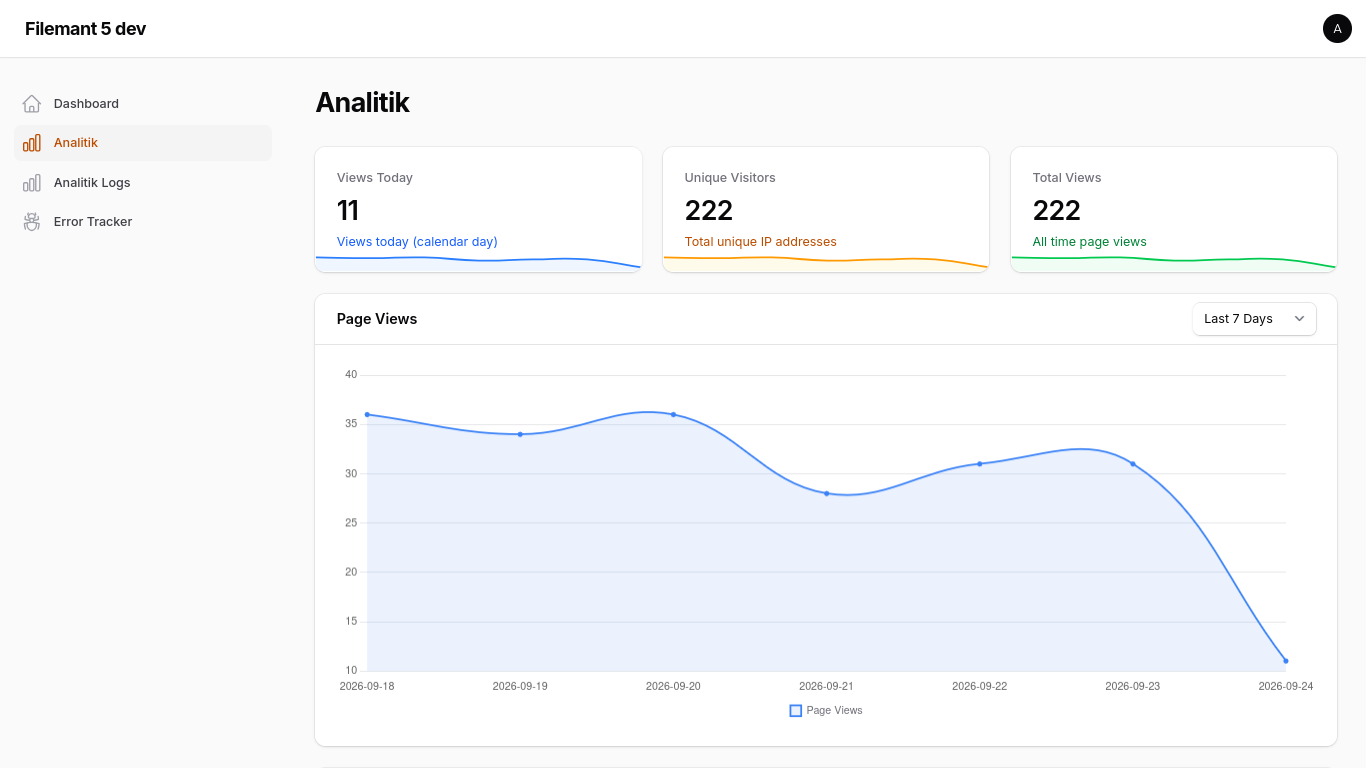
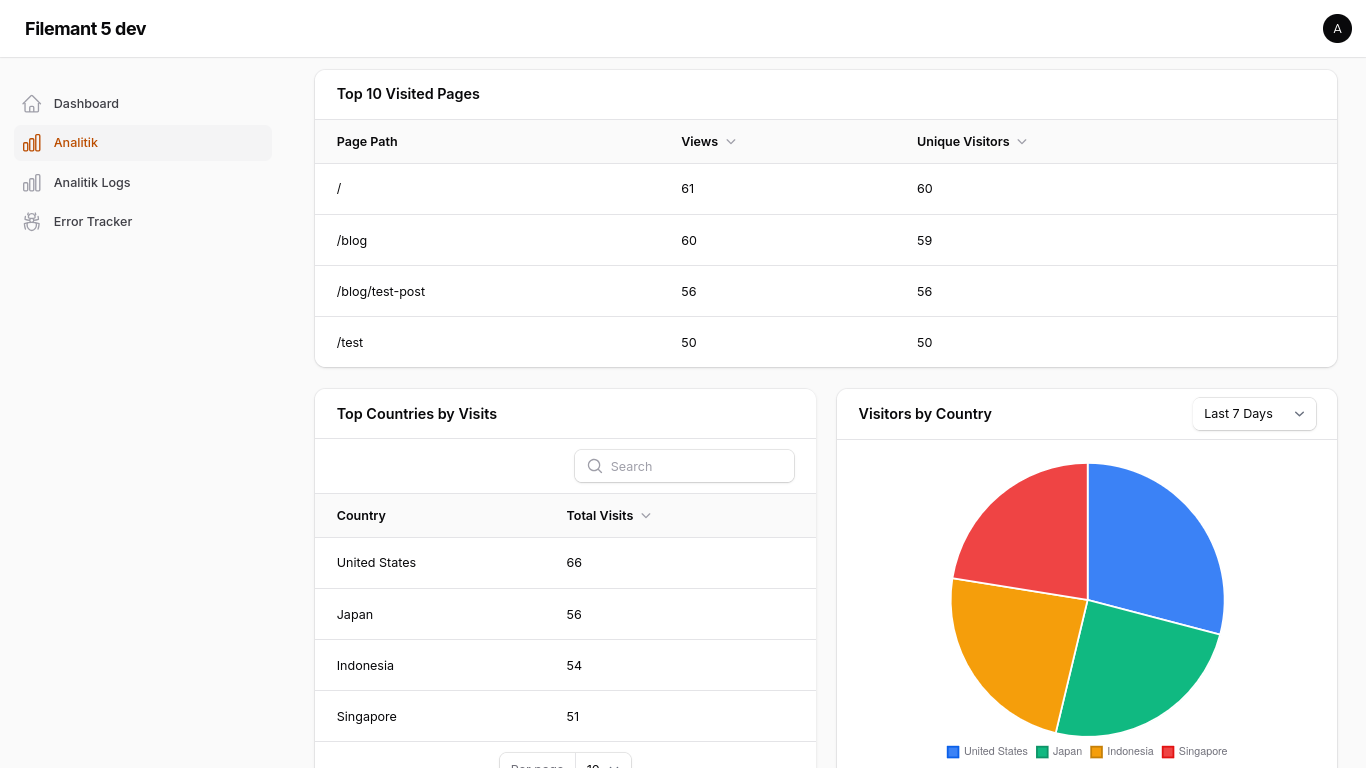
- 📊 Dashboard Widgets: Includes stats overview, page views chart, top pages table, top countries table, and visitors country chart widgets.
- 📋 Resource View: Manage and view detailed analytics logs in your Filament panel.
- 🛡️ Privacy Focused: Excludes Filament panel pages from tracking by default.
Installation
You can install the package via composer:
You must publish and run the migrations (autoloading from vendor is not supported):
You can publish the config file with:
Usage
1. Register the Plugin
Add the plugin to your Filament Panel provider:
2. Enable Tracking
To start tracking page views, you must add the TrackPageView middleware to your web routes.
Laravel 12+ (bootstrap/app.php)
Middleware Logic
The middleware will:
- Only track
GETrequests with a200status code. - Automatically exclude any requests within the Filament admin panel.
- Dispatch a background job to handle the database insertion and location lookup.
Configuration
The configuration file (config/filament-analitik.php) allows you to customize the following settings:
- enabled: Enable or disable page view tracking.
- table_name: Change the database table name used to store page views (default:
'analitik'). Publish the config before running migrations if you change this value. - project_id: A unique identifier for this project. Useful for multi-tenant, SaaS, or centralized analytics setups where you collect analytics from multiple applications or websites into a single database.
- You can configure this easily in your
.envfile:FILAMENT_ANALITIK_PROJECT_ID="your-project-id"
- You can configure this easily in your
- exclude_bots: Enable or disable automatic bot and crawler filtering (default:
true). - bot_patterns: List of user-agent string patterns to exclude from analytics tracking.
- navigation: Customize the sidebar navigation settings:
- label: The text label displayed in the Filament sidebar (default:
'Analitik'). - group: The navigation group in the sidebar (default:
null/ no group). - icon: The icon used in the sidebar (default:
'heroicon-o-chart-bar').
- label: The text label displayed in the Filament sidebar (default:
Alternatively, you can also customize the sidebar navigation fluently when registering the plugin in your Panel Provider:
Authorization & Access Control
You can restrict access to the analytics dashboard and logs in three different ways:
1. Gate-Based Permissions
Define a Laravel Gate or Permission name (e.g. using Spatie Laravel-Permission) in your config/filament-analitik.php file:
2. Role-Based Access
Define an array of roles that are allowed to access:
Note: The plugin automatically integrates with package role methods such as $user->hasAnyRole($roles) or $user->hasRole($role) and falls back to checking a direct $user->role property.
3. Custom Fluent Callback
For custom or complex programmatic authorization logic, pass a Closure dynamically to the plugin registration in your Panel Provider:
Requirements
- PHP 8.2+
- Filament v4.0+ / v5.0+
- Laravel 11.0+ / 12.0+
License
The MIT License (MIT). Please see License File for more information.
All versions of filament-analitik with dependencies

filament/filament Version ^4.0|^5.0
illuminate/contracts Version ^11.0|^12.0|^13.0
stevebauman/location Version ^7.6