Download the PHP package kaveraa/unaccent-search without Composer
On this page you can find all versions of the php package kaveraa/unaccent-search. It is possible to download/install these versions without Composer. Possible dependencies are resolved automatically.
FAQ
Example:

In general, it is recommended to use always a project to download your libraries. In an application normally there is more than one library needed.

- Some hosting areas are not accessible by a terminal or SSH. Then it is not possible to use Composer.
- To use Composer is sometimes complicated. Especially for beginners.
- Composer needs much resources. Sometimes they are not available on a simple webspace.
- If you are using private repositories you don't need to share your credentials. You can set up everything on our site and then you provide a simple download link to your team member.
- Simplify your Composer build process. Use our own command line tool to download the vendor folder as binary. This makes your build process faster and you don't need to expose your credentials for private repositories.
Informations about the package unaccent-search
Unaccent Search




English - Français
SQL search without accents and without case for Laravel and Symfony / Doctrine.
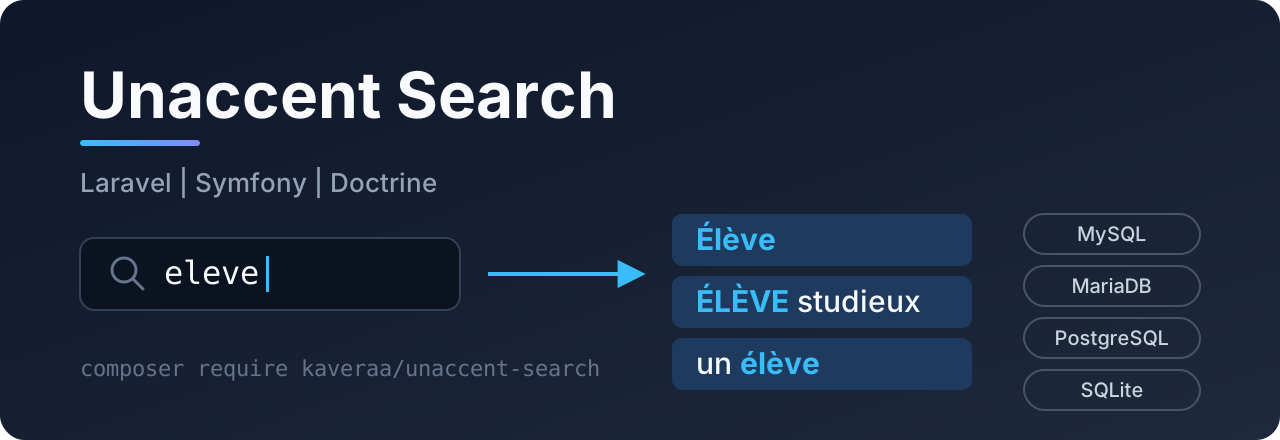
When a user types eleve, the search finds Élève, ÉLÈVE and élève. creme brulee finds Crème brûlée. oeuvre finds Œuvre.
- No database extension: you do not need
unaccentor a special collation. - MySQL, MariaDB, PostgreSQL and SQLite: the same code works on all of them.
- Easy to install: with Laravel,
composer requireis enough. With Symfony, add one line inbundles.php. - Secure: the search term is always a bound parameter, column names are checked, and
%and_typed by the user are searched as normal characters. - An empty search does not filter: you can pass
$request->searchdirectly, even when it isnull.
Contents
- Installation
- Laravel
- Symfony
- Doctrine without Symfony
- Search modes
- Add characters
- Use the normalizer alone
- How it works
- Limits
- Development
Installation
Requirements: PHP 8.2 or more, with the mbstring extension.
| Framework | Supported versions |
|---|---|
| Laravel | 12, 13 |
| Symfony | 6.4, 7.x, 8.x (with DoctrineBundle 2.13+ or 3.x; tested in CI from 7.2) |
| Doctrine ORM | 3.x (DBAL 4) |
Laravel
Setup
Nothing to do. Laravel finds the service provider automatically.
Search in one column
The methods are added to the Query Builder. So they also work with Eloquent models, relations, sub-queries and DB::table():
Search in several columns (global search)
whereAnyLikeUnaccent finds the rows where at least one column matches. The conditions are grouped in parentheses, so the next where applies to the whole group:
All methods
| Method | Condition added |
|---|---|
whereLikeUnaccent($column, $term, $mode = Mode::Contains) |
AND column matches the term |
orWhereLikeUnaccent($column, $term, $mode) |
OR column matches the term |
whereNotLikeUnaccent($column, $term, $mode) |
AND column does not match the term |
orWhereNotLikeUnaccent($column, $term, $mode) |
OR column does not match the term |
whereAnyLikeUnaccent([$col1, $col2], $term, $mode) |
AND (col1 matches OR col2 matches ...) |
orWhereAnyLikeUnaccent([$col1, $col2], $term, $mode) |
OR (col1 matches OR col2 matches ...) |
$mode says how the term must match: contains (default), starts with, ends with or equal. See search modes.
Accepted columns
Warning: a
DB::raw()expression is put in the query as it is: never put user input in it. Text column names are checked. An invalid name throws anInvalidArgumentException.
Example: search form
The mode can come directly from the request, checked with Rule::enum():
Configuration (optional)
To add characters to the replacement table:
Auto-completion in your IDE
The methods are found by Laravel Idea and by barryvdh/laravel-ide-helper (php artisan ide-helper:generate).
Symfony
Setup
Add the bundle in config/bundles.php:
That is all. The bundle adds the DQL function UNACCENT to Doctrine. You do not need to change doctrine.yaml, even with several entity managers.
Search in a repository
The UnaccentQuery class adds the conditions to a Doctrine QueryBuilder:
All methods
| Method | Condition added |
|---|---|
UnaccentQuery::andWhereLike($qb, 'p.field', $term, $mode = Mode::Contains) |
AND field matches the term |
UnaccentQuery::orWhereLike($qb, 'p.field', $term, $mode) |
OR field matches the term |
UnaccentQuery::andWhereNotLike($qb, 'p.field', $term, $mode) |
AND field does not match the term |
UnaccentQuery::andWhereAnyLike($qb, ['p.a', 'p.b'], $term, $mode) |
AND (a matches OR b matches ...) |
UnaccentQuery::condition($qb, 'p.field', $term, $mode, $not = false) |
Returns the DQL condition (or null if the term is empty), to use it as you want |
The parameters are bound automatically, with unique names. So you can call several methods on the same QueryBuilder.
With condition(), you can build your own expressions:
Write DQL yourself
You can use the UNACCENT() function anywhere in DQL. Build the parameter with Normalizer::pattern() and keep ESCAPE '!':
Configuration (optional)
Doctrine without Symfony
Add the DQL function to the ORM configuration, then use UnaccentQuery like above:
With SQLite and a Doctrine query cache, also add the middleware. It prepares each SQLite connection (it does nothing on other databases):
Search modes
You can give the mode as a Kaveraa\UnaccentSearch\Mode enum or as text.
| Mode | Accepted text | Pattern for Élève |
Finds |
|---|---|---|---|
Mode::Contains (default) |
contains |
%eleve% |
"Un élève motivé" |
Mode::StartsWith |
starts_with |
eleve% |
"Élèves de CM2" |
Mode::EndsWith |
ends_with |
%eleve |
"Nouvel élève" |
Mode::Exact |
exact |
eleve |
"ÉLÈVE" only |
Add characters
The default table covers French and the most common European accents:
| Characters | Become |
|---|---|
| à â ä á ã å | a |
| é è ê ë | e |
| ï î ì í | i |
| ô ö ò ó õ ø | o |
| ù û ü ú | u |
| ÿ ý | y |
| ç / ñ / đ | c / n / d |
| œ / æ / ß | oe / ae / ss |
Upper case letters work automatically: É is first changed to lower case, then replaced.
For other alphabets, add entries with the configuration (Symfony) or directly in PHP, when the application starts:
With MySQL, MariaDB and PostgreSQL, each entry adds one REPLACE() to the query. Only add the characters that are in your data.
Use the normalizer alone
The core of the package does not need any framework:
SqlExpression::wrap() gives the normalized SQL expression of a column for one database. Use it if you write your queries yourself:
With SQLite, the expression calls the unaccent_search() function. Register it once on your connection (the Laravel and Doctrine parts of the package do it for you):
How it works
The search compares two values that are normalized in the same way:
- In PHP, the search term is changed to lower case, the accents are replaced, and the
%and_characters are escaped:Élèvebecomes%eleve%. - In SQL, the column goes through the same replacement table:
REPLACE(REPLACE(LOWER(name), 'é', 'e'), 'è', 'e').... SQLite does not accept too many nestedREPLACE(), so with SQLite a PHP functionunaccent_search()does the same work. It is registered on the connection automatically. - The comparison uses
LIKE ? ESCAPE '!'. The term is always a bound parameter.
The same table is used on both sides. So if a character is not in the table (for example č), it is searched as it is, and the search still finds it.
Limits
- Performance. The expression on the column blocks the use of an index: the database reads the whole table. This is not a problem up to a few hundred thousand rows. For bigger tables, store a normalized column (filled with
Normalizer::normalize()), add an index on it, and search in it. - MySQL / MariaDB. With a
utf8mb4_*_cicollation (the default), MySQL already ignores some accents inLIKE. The package then gives the same results, or a few more. With a_binor_cscollation, only the package makes the search ignore accents. - Supported databases. MySQL, MariaDB, PostgreSQL and SQLite. Another database (SQL Server, Oracle) throws an
InvalidArgumentException.
Development
By default, the tests use SQLite in memory (you need the pdo_sqlite extension). To test the other databases, start them with Docker, then choose one with UNACCENT_DB:
GitHub Actions runs the tests on the four databases and on several PHP versions.
To propose a change (branch, tests, rules, Pull Request), read the CONTRIBUTING.md guide.
See the CHANGELOG for the list of versions.
License
MIT. See LICENSE.
All versions of unaccent-search with dependencies

ext-mbstring Version *