Download the PHP package kaveraa/slug-history without Composer
On this page you can find all versions of the php package kaveraa/slug-history. It is possible to download/install these versions without Composer. Possible dependencies are resolved automatically.
FAQ
Example:

In general, it is recommended to use always a project to download your libraries. In an application normally there is more than one library needed.

- Some hosting areas are not accessible by a terminal or SSH. Then it is not possible to use Composer.
- To use Composer is sometimes complicated. Especially for beginners.
- Composer needs much resources. Sometimes they are not available on a simple webspace.
- If you are using private repositories you don't need to share your credentials. You can set up everything on our site and then you provide a simple download link to your team member.
- Simplify your Composer build process. Use our own command line tool to download the vendor folder as binary. This makes your build process faster and you don't need to expose your credentials for private repositories.
Informations about the package slug-history
Slug History




English - Français
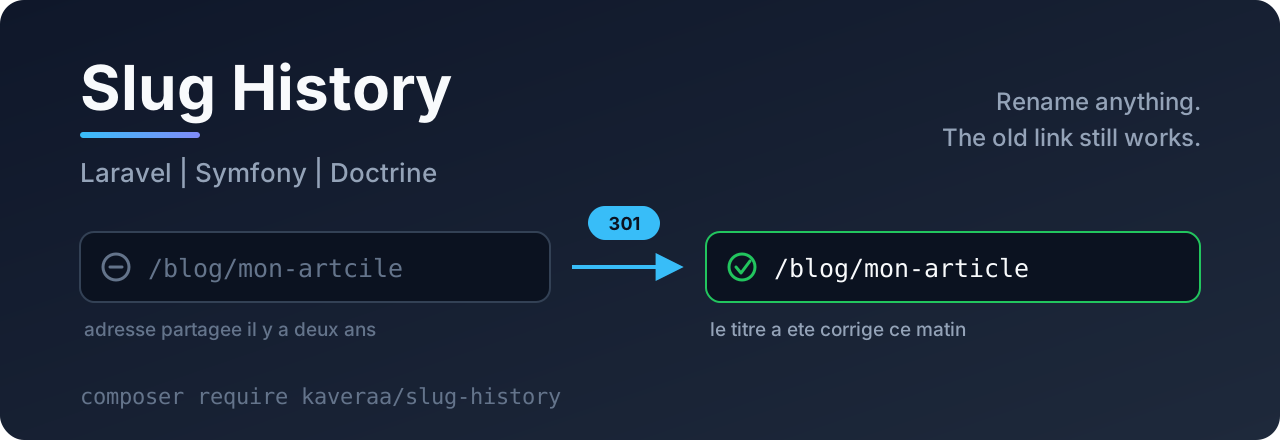
Someone fixes a typo in the title of an article. The slug changes. And suddenly the old address answers a 404: incoming links are dead, shares lead nowhere, and the search ranking you patiently built starts again from zero.
Packages that build slugs are everywhere, and they are good. None of them keeps the old address. This one does only that, for Laravel and for Symfony / Doctrine.
- Nothing to write: after the install and the migration, the redirect is wired. You rename, the old addresses keep working.
- One redirect only: an address dropped three renames ago leads straight to today's address. Never a chain of redirects, which search engines dislike.
- Living content always wins: if another page takes back a freed address, the history lets it go at once. Nobody is sent away from the page they actually asked for.
- No extra query: the database is read only when the answer is a 404. A page that exists costs nothing.
- The query string is kept:
?page=2&utm_source=newsletterreaches the new address untouched. - Several languages: the same slug can live in two locales without mixing.
- Light: one table, one PSR interface, nothing else.
Table of contents
- The problem
- Requirements
- Installation
- Mark your content
- The three rules
- Several languages, several sections
- When content is deleted
- The commands
- What it costs
- All the options
- Taking the history in your own hands
- What this package does not do
- Development
The problem
A slug is built from a title. And a title gets fixed: a typo, one word too many, a rewrite after proofreading. Every fix breaks a public address.
In between: the links in the newsletters you already sent, the shares on social networks, the bookmarks, the articles that quote you, and the index of search engines. All of them point at the first address, which no longer answers.
The usual answer is a redirect table filled in by hand, that nobody keeps up to date. This package fills it on its own.
Requirements
- PHP 8.2 or more.
- Laravel 12+, or Symfony 7.2+ with Doctrine ORM 3+ and DBAL 4+.
- Content that already has a slug. This package does not build slugs: keep
spatie/laravel-sluggable,cviebrock/eloquent-sluggable, the Doctrine Sluggable extension, or your own code. It only remembers the old ones.
Installation
Laravel
That is all. The redirect is wired on its own.
It sits in the global middleware stack, not in a route group: an old address matches no route, so a group middleware would never see it go by.
Symfony
Add the bundle in config/bundles.php:
Then create the table:
Mark your content
Laravel
If your column is not called slug:
Symfony and Doctrine
The attribute is enough, there is no trait to add:
The three rules
The whole package fits in these three rules. All of them are covered by tests, in both frameworks.
1. A dropped address leads to today's address, in one hop.
Whatever the number of renames: never two redirects in a row.
2. Living content always wins over the history.
Article A frees /agenda by becoming /agenda-2026. Tomorrow, article B is published under /agenda. At that moment the history lets the address go: /agenda shows article B, with no redirect. Without this rule, the package would send B's visitors to A, which would be far worse than a 404.
3. The database is read only on a 404.
A page that exists goes through the package without a single query. The history is asked only when the answer would be an error.
Several languages, several sections
Many sites allow the same slug more than once, as long as it is unique inside its language or its section. Say so with scope: it is the property that makes the address unique.
/fr/contact and /en/contact then become two independent addresses, each with its own history.
When redirecting, the address alone does not say which scope to look in: give a function to the scope option, it receives the request.
When content is deleted
Its old addresses are forgotten: they must not lead to a page that no longer exists.
With Laravel soft deletes, moving content to the bin keeps the history, because the content can come back. It is the permanent deletion (forceDelete) that clears it.
The commands
With Symfony: php bin/console slugs:history and php bin/console slugs:purge.
Should you purge at all? One entry weighs a few dozen bytes, and a redirect that still works ten years later has never bothered anyone. Purge only if the table really grows, or if your retention policy asks for it.
What it costs
- One table,
past_slugs, with a unique index on(slug, scope). - One row written per rename, not per save: saving an article without touching the title writes nothing.
- One query per 404, and none the rest of the time.
All the options
| Option | Default | Role |
|---|---|---|
table |
past_slugs |
Name of the table |
status |
301 |
Redirect code. 308 if you want to keep the HTTP method |
auto_redirect |
true |
Wires the redirect on its own, in the global stack. Set false to wire it yourself |
keep_for_days |
null |
Default retention of slugs:purge. null: forever |
scope |
'' |
Default scope. A function receiving the request is accepted, for a multilingual site |
Taking the history in your own hands
The service can be injected, for the special cases: a data migration, a URL redesign, an import.
What this package does not do
- It does not build slugs. That is the job of the existing packages, and they do it well.
- It does not handle redirects decided by hand (a campaign, a short address, an old website). A classic redirect table stays the right tool for that, and the two live together very well.
- It does not know your routes: it replaces the path segment that matches an old address and redirects. If your whole URL structure changes, that is a migration, not a rename.
- It does not rewrite your pages: internal links pointing at the old address will work, but through a redirect. Update them when you can.
Development
The three stores (memory, Eloquent, DBAL) pass the same test contract, tests/Support/StoreContract.php: this is what guarantees that Laravel and Symfony behave exactly the same.
To suggest a change, read the CONTRIBUTING.md guide. See the CHANGELOG for the history of versions.
To report a vulnerability, open a private security advisory rather than a public issue.
License
MIT. See LICENSE.
