Download the PHP package joomla-projects/typehints without Composer
On this page you can find all versions of the php package joomla-projects/typehints. It is possible to download/install these versions without Composer. Possible dependencies are resolved automatically.
Download joomla-projects/typehints
More information about joomla-projects/typehints
Files in joomla-projects/typehints
Package typehints
Short Description Manage typehints for deprecated, non-namespaced Joomla! core API classes
License GPL-3.0+
FAQ
Example:

In general, it is recommended to use always a project to download your libraries. In an application normally there is more than one library needed.

- Some hosting areas are not accessible by a terminal or SSH. Then it is not possible to use Composer.
- To use Composer is sometimes complicated. Especially for beginners.
- Composer needs much resources. Sometimes they are not available on a simple webspace.
- If you are using private repositories you don't need to share your credentials. You can set up everything on our site and then you provide a simple download link to your team member.
- Simplify your Composer build process. Use our own command line tool to download the vendor folder as binary. This makes your build process faster and you don't need to expose your credentials for private repositories.
Informations about the package typehints
TypeHint Helper for Joomla!
This is a fork of the excellent work of Nicholas K. Dionysopoulos Type hints project. Thank you very much for your work. This repo is only slightly extending his work to support the Rector efforts at JRector.
Generate code type hints for deprecated core Joomla! API classes
What does it do?
It lets your IDE provide code completion for the old core Joomla! API classes which have been deprecated and replaced with their namespaced counterparts.
A picture is worth a thousand words. Here's Joomla! 3.8 staging branch on phpStorm.
Before
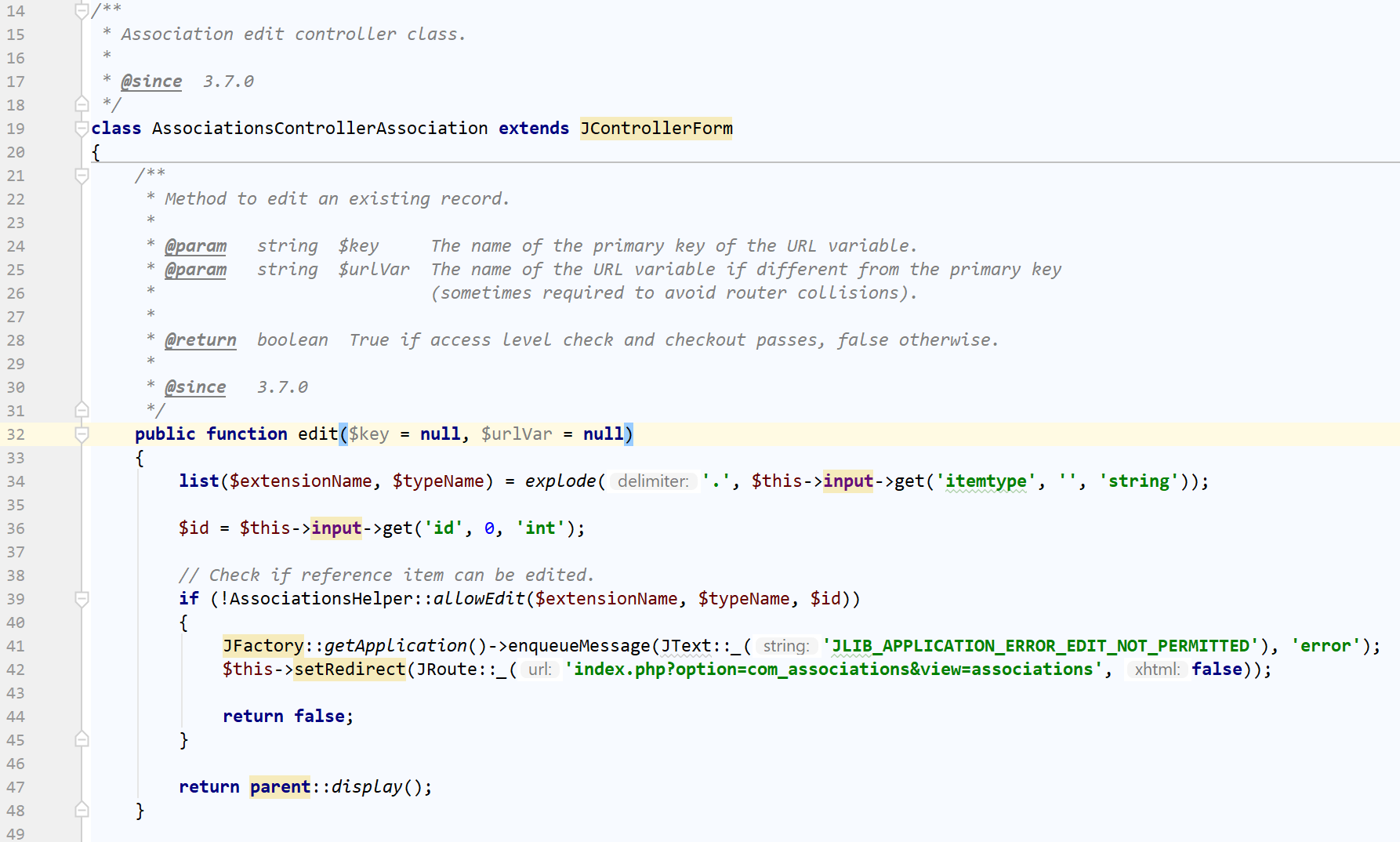
After
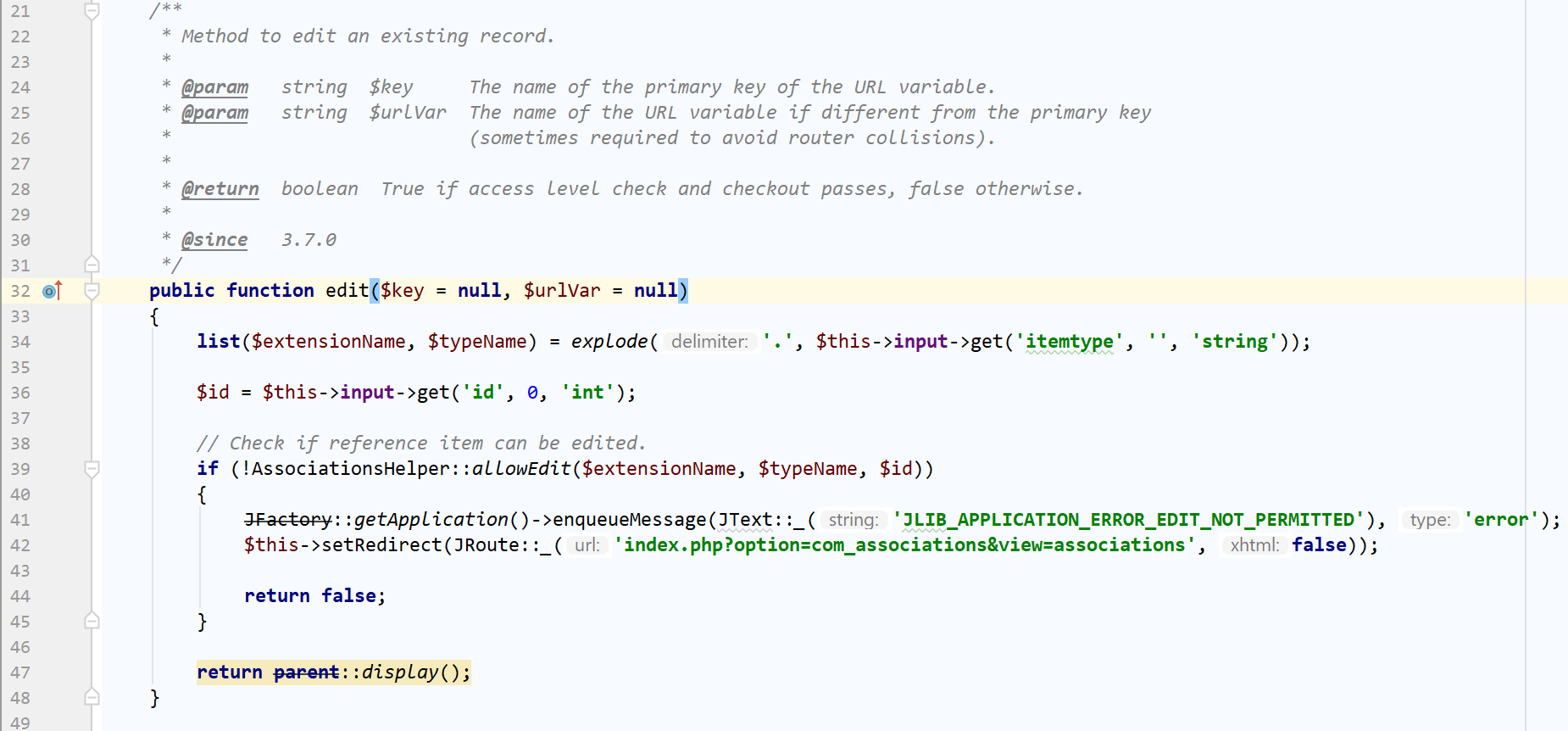
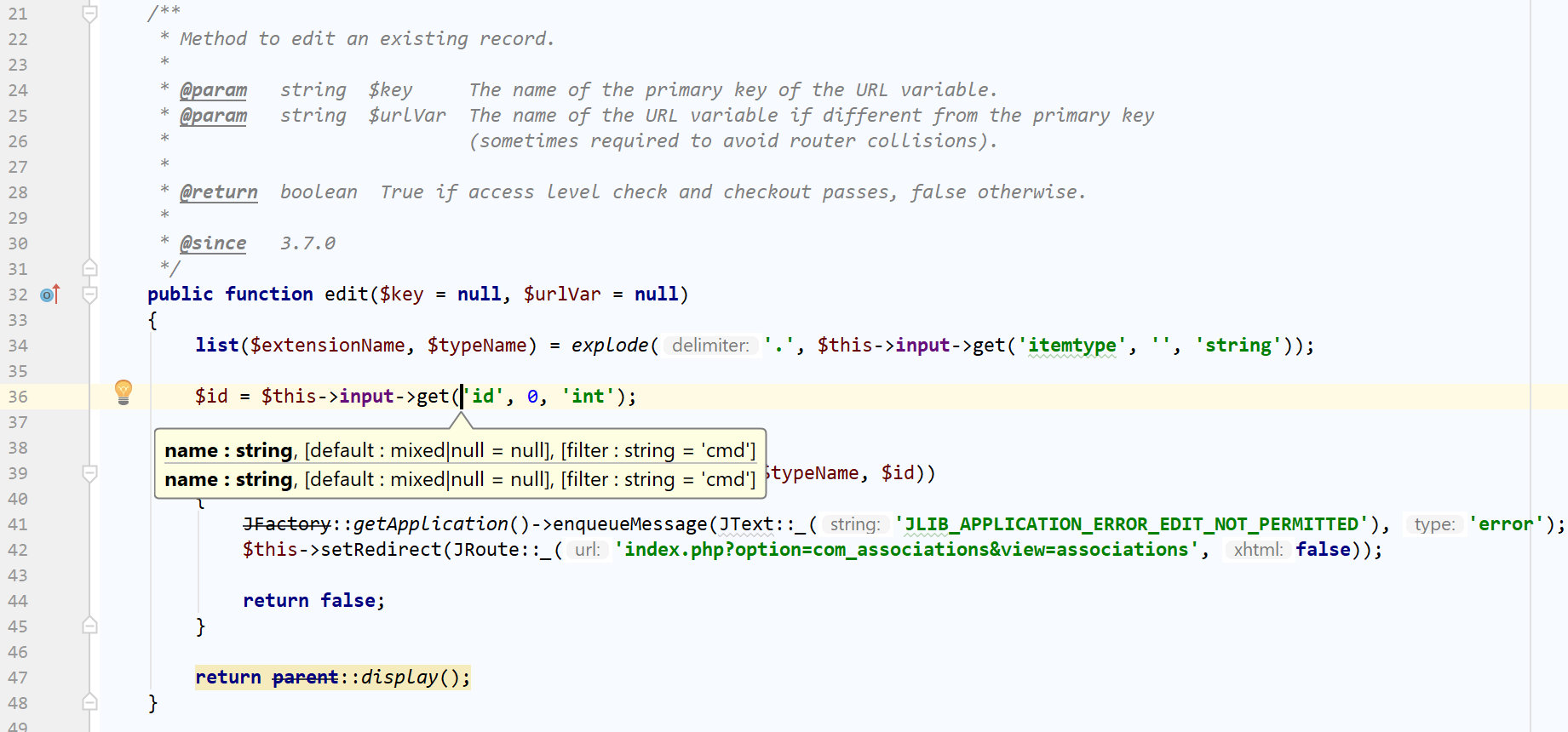
Usage
Installation and first use
Clone this repository and initialize Composer dependencies in it
You can create typehints against either a published version of Joomla! or a Joomla! installation on your computer. The latter is useful for core development against the staging branch.
Against a published Joomla! version, e.g. 3.7.4
Ninja developer tip: The --for-version argument also accepts any published GitHub branch name for the joomla/joomla-cms repository. For example, if you want to generate typehints for the current staging branch:
Against a Joomla! installation, e.g. /var/www/joomla-cms
By default the typehint classes are output in the generated_hints folder. You can change that by passing a folder name to the
command (the folder must already exist). For example:
Invoke the application without any parameters to get help. It's self-documenting!
Using the typehints with phpStorm
- Go to File, Settings.
- From the left hand tree select Language & Frameworks, PHP.
- Click on the Include Path tab.
- Click the [+] button to the right hand of the include path list.
- Select Specify Other... and select the generated class hints folder.
Using Rector to refactor your legacy code
Upgrading your Joomla extensions to use the new, namespaced classes by hand is a drag. It will take you ages, especially if you have a rather large corpus of code you've been developing for over a decade like we do at Akeeba Ltd.
The solution to that is Rector, a tool for automatically refactoring PHP code.
This repository ships with PHP configuration files for Rector which will automatically rename legacy classes to their namespaced equivalents. The PHP files are generated automatically in the same way as the typehints files.
Here's how to do it.
First, find the file with the minimum Joomla version your codebase supports. For example, if you want to support at
least Joomla 3.8 you need the file joomla_3_8.php.
Copy this file into the root of your repository and rename it to rector.php.
Now run:
docker run -v $(pwd):/project rector/rector:latest process /project --config /project/rector.php --dry-run
to see the changes Rector will do to your repository. Skip the --dry-run parameter to apply the changes to your code.
Always go through your code and test your extension BEFORE committing anything to your repository. Rector makes things easier for you but it's not infallible.
Tip: Instead of going all in with a minimum Joomla version try building up to it. For example, if your software only
supports Joomla 3.9 and later start by running Rector with the joomla_3_3.php file. Review and test your code, commit
and then repeat the process with the joomla_3_4.php file. Keep doing that for each file up to and including
joomla_3_9.php.
How does it do it?
It reads Joomla's libraries/classmap.php file and generates fake class files so that the deprecated class extends from the new, namespaced class. You have to include these files in your IDE's class search path for code completion to work.
For example, JRegistry stopped existing as a standalone class in Joomla! 3.3.0. It was replaced by \Joomla\Registry\Registry.
Any code which was typehinted to JRegistry stopped showing code hints to developers since 3.3.0.
This utility creates a fake class definition file for this class in the form
This lets your IDE know that even if you have used JRegistry in your DocBlocks / PHP 7.x type hints it should provide code
completion for the new \Joomla\Registry\Registry class. At the same time your IDE will mark the old JRegistry class as
deprecated (if it supports such a feature) so you can eventually refactor it to the new class name.
Doesn't Joomla already include stubs.php?
Yes, it does and it goes most of the way but not all of the way. It does give you the mapping of legacy to namespaced classes which are available in your Joomla version. It does tell you when they become obsolete.
It does not help you if you have a legacy code base using legacy Joomla classes which are no longer available in the Joomla version you are trying to use. For example, trying to target Joomla 4.0 means that you no longer have certain legacy classes which were deprecated in 3.x and removed in 4.0. Good luck trying to figure that out.
Moreover, it makes no sense going through your code base manually to change legacy classes to their namespaced equivalents. It's dull, it takes too long and there's a lot of room for mistakes. Using Rector is a far better solution. Why build your own Rector configuration when you can have it automatically generated for you?
Finally, you don't get a handy reference with all of the classes, when their namespaced variant was introduced and when the legacy class will be retired. This is invaluable if you're developing against a newer Joomla version but you're trying to target older versions as well. Same goes for trying to figure out which is the minimum version of Joomla you can reasonably target without having to pepper your source code with endless if-blocks whenever you're using a namespaced class you're not sure when it was introduced.
