Download the PHP package fof/prevent-necrobumping without Composer
On this page you can find all versions of the php package fof/prevent-necrobumping. It is possible to download/install these versions without Composer. Possible dependencies are resolved automatically.
Download fof/prevent-necrobumping
More information about fof/prevent-necrobumping
Files in fof/prevent-necrobumping
Package prevent-necrobumping
Short Description Warn before necrobumping old discussions
License MIT
Homepage https://friendsofflarum.org
FAQ
Example:

In general, it is recommended to use always a project to download your libraries. In an application normally there is more than one library needed.

- Some hosting areas are not accessible by a terminal or SSH. Then it is not possible to use Composer.
- To use Composer is sometimes complicated. Especially for beginners.
- Composer needs much resources. Sometimes they are not available on a simple webspace.
- If you are using private repositories you don't need to share your credentials. You can set up everything on our site and then you provide a simple download link to your team member.
- Simplify your Composer build process. Use our own command line tool to download the vendor folder as binary. This makes your build process faster and you don't need to expose your credentials for private repositories.
Informations about the package prevent-necrobumping
Prevent Necrobumping by FriendsOfFlarum


A Flarum extension. Warn before necrobumping old discussions.
Necrobump (verb):
To revive a long dormant forum thread by adding a new post, thus bringing it to the top of the forum list. Often a tactic of trolls attempting to control a forum.

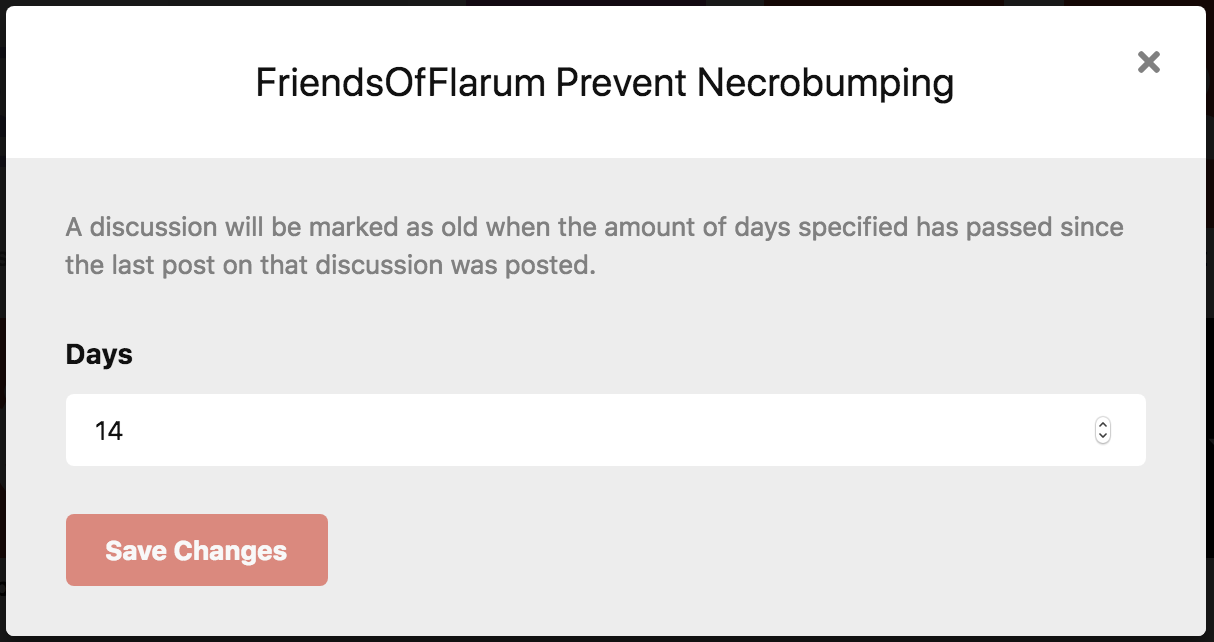
Installation
Updating
Configuration
Basic Settings
Configure the extension in the admin panel under Extensions → Prevent Necrobumping:
- Days Until Discussion Considered Inactive: Set the number of days after which a discussion is considered inactive (default: 30)
- Show "Start New Discussion" Prompt: Display a suggestion to start a new discussion when users attempt to reply to inactive discussions
Tag-Specific Thresholds
If you have the flarum/tags extension installed, you can configure different inactivity thresholds for specific tags. When a discussion has multiple tags with different thresholds, the shortest period applies.
Customizing Translations
You can customize the alert messages and prompts shown to users when they attempt to reply to inactive discussions. The extension provides the following translation keys:
Forum Translations
Admin Translations
Managing Translations
You can customize these translations in two ways:
-
Using FoF Linguist (Recommended)
Install the FoF Linguist extension to manage translations directly from your admin panel:
Then navigate to Admin → Extensions → Linguist to edit the translation keys listed above.
-
Using Language Packs
If you're using a language pack, you can submit translation updates to the language pack repository. For example:
- Flarum Language Packs
- Create a pull request with your translations for the keys above
Links


An extension by FriendsOfFlarum, commissioned by webdeveloper.com.
