Download the PHP package devmonowar/schedulelens-cron-viewer without Composer
On this page you can find all versions of the php package devmonowar/schedulelens-cron-viewer. It is possible to download/install these versions without Composer. Possible dependencies are resolved automatically.
Download devmonowar/schedulelens-cron-viewer
More information about devmonowar/schedulelens-cron-viewer
Files in devmonowar/schedulelens-cron-viewer
Package schedulelens-cron-viewer
Short Description See all scheduled jobs, catch overdue tasks, run or pause events, and check cron health - lightweight, admin-only, 100% free.
License GPL-2.0-or-later
Homepage https://devmonowar.github.io/schedulelens-cron-viewer/
FAQ
Example:

In general, it is recommended to use always a project to download your libraries. In an application normally there is more than one library needed.

- Some hosting areas are not accessible by a terminal or SSH. Then it is not possible to use Composer.
- To use Composer is sometimes complicated. Especially for beginners.
- Composer needs much resources. Sometimes they are not available on a simple webspace.
- If you are using private repositories you don't need to share your credentials. You can set up everything on our site and then you provide a simple download link to your team member.
- Simplify your Composer build process. Use our own command line tool to download the vendor folder as binary. This makes your build process faster and you don't need to expose your credentials for private repositories.
Informations about the package schedulelens-cron-viewer
ScheduleLens — Cron Viewer & Manager for WordPress
Cron manager for WordPress — see all scheduled jobs, fix missed schedule and wp-cron not working, run or pause events, and check cron health. Lightweight, admin-only, 100% free.


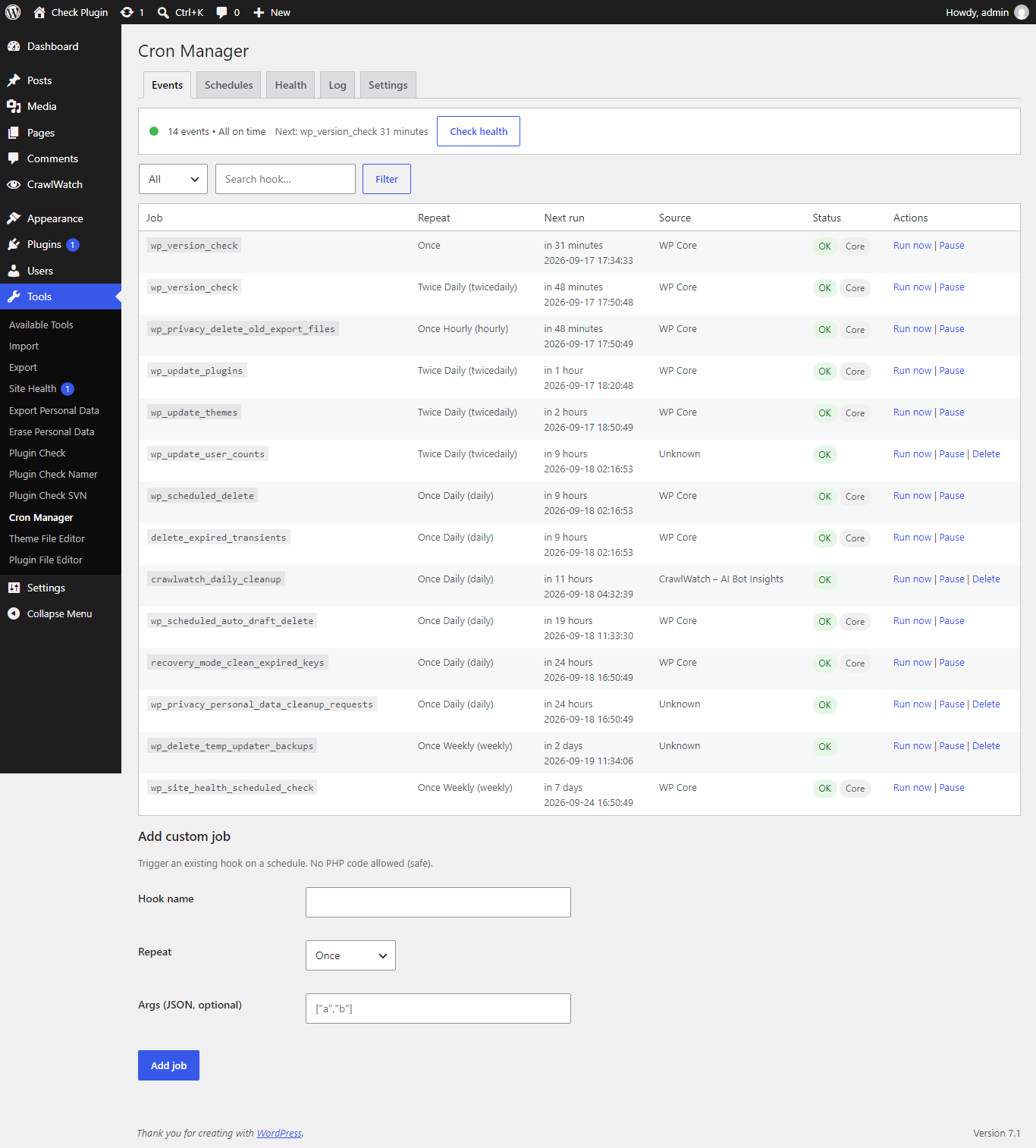
Fix missed schedule posts, debug wp-cron not working, and manage every scheduled job in plain words — no code, no tracking, no upsell.
Features
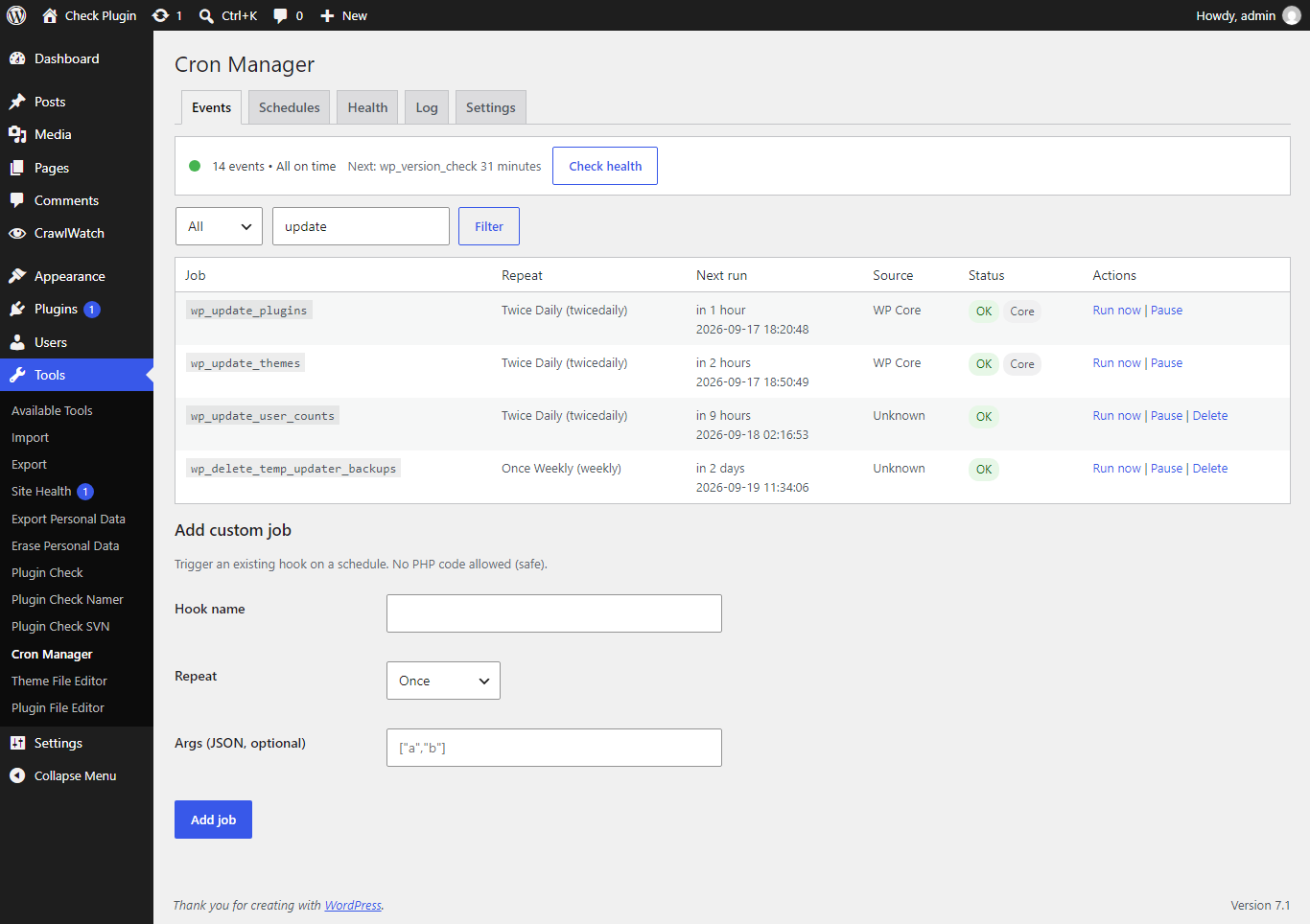
- All cron events with repeat, next run, and source (which plugin added it)
- Overdue badge in red, Core badge in gray — catch missed schedule fast
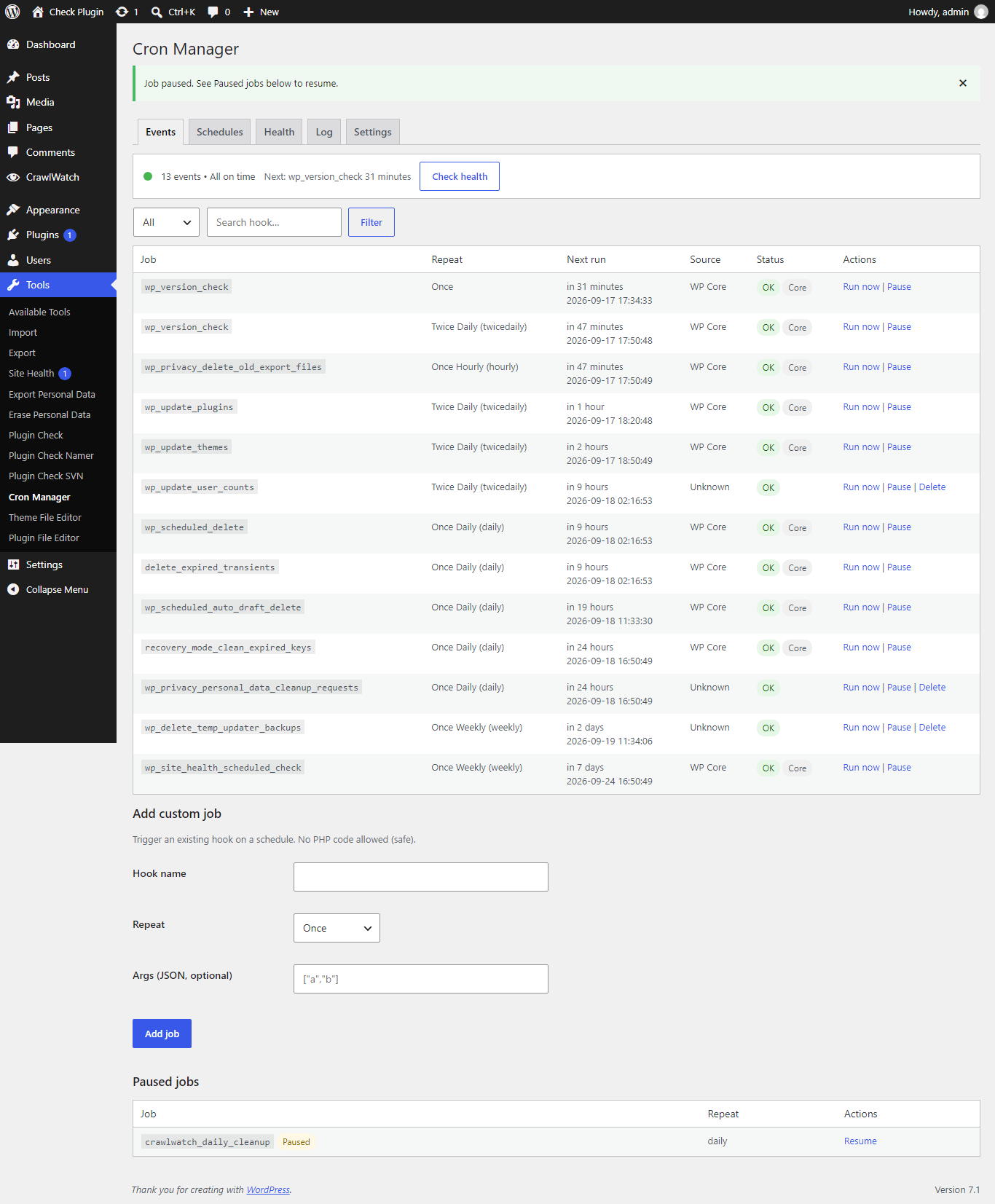
- Run now, Pause / Resume, Delete custom jobs (core jobs protected)
- Add custom job without code (existing hook only, no PHP execution)
- Custom intervals (minimum 60 seconds)
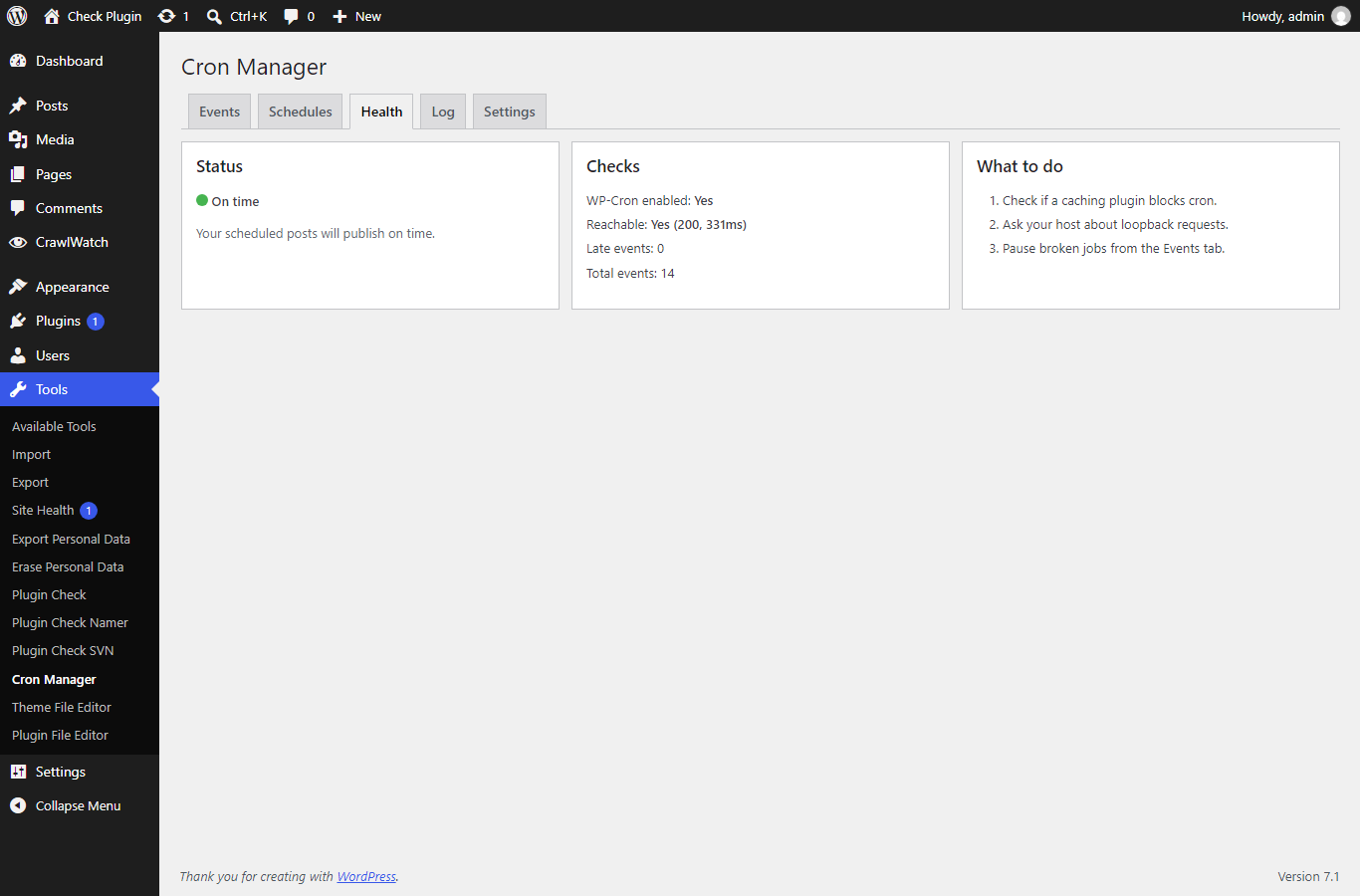
- Health tab: enabled, reachable, late count, total — Green / Yellow / Red + fix steps
- Last 100 runs log with duration, auto-deleted after 3/7/14 days (default 7)
- Admin only under Tools > Cron Manager. No frontend load. No tracking.
Installation
From WordPress.org (recommended)
Search for ScheduleLens in Plugins → Add New, or download it.
Via Composer
Manual
- Download this repository as a ZIP.
- Upload it via Plugins → Add New → Upload Plugin.
- Activate, then go to Tools → Cron Manager.
Usage
- Open Tools → Cron Manager — overdue jobs show a red badge.
- Use Run now to fire a job manually, Pause to stop it without deleting.
- Open the Health tab when posts miss schedule — follow the Green/Yellow/Red fix steps.
- Check the Log tab for the last 100 runs with duration.
Screenshots
| Events list | Event actions | Health status |
|---|---|---|
|
 |
 |
| Health tab | Run log |
|---|---|
 |
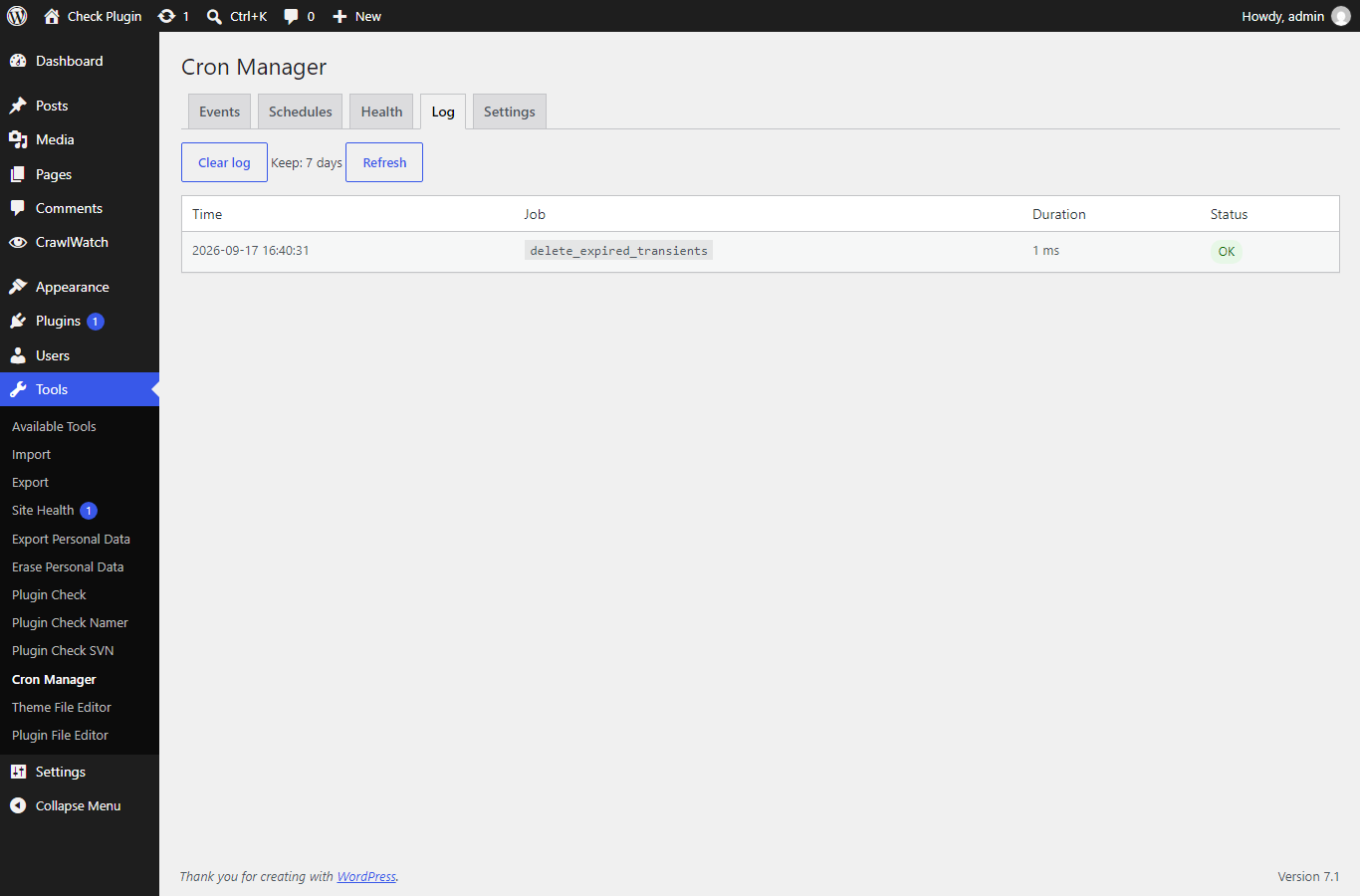 |
Links
- WordPress.org: https://wordpress.org/plugins/schedulelens-cron-viewer/
- Support forum: https://wordpress.org/support/plugin/schedulelens-cron-viewer/
- Source: https://github.com/devmonowar/schedulelens-cron-viewer
Development
This is the development repository. Releases are cut with a git tag (e.g. 1.0.0) — GitHub Actions deploys the tag to WordPress.org SVN (trunk + tags/<version>) and syncs .wordpress-org/ assets. The same tag auto-updates Packagist. Quality gate in CI: PHP lint on 7.4–8.3.
License
GPLv2 or later.
