Download the PHP package deskcrew/craft-deskcrew without Composer
On this page you can find all versions of the php package deskcrew/craft-deskcrew. It is possible to download/install these versions without Composer. Possible dependencies are resolved automatically.
FAQ
Example:

In general, it is recommended to use always a project to download your libraries. In an application normally there is more than one library needed.

- Some hosting areas are not accessible by a terminal or SSH. Then it is not possible to use Composer.
- To use Composer is sometimes complicated. Especially for beginners.
- Composer needs much resources. Sometimes they are not available on a simple webspace.
- If you are using private repositories you don't need to share your credentials. You can set up everything on our site and then you provide a simple download link to your team member.
- Simplify your Composer build process. Use our own command line tool to download the vendor folder as binary. This makes your build process faster and you don't need to expose your credentials for private repositories.
Informations about the package craft-deskcrew

DeskCrew for Craft CMS
Add DeskCrew live chat and AI support to any Craft CMS site from the control panel. No template changes.
Website • Integrations • For agents • Sign up






⭐ Help more people find DeskCrew. Star this repo!
Add the DeskCrew support-chat widget to your Craft site: live chat, AI answers from your knowledge base, and a help center, without touching a template.
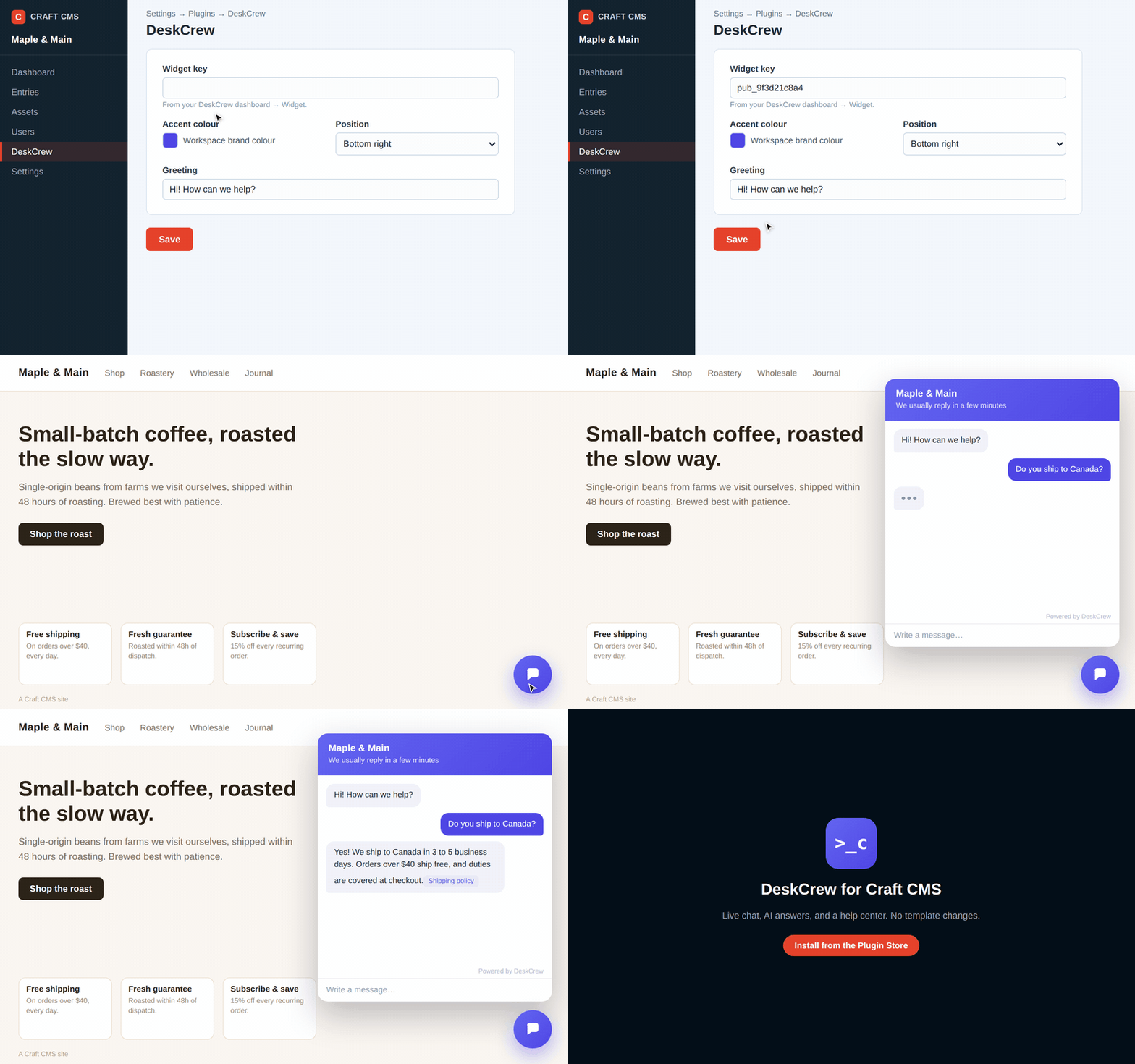
DeskCrew configured in the Craft control panel and answering on the front end. Watch the full quality video.
Requirements
Craft CMS 4.0+ or 5.0+, PHP 8.0.2+.
Installation
From the Plugin Store: in the Craft control panel go to Plugin Store, search for DeskCrew, and click Install.
With Composer:
Configuration
Go to Settings → Plugins → DeskCrew and set:
- Widget key: your DeskCrew public widget key (starts with
pub_). Find it in your DeskCrew dashboard under Install. The widget stays hidden until this is set. - Board slug, Accent colour, Launcher position, Greeting: all optional.
When you save, the plugin automatically registers your site's URL with DeskCrew so the widget is allowed to load, no extra steps.
License
MIT, see deskcrew.io.
