Download the PHP package danlapteacru/wp-patterns-debug without Composer
On this page you can find all versions of the php package danlapteacru/wp-patterns-debug. It is possible to download/install these versions without Composer. Possible dependencies are resolved automatically.
Download danlapteacru/wp-patterns-debug
More information about danlapteacru/wp-patterns-debug
Files in danlapteacru/wp-patterns-debug
Package wp-patterns-debug
Short Description Pattern registry browser and block/pattern debug panel for the WordPress block editor.
License GPL-2.0-or-later
Homepage https://github.com/danlapteacru/wp-patterns-debug
FAQ
Example:

In general, it is recommended to use always a project to download your libraries. In an application normally there is more than one library needed.

- Some hosting areas are not accessible by a terminal or SSH. Then it is not possible to use Composer.
- To use Composer is sometimes complicated. Especially for beginners.
- Composer needs much resources. Sometimes they are not available on a simple webspace.
- If you are using private repositories you don't need to share your credentials. You can set up everything on our site and then you provide a simple download link to your team member.
- Simplify your Composer build process. Use our own command line tool to download the vendor folder as binary. This makes your build process faster and you don't need to expose your credentials for private repositories.
Informations about the package wp-patterns-debug
Patterns Debug
Adds two debugging surfaces to the WordPress block editor (post editor and site editor):
Pattern browser
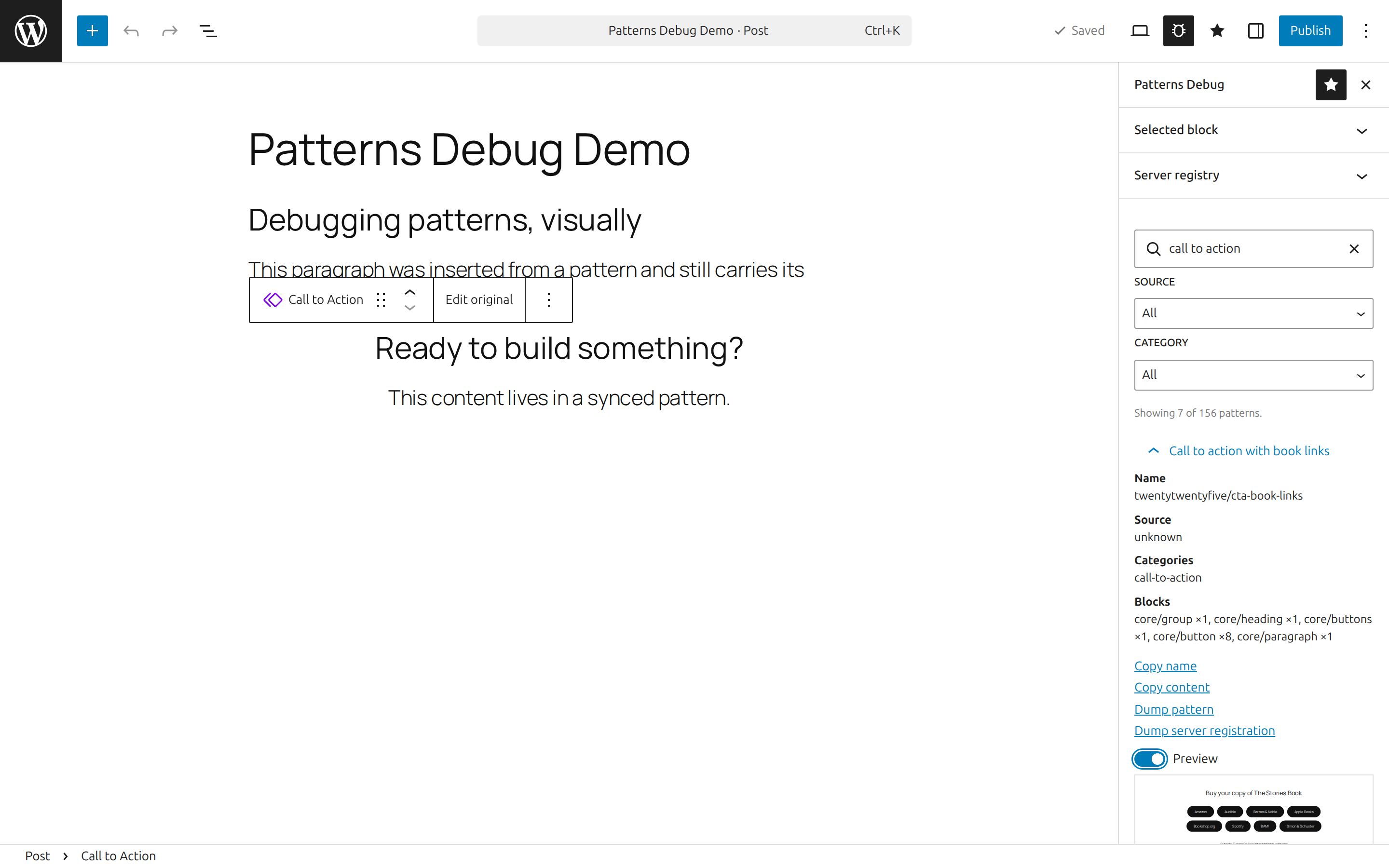
A pinnable Patterns Debug sidebar with a Selected block debug panel on top, followed by a browser listing every pattern the editor knows about:
- Registered patterns from the client stores (core, theme, plugin, pattern directory), plus user patterns (
wp_blockposts) with their sync status. - Search plus source and category filters.
- Per pattern: metadata (source, categories, block types, sync status, inserter visibility), a recursive block-usage count, copy name/content, a JSON dump, and a live
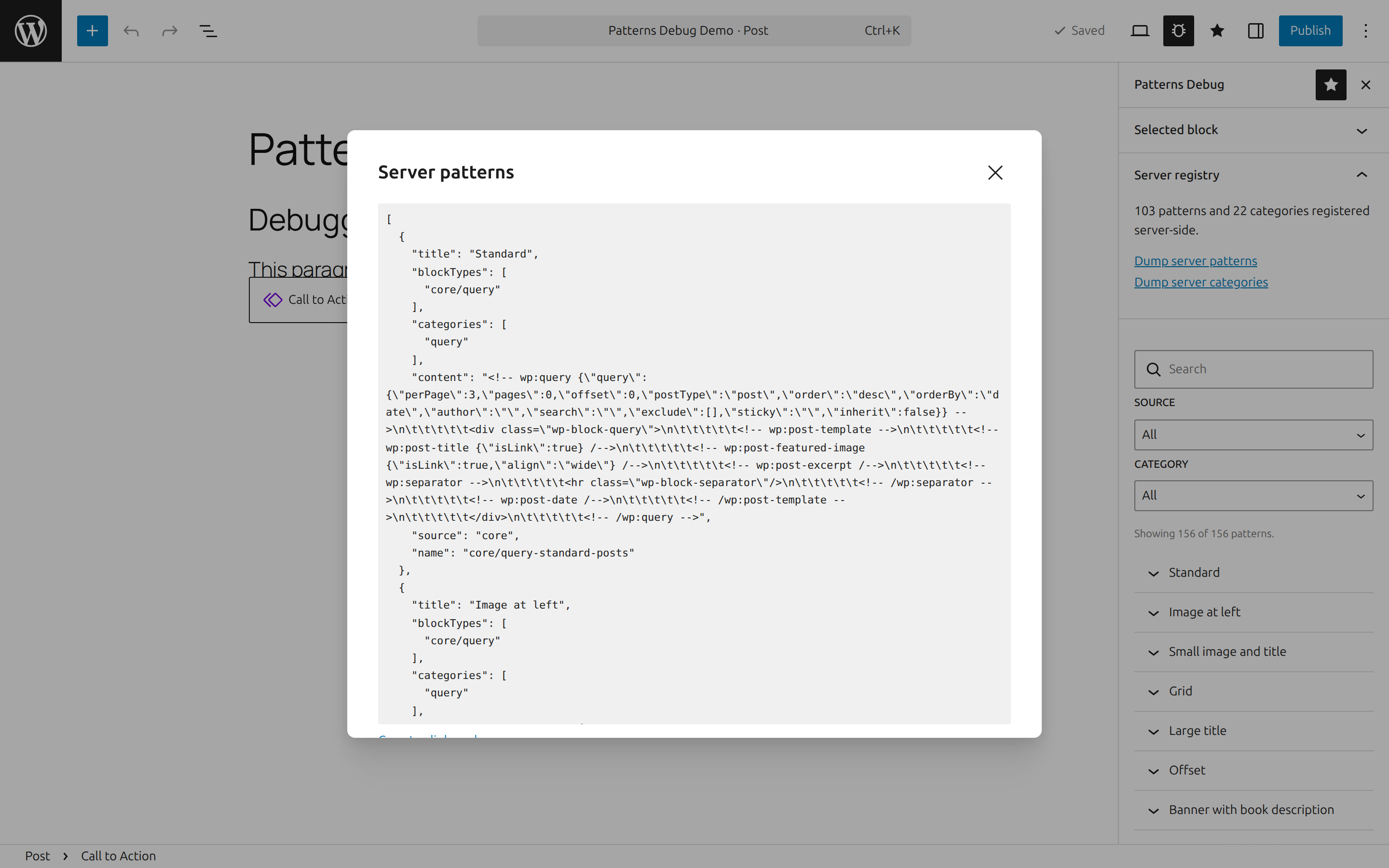
BlockPreview. - A Server registry section backed by a REST endpoint (
wp-patterns-debug/v1/registry) that dumps the raw server-sideWP_Block_Patterns_Registryand category registry — including patterns hidden from the inserter — exactly as PHP registered them.
Block debug panel
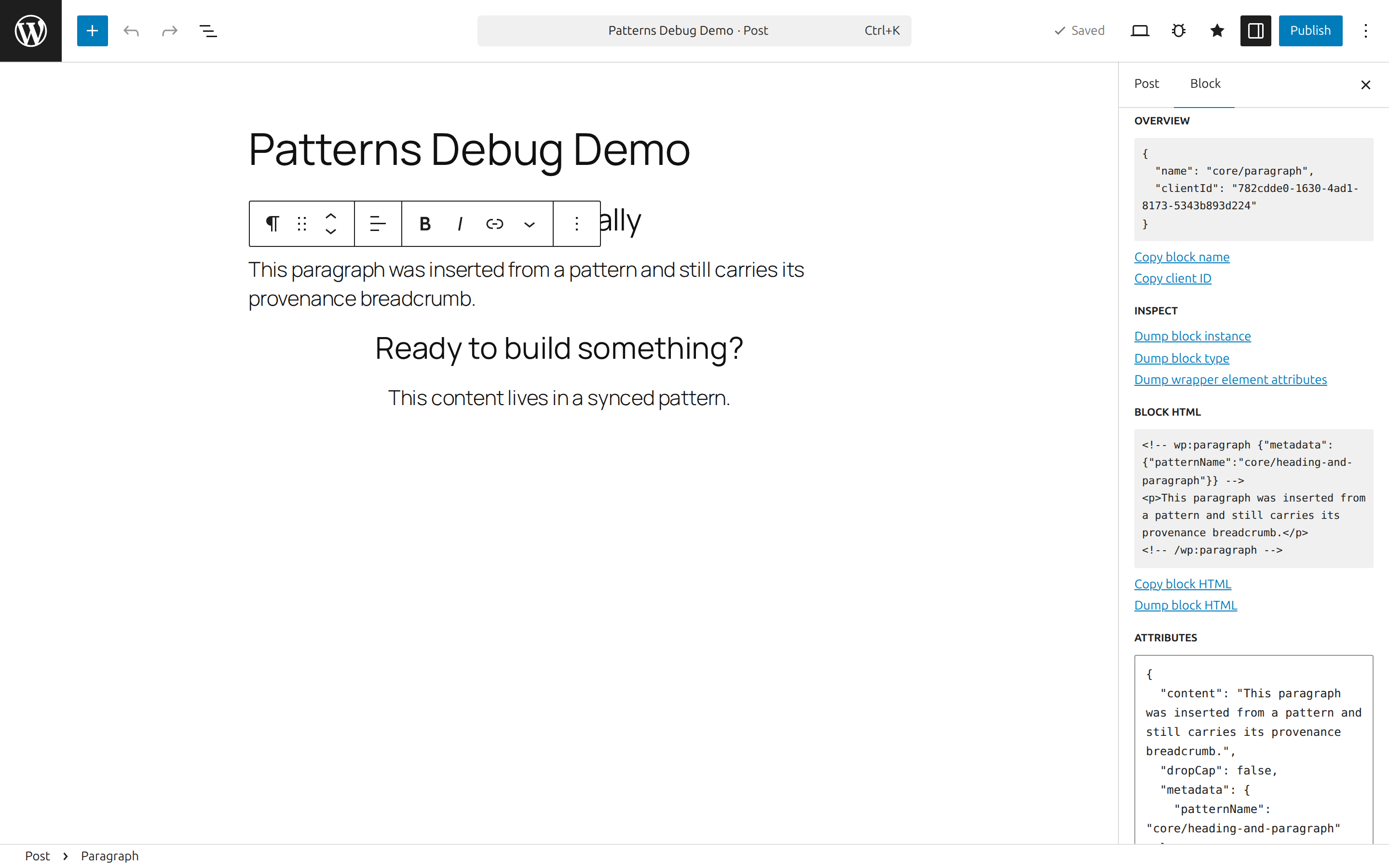
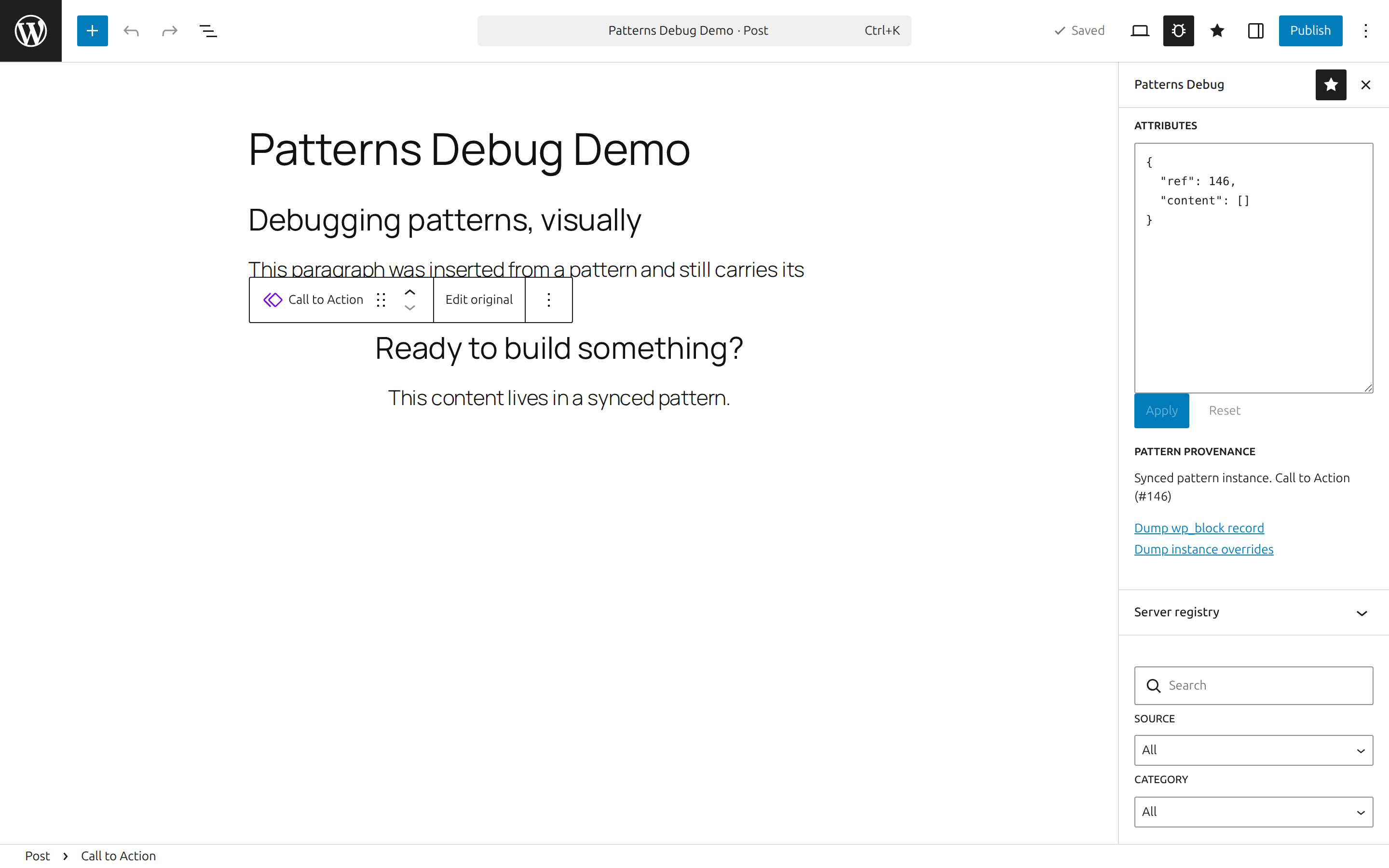
A Debug panel in the block inspector for the selected block, and the same panel as Selected block in the plugin sidebar. The sidebar copy matters: the block inspector renders no panels at all for synced pattern instances (core/block), so the sidebar is the only place they can be debugged.
- Overview (name, client ID) with copy actions.
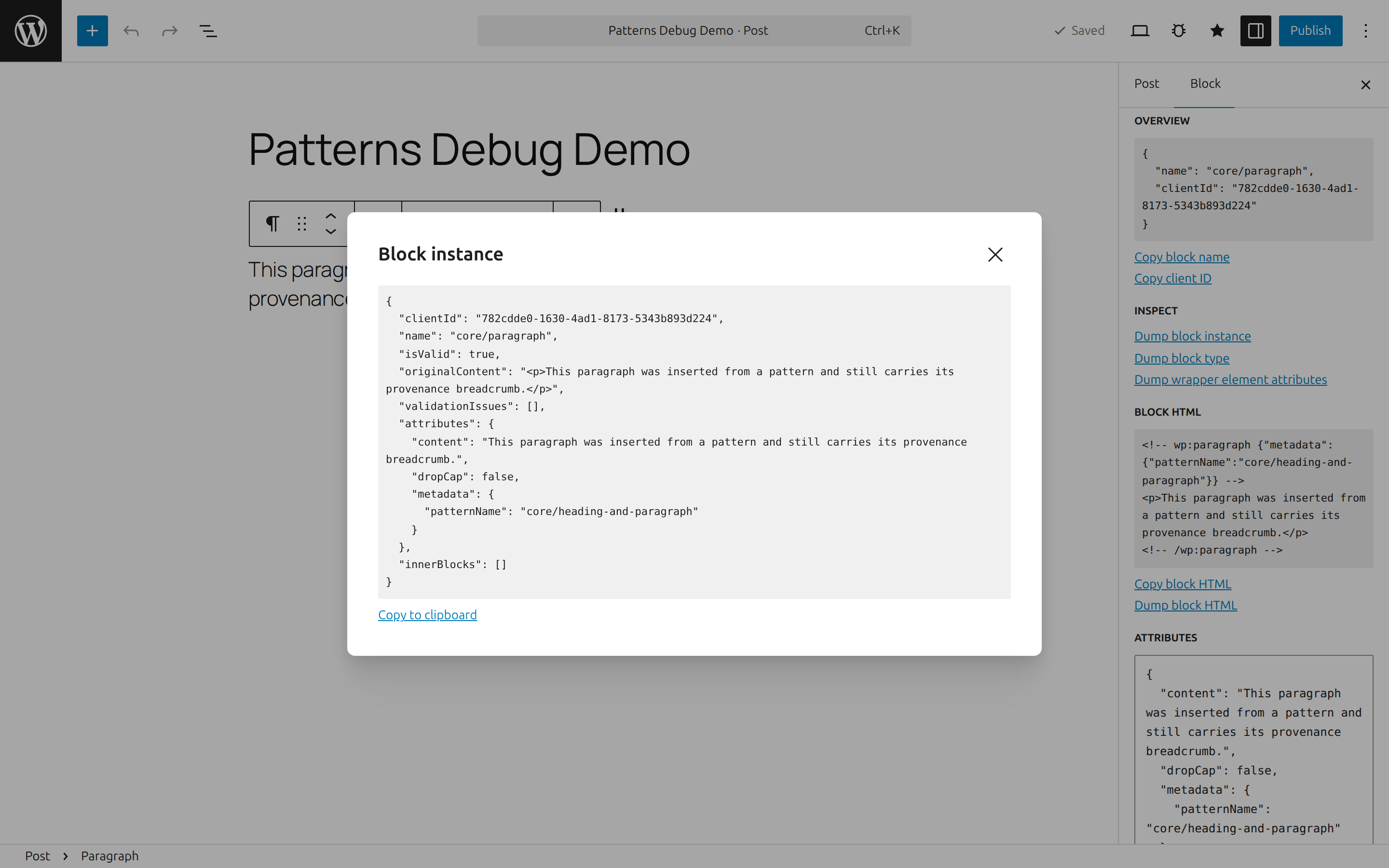
- Dumps: block instance, block type, the wrapper element's rendered DOM attributes, serialized block HTML.
- Attributes editor: the block's attributes as raw, validated JSON. Apply/reset; deleting a key removes the attribute; keys outside the block type's attribute schema are flagged but allowed.
- Pattern provenance: shows when the selected block is a synced pattern instance (
core/blockref,wp_blockrecord, per-instance overrides) or was inserted from a pattern (metadata.patternName), with dumps of the source pattern.
Screenshots
Debug panel in the block inspector — overview, dumps, serialized HTML, and the raw JSON attributes editor:
Dump modals — pretty-printed, copyable dumps of the block instance, block type, or wrapper element:
Pattern browser — search and filter every registered and user pattern, with metadata, block counts, and live previews:
Synced pattern provenance — the sidebar's Selected block panel debugging a core/block instance (the block inspector renders no panels for these):
Server registry — the raw server-side pattern registry, dumped over REST, including patterns hidden from the inserter:
Installation
Via Composer:
Or clone/download into wp-content/plugins/wp-patterns-debug — built assets are committed, so no build step is needed.
Requirements
- WordPress 6.6+ (unified
@wordpress/editorplugin APIs,react-jsx-runtime). - PHP 8.1+.
Access control
All debug surfaces (assets and the REST endpoint) require the view_patterns_debug capability, mapped to edit_posts by default. Remap it by filtering map_meta_cap at a priority above 0:
Development
The plugin loads vendor/autoload.php when present but does not require Composer; a minimal PSR-4 autoloader covers src/.
License
GPL-2.0-or-later
