Download the PHP package cliqthemes/log-lens-core without Composer
On this page you can find all versions of the php package cliqthemes/log-lens-core. It is possible to download/install these versions without Composer. Possible dependencies are resolved automatically.
Download cliqthemes/log-lens-core
More information about cliqthemes/log-lens-core
Files in cliqthemes/log-lens-core
Package log-lens-core
Short Description Fast, local-first log dashboard and error tracker for Laravel, Horizon, nginx, and console logs.
License MIT
FAQ
Example:

In general, it is recommended to use always a project to download your libraries. In an application normally there is more than one library needed.

- Some hosting areas are not accessible by a terminal or SSH. Then it is not possible to use Composer.
- To use Composer is sometimes complicated. Especially for beginners.
- Composer needs much resources. Sometimes they are not available on a simple webspace.
- If you are using private repositories you don't need to share your credentials. You can set up everything on our site and then you provide a simple download link to your team member.
- Simplify your Composer build process. Use our own command line tool to download the vendor folder as binary. This makes your build process faster and you don't need to expose your credentials for private repositories.
Informations about the package log-lens-core
Log Lens — core engine


The runnable, framework-free engine behind Log Lens: a fast, local-first log dashboard and error tracker for Laravel, Horizon, nginx access, and console logs. PHP + PDO, SQLite by default, no framework.
Log data stays on the machine running the app. One application is selected at a time, and each owns a completely isolated database and set of directories — never an aggregated view across applications.
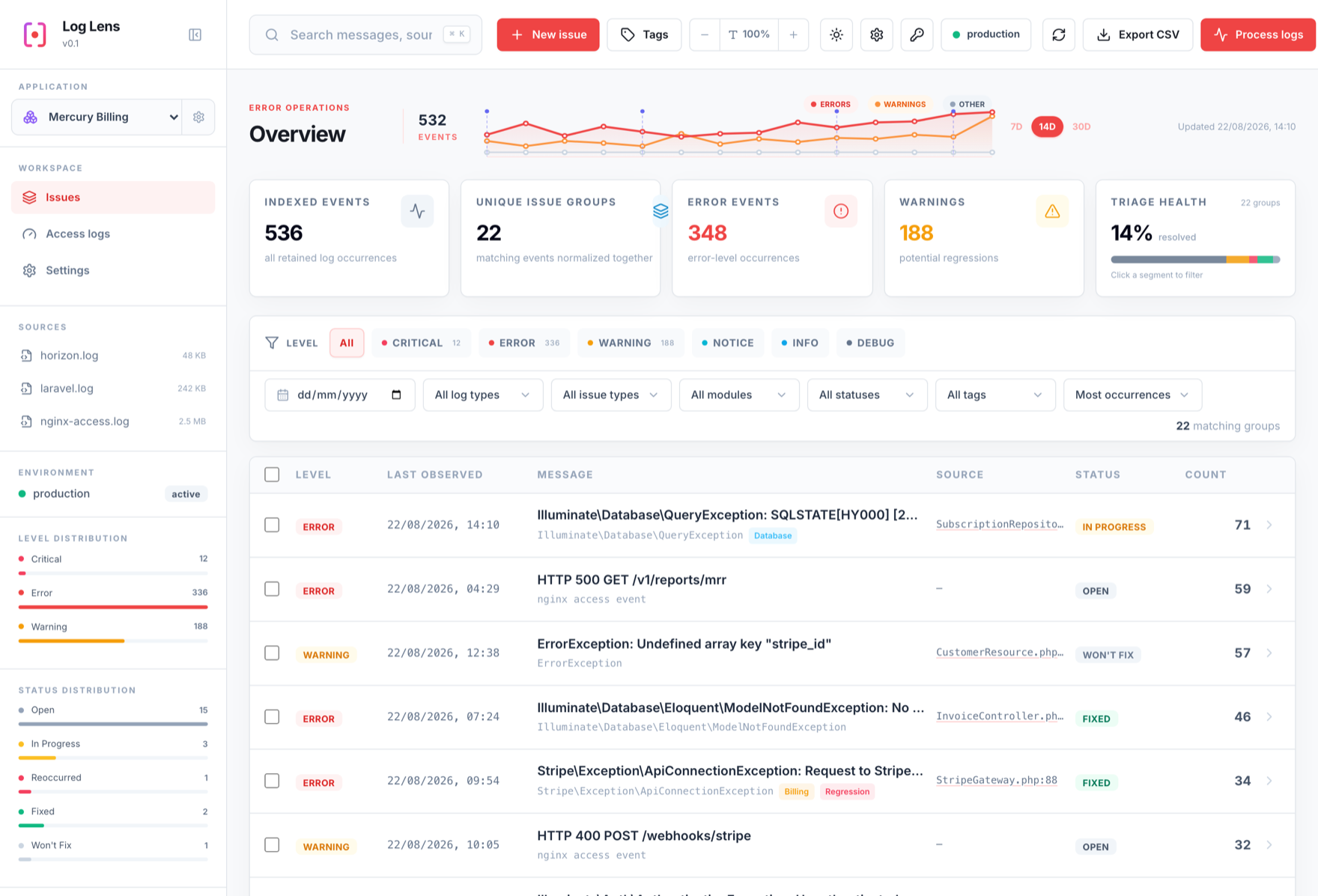
To mount the same dashboard inside an existing Laravel app instead, use the
adapter: cliqthemes/log-lens.
Requirements
- PHP 8.2+ with
pdo,pdo_sqlite, andjson. - Nothing else at runtime. No Composer dependencies, and the React UI ships
pre-built under
public/ui/. - Optional:
curlfor the outbound-HTTP plugins (Linear, Alerting, HTTP ingest);pdo_pgsqlorpdo_mysqlfor the opt-in Postgres/MySQL drivers.
Run
Serve public/:
The first launch creates a default application, its SQLite database under
storage/, and logs/, processed/, and sources/ directories. Drop log
files into logs/ and press Process logs, or import in place:
What it does
- Parses Laravel, Horizon (both the logging-stack framing and raw
queue:workconsole output), nginx access logs, and arbitrary console output. Hosts can register their own parsers. - Groups recurring events into fingerprinted issues with a workflow status, an immutable status history, tags, modules, and assignment — while keeping the raw byte range so the original event text is always retrievable.
- Pulls logs incrementally from a local directory or over SSH, with byte-offset checkpoints, rotation handling, a background worker, and a scheduled drain.
- Extends through opt-in plugins: Linear, Alerting, HTTP ingest, release tracking with source maps, and access-log analytics.
- Captures first-hand errors over
POST ?api=ingest, with PHP and browser SDKs.
Install
Or as a Composer dependency, if you are embedding the engine:
Documentation
Full documentation: https://docs.log-lens.cliqthemes.com/
Getting Started · Architecture · Configuration · Deployment · API reference · Database drivers · Security
Tests
The cross-engine smoke suites under tests/smoke/ need a live Postgres or MySQL
(or, for the two SQLite ones, nothing at all) — see their file headers.
MIT licensed. Release history: CHANGELOG.md and releases. Bugs, requests, and security advisories for both packages go to cliqthemes/log-lens.
All versions of log-lens-core with dependencies

ext-json Version *
ext-pdo Version *
ext-pdo_sqlite Version *