Download the PHP package apirelio/nette without Composer
On this page you can find all versions of the php package apirelio/nette. It is possible to download/install these versions without Composer. Possible dependencies are resolved automatically.
Download apirelio/nette
More information about apirelio/nette
Files in apirelio/nette
Package nette
Short Description Fail-safe Nette SDK for Apirelio customer integration analytics.
License MIT
FAQ
Example:

In general, it is recommended to use always a project to download your libraries. In an application normally there is more than one library needed.

- Some hosting areas are not accessible by a terminal or SSH. Then it is not possible to use Composer.
- To use Composer is sometimes complicated. Especially for beginners.
- Composer needs much resources. Sometimes they are not available on a simple webspace.
- If you are using private repositories you don't need to share your credentials. You can set up everything on our site and then you provide a simple download link to your team member.
- Simplify your Composer build process. Use our own command line tool to download the vendor folder as binary. This makes your build process faster and you don't need to expose your credentials for private repositories.
Informations about the package nette
Apirelio for Nette


See the customer behind every API request
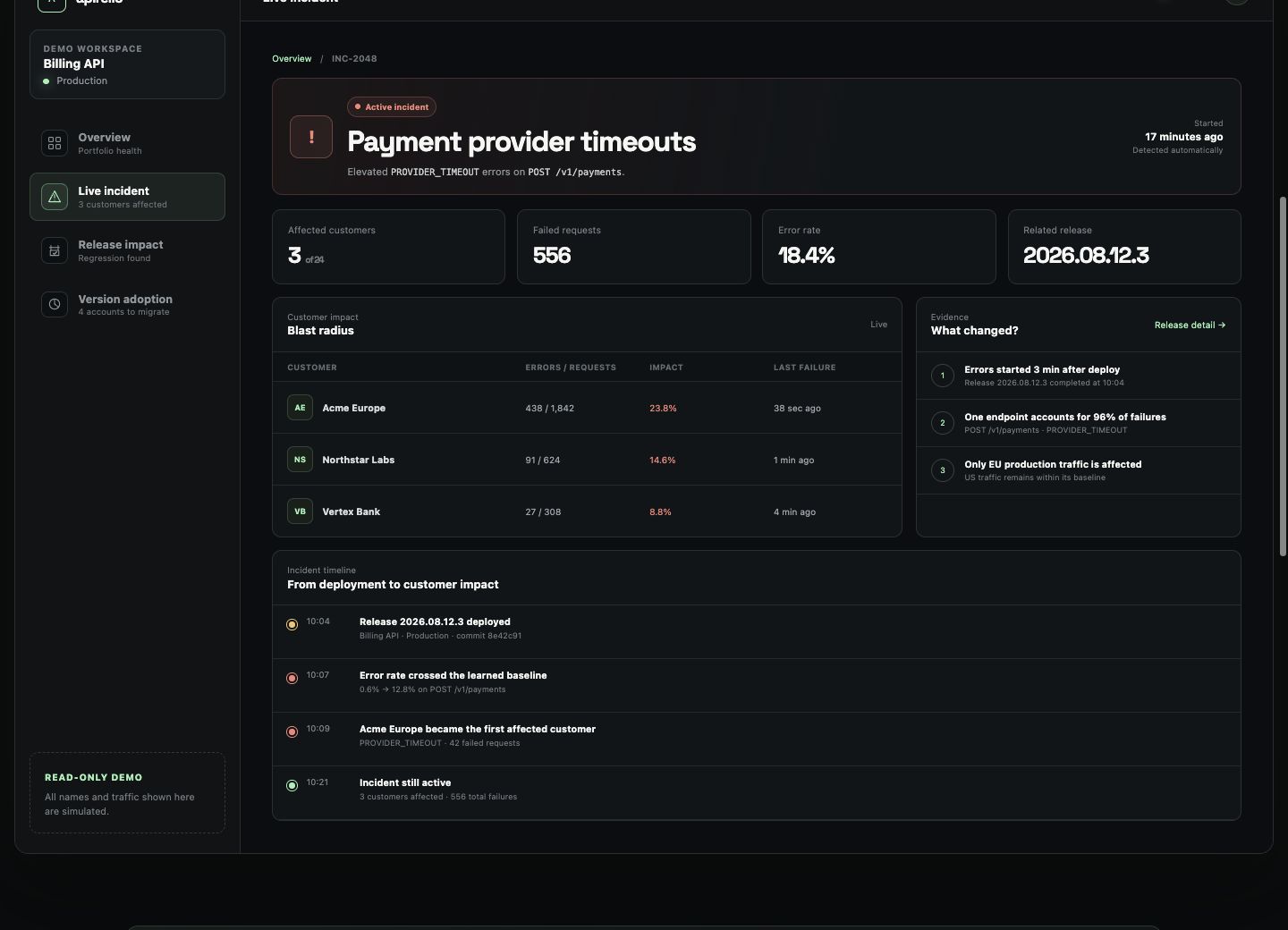
Follow a release regression from the failing endpoint to the exact customer accounts it affects in the public, read-only workspace.
Try it in 30 seconds
Copy the minimal setup below or run the quickstart example. Delivery is fail-safe and no request or response payloads are captured.
Documentation · Packagist · Apirelio
Connect Nette API errors, latency and releases to the affected customers without capturing request or response payloads.
Fail-safe customer integration analytics for Nette applications. The package uses the shared
apirelio/php-core event contract, sanitization,
retry and file buffer.
Requirements
- PHP 8.2+
- Nette Application 3.2 or 3.3
- ext-curl
Installation
Register the native DI extension:
The extension automatically records matched Nette application requests through onRequest,
onResponse and onError. Delivery failures are swallowed and optionally logged, so analytics
cannot change the customer response.
The default fileBuffer transport persists events before sending them. Use a writable application
temp directory:
For direct synchronous delivery:
Request context
Inject Apirelio\Nette\ApirelioManager into a presenter or service:
Only keys listed in metadataKeys are retained. Secrets, request bodies, query parameters,
cookies and authorization headers are never collected.
Manual business events
Customer and application resolvers
Implement the resolver contracts:
Register the services and reference their service names:
Development
All versions of nette with dependencies

nette/application Version ^3.2 || ^3.3
nette/di Version ^3.1 || ^3.2
nette/http Version ^3.3 || ^3.4
nette/schema Version ^1.2 || ^1.3
php Version ^8.2
psr/log Version ^1.1 || ^2.0 || ^3.0
apirelio/php-core Version ^1.0